Tencent/BrowserSkillPublic

Let AI agents use your real, logged-in browser without interrupting your work. CLI + extension for browser automation across any shell-capable AI agent.

AI summary: A tool that connects AI agents to your logged-in browser for automated web tasks.

Stars
10.5K
+118 today
Forks
760
Watchers
25
Open issues
64
Open PRs
79
Contributors
~55
Commits
1.2K
Branches
164

TypeScriptMITCreated Jun 22, 2026Last push 3d agoLatest release cli-v0.4.2+228 stars this week+1.3K this month

Quick answers

What is BrowserSkill?
A tool that connects AI agents to your logged-in browser for automated web tasks.
What does BrowserSkill do?
BrowserSkill seamlessly links your AI agent to Chrome or Microsoft Edge, allowing it to utilize the accounts you are already signed into. The tool enables agents to read pages, fill out forms, navigate through complex websites, and capture long screenshots. It fundamentally bridges the gap between autonomous AI operations and the authenticated state of a user's daily browser. This allows developers to automate tasks without needing to manage separate login sessions or complex authentication flows for their agents.
Who is BrowserSkill for?
Developers and productivity enthusiasts wanting to integrate AI agents directly into their daily web browsing environment. Useful for automating personal tasks that rely on existing authenticated sessions.
How popular is BrowserSkill on GitHub?
Tencent/BrowserSkill has 10,515 stars and 760 forks on GitHub, and gained 228 stars in the last 7 days.
What license does BrowserSkill use?
Tencent/BrowserSkill is released under the MIT license.

Star history

since Sep 17, 2026
05K10KSep 2026Oct 2026Oct 2026Nov 2026
10.5K stars as of Nov 18, 2026. Measured daily since Sep 17, 2026; GitHub no longer exposes earlier star timestamps.

Update history

3 recorded
  • Nov 10, 2026New release cli-v0.4.2 (previously cli-v0.4.0).
  • Oct 31, 2026New release cli-v0.4.0 (previously cli-v0.3.3).
  • Oct 22, 2026New release cli-v0.3.3 (previously cli-v0.3.2).

Contribution activity

commits per day, last 52 weeks
NovDecJanFebMarAprMayJunJulAugSepOctNovMonWedFri2025-11-16: 0 commits2025-11-17: 0 commits2025-11-18: 0 commits2025-11-19: 0 commits2025-11-20: 0 commits2025-11-21: 0 commits2025-11-22: 0 commits2025-11-23: 0 commits2025-11-24: 0 commits2025-11-25: 0 commits2025-11-26: 0 commits2025-11-27: 0 commits2025-11-28: 0 commits2025-11-29: 0 commits2025-11-30: 0 commits2025-12-01: 0 commits2025-12-02: 0 commits2025-12-03: 0 commits2025-12-04: 0 commits2025-12-05: 0 commits2025-12-06: 0 commits2025-12-07: 0 commits2025-12-08: 0 commits2025-12-09: 0 commits2025-12-10: 0 commits2025-12-11: 0 commits2025-12-12: 0 commits2025-12-13: 0 commits2025-12-14: 0 commits2025-12-15: 0 commits2025-12-16: 0 commits2025-12-17: 0 commits2025-12-18: 0 commits2025-12-19: 0 commits2025-12-20: 0 commits2025-12-21: 0 commits2025-12-22: 0 commits2025-12-23: 0 commits2025-12-24: 0 commits2025-12-25: 0 commits2025-12-26: 0 commits2025-12-27: 0 commits2025-12-28: 0 commits2025-12-29: 0 commits2025-12-30: 0 commits2025-12-31: 0 commits2026-01-01: 0 commits2026-01-02: 0 commits2026-01-03: 0 commits2026-01-04: 0 commits2026-01-05: 0 commits2026-01-06: 0 commits2026-01-07: 0 commits2026-01-08: 0 commits2026-01-09: 0 commits2026-01-10: 0 commits2026-01-11: 0 commits2026-01-12: 0 commits2026-01-13: 0 commits2026-01-14: 0 commits2026-01-15: 0 commits2026-01-16: 0 commits2026-01-17: 0 commits2026-01-18: 0 commits2026-01-19: 0 commits2026-01-20: 0 commits2026-01-21: 0 commits2026-01-22: 0 commits2026-01-23: 0 commits2026-01-24: 0 commits2026-01-25: 0 commits2026-01-26: 0 commits2026-01-27: 0 commits2026-01-28: 0 commits2026-01-29: 0 commits2026-01-30: 0 commits2026-01-31: 0 commits2026-02-01: 0 commits2026-02-02: 0 commits2026-02-03: 0 commits2026-02-04: 0 commits2026-02-05: 0 commits2026-02-06: 0 commits2026-02-07: 0 commits2026-02-08: 0 commits2026-02-09: 0 commits2026-02-10: 0 commits2026-02-11: 0 commits2026-02-12: 0 commits2026-02-13: 0 commits2026-02-14: 0 commits2026-02-15: 0 commits2026-02-16: 0 commits2026-02-17: 0 commits2026-02-18: 0 commits2026-02-19: 0 commits2026-02-20: 0 commits2026-02-21: 0 commits2026-02-22: 0 commits2026-02-23: 0 commits2026-02-24: 0 commits2026-02-25: 0 commits2026-02-26: 0 commits2026-02-27: 0 commits2026-02-28: 0 commits2026-03-01: 0 commits2026-03-02: 0 commits2026-03-03: 0 commits2026-03-04: 0 commits2026-03-05: 0 commits2026-03-06: 0 commits2026-03-07: 0 commits2026-03-08: 0 commits2026-03-09: 0 commits2026-03-10: 0 commits2026-03-11: 0 commits2026-03-12: 0 commits2026-03-13: 0 commits2026-03-14: 0 commits2026-03-15: 0 commits2026-03-16: 0 commits2026-03-17: 0 commits2026-03-18: 0 commits2026-03-19: 0 commits2026-03-20: 0 commits2026-03-21: 0 commits2026-03-22: 0 commits2026-03-23: 0 commits2026-03-24: 0 commits2026-03-25: 0 commits2026-03-26: 0 commits2026-03-27: 0 commits2026-03-28: 0 commits2026-03-29: 0 commits2026-03-30: 0 commits2026-03-31: 0 commits2026-04-01: 0 commits2026-04-02: 0 commits2026-04-03: 0 commits2026-04-04: 0 commits2026-04-05: 0 commits2026-04-06: 0 commits2026-04-07: 0 commits2026-04-08: 0 commits2026-04-09: 0 commits2026-04-10: 0 commits2026-04-11: 0 commits2026-04-12: 0 commits2026-04-13: 0 commits2026-04-14: 0 commits2026-04-15: 0 commits2026-04-16: 0 commits2026-04-17: 0 commits2026-04-18: 0 commits2026-04-19: 0 commits2026-04-20: 0 commits2026-04-21: 0 commits2026-04-22: 0 commits2026-04-23: 0 commits2026-04-24: 0 commits2026-04-25: 0 commits2026-04-26: 0 commits2026-04-27: 0 commits2026-04-28: 0 commits2026-04-29: 0 commits2026-04-30: 0 commits2026-05-01: 0 commits2026-05-02: 0 commits2026-05-03: 0 commits2026-05-04: 0 commits2026-05-05: 0 commits2026-05-06: 0 commits2026-05-07: 0 commits2026-05-08: 0 commits2026-05-09: 0 commits2026-05-10: 0 commits2026-05-11: 0 commits2026-05-12: 0 commits2026-05-13: 0 commits2026-05-14: 0 commits2026-05-15: 0 commits2026-05-16: 0 commits2026-05-17: 0 commits2026-05-18: 0 commits2026-05-19: 0 commits2026-05-20: 0 commits2026-05-21: 0 commits2026-05-22: 0 commits2026-05-23: 0 commits2026-05-24: 0 commits2026-05-25: 0 commits2026-05-26: 0 commits2026-05-27: 0 commits2026-05-28: 0 commits2026-05-29: 0 commits2026-05-30: 0 commits2026-05-31: 0 commits2026-06-01: 0 commits2026-06-02: 0 commits2026-06-03: 0 commits2026-06-04: 0 commits2026-06-05: 0 commits2026-06-06: 0 commits2026-06-07: 0 commits2026-06-08: 0 commits2026-06-09: 0 commits2026-06-10: 0 commits2026-06-11: 0 commits2026-06-12: 0 commits2026-06-13: 0 commits2026-06-14: 0 commits2026-06-15: 0 commits2026-06-16: 0 commits2026-06-17: 0 commits2026-06-18: 0 commits2026-06-19: 0 commits2026-06-20: 0 commits2026-06-21: 0 commits2026-06-22: 4 commits2026-06-23: 3 commits2026-06-24: 0 commits2026-06-25: 1 commit2026-06-26: 0 commits2026-06-27: 0 commits2026-06-28: 0 commits2026-06-29: 0 commits2026-06-30: 1 commit2026-07-01: 0 commits2026-07-02: 3 commits2026-07-03: 0 commits2026-07-04: 0 commits2026-07-05: 0 commits2026-07-06: 0 commits2026-07-07: 2 commits2026-07-08: 2 commits2026-07-09: 2 commits2026-07-10: 12 commits2026-07-11: 0 commits2026-07-12: 0 commits2026-07-13: 0 commits2026-07-14: 0 commits2026-07-15: 0 commits2026-07-16: 0 commits2026-07-17: 1 commit2026-07-18: 2 commits2026-07-19: 0 commits2026-07-20: 0 commits2026-07-21: 0 commits2026-07-22: 19 commits2026-07-23: 4 commits2026-07-24: 1 commit2026-07-25: 0 commits2026-07-26: 0 commits2026-07-27: 2 commits2026-07-28: 5 commits2026-07-29: 1 commit2026-07-30: 0 commits2026-07-31: 1 commit2026-08-01: 0 commits2026-08-02: 0 commits2026-08-03: 0 commits2026-08-04: 1 commit2026-08-05: 3 commits2026-08-06: 12 commits2026-08-07: 4 commits2026-08-08: 2 commits2026-08-09: 1 commit2026-08-10: 0 commits2026-08-11: 0 commits2026-08-12: 10 commits2026-08-13: 6 commits2026-08-14: 22 commits2026-08-15: 0 commits2026-08-16: 0 commits2026-08-17: 13 commits2026-08-18: 10 commits2026-08-19: 14 commits2026-08-20: 8 commits2026-08-21: 24 commits2026-08-22: 4 commits2026-08-23: 0 commits2026-08-24: 6 commits2026-08-25: 1 commit2026-08-26: 2 commits2026-08-27: 3 commits2026-08-28: 6 commits2026-08-29: 2 commits2026-08-30: 1 commit2026-08-31: 0 commits2026-09-01: 7 commits2026-09-02: 14 commits2026-09-03: 5 commits2026-09-04: 5 commits2026-09-05: 1 commit2026-09-06: 0 commits2026-09-07: 13 commits2026-09-08: 16 commits2026-09-09: 29 commits2026-09-10: 26 commits2026-09-11: 21 commits2026-09-12: 2 commits2026-09-13: 0 commits2026-09-14: 0 commits2026-09-15: 18 commits2026-09-16: 15 commits2026-09-17: 5 commits2026-09-18: 10 commits2026-09-19: 2 commits2026-09-20: 28 commits2026-09-21: 9 commits2026-09-22: 23 commits2026-09-23: 17 commits2026-09-24: 1 commit2026-09-25: 0 commits2026-09-26: 5 commits2026-09-27: 22 commits2026-09-28: 4 commits2026-09-29: 8 commits2026-09-30: 6 commits2026-10-01: 1 commit2026-10-02: 0 commits2026-10-03: 0 commits2026-10-04: 2 commits2026-10-05: 0 commits2026-10-06: 3 commits2026-10-07: 1 commit2026-10-08: 3 commits2026-10-09: 0 commits2026-10-10: 24 commits2026-10-11: 0 commits2026-10-12: 14 commits2026-10-13: 9 commits2026-10-14: 29 commits2026-10-15: 2 commits2026-10-16: 0 commits2026-10-17: 1 commit2026-10-18: 2 commits2026-10-19: 1 commit2026-10-20: 6 commits2026-10-21: 3 commits2026-10-22: 5 commits2026-10-23: 6 commits2026-10-24: 8 commits2026-10-25: 10 commits2026-10-26: 6 commits2026-10-27: 9 commits2026-10-28: 26 commits2026-10-29: 9 commits2026-10-30: 14 commits2026-10-31: 4 commits2026-11-01: 2 commits2026-11-02: 12 commits2026-11-03: 4 commits2026-11-04: 12 commits2026-11-05: 25 commits2026-11-06: 11 commits2026-11-07: 3 commits2026-11-08: 20 commits2026-11-09: 12 commits2026-11-10: 10 commits2026-11-11: 0 commits2026-11-12: 0 commits2026-11-13: 0 commits2026-11-14: 0 commits
842 commits in the last yearLessMore

Signals and awards

derived from tracked data
  • Widely adopted

    10,515 stars

  • Very active

    842 commits in 52 weeks

  • Permissive license

    MIT

  • Repeat trending

    15 trending appearances

What BrowserSkill does

BrowserSkill seamlessly links your AI agent to Chrome or Microsoft Edge, allowing it to utilize the accounts you are already signed into. The tool enables agents to read pages, fill out forms, navigate through complex websites, and capture long screenshots. It fundamentally bridges the gap between autonomous AI operations and the authenticated state of a user's daily browser. This allows developers to automate tasks without needing to manage separate login sessions or complex authentication flows for their agents.

Developers and productivity enthusiasts wanting to integrate AI agents directly into their daily web browsing environment. Useful for automating personal tasks that rely on existing authenticated sessions.

  • Authenticated session usage: utilizes existing login states from Chrome or Edge.
  • Page reading: extracts and comprehends content directly from the live browser view.
  • Form filling: automates data entry tasks across various web forms.
  • Website navigation: works sequentially through multi-step website interactions.
  • Screenshot capture: takes extended screengrabs of web pages for documentation or analysis.

Where teams use it

Automate authenticated workflows

Execute repetitive tasks on websites where you are already logged in.

Assist web navigation

Allow an agent to guide you or perform actions on your behalf on complex sites.

Gather web data

Extract information from platforms that require active user sessions.

Capture visual records

Automatically generate screenshots of specific web states or processes.

README

main branch

BrowserSkill

BrowserSkill — connect your AI agent to your browser

Your agent. Your browser. One connection.
Turn the browser you already use into a workspace for your AI agent.


Visit the BrowserSkill website Get started with BrowserSkill

BrowserSkill: best recorded GitHub Trending daily rank #4, all languages, September 2026

English · 中文
Website · Demo · Features · Website debugging · Documentation · Changelog

BrowserSkill connects your AI agent to Chrome or Microsoft Edge, using your existing logins. Give it a task to read, click, fill, or investigate. Work stays visible in a separate Agent Window, and you can take over when needed. Existing tabs can be explicitly borrowed and returned when the task ends.

See it in action

▶ Watch the demo · 81 seconds · English
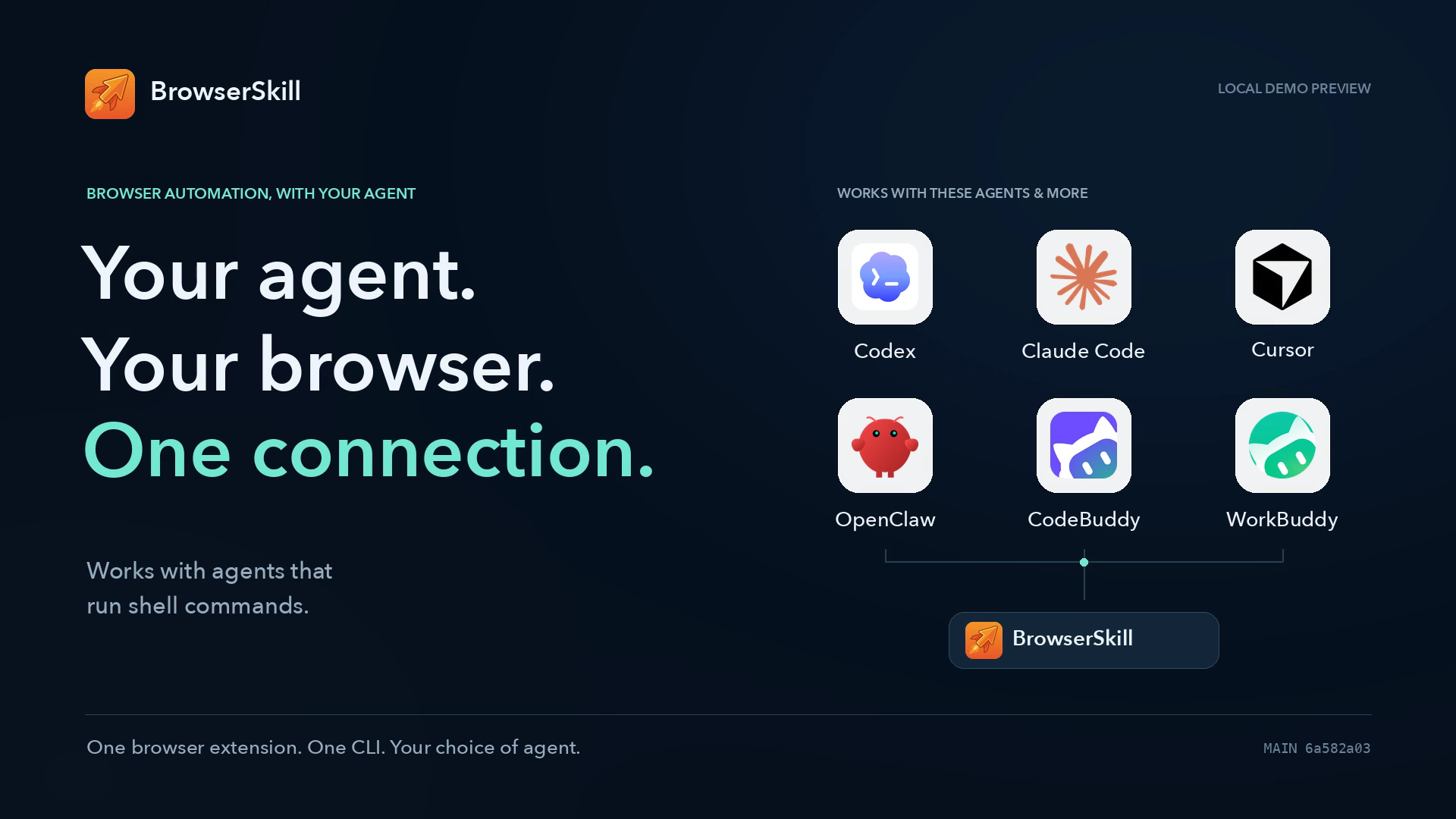
BrowserSkill demo preview — Your agent. Your browser. One connection.
browserskill-demo-en.mp4

Click the cover to expand the video · Download MP4
Real browser actions on a local demo workspace, recorded from main.

Bring the agent you already use

Codex
Codex
Claude Code
Claude Code
Cursor
Cursor
OpenClaw
OpenClaw
CodeBuddy
CodeBuddy
WorkBuddy
WorkBuddy
Pi
Pi
Hermes Agent
Hermes Agent

Qoder and Qoder CN are supported as skill-only targets: bsk install-skill --harness qoder and --harness qoder-cn.

These and other agents that can run shell commands use the same bsk CLI. DeepSeek Harness has a dedicated plugin with native browser tools and task previews. You choose the agent and model; BrowserSkill connects it to your browser.

What you can do

Your goal What BrowserSkill provides
Work where you are already signed in Read documents, search internal sites, and complete web workflows with the browser's existing login state.
Turn instructions into browser actions Read page text and controls, click, type, fill forms, drag items, select ranges, and manage tabs. Capture viewport or full-page screenshots; upload and download files in local mode.
Stay in control of the task Work alongside the agent with shared control, pause it while you edit, and let it reconcile your changes before continuing. Tasks remain visible in their own window; existing tabs can be explicitly borrowed.
Take web data with you Export loaded tables and lists as JSON/CSV, with column names, page/frame sources, merged-cell metadata, and explicit coverage. Structured extraction
Find the evidence behind a failure Connect actions to requests, response bodies, console messages, and page changes. Inspect performance, slow APIs, and suspected duplicate requests; test a hypothesis with explicit HTTP rules or request replay. Website debugging
Keep a replay of the work Record one authorized task tab as a silent MP4, then preview, save, or delete it from the extension. Task video recording
Continue when the page is ready Wait for a requested element condition with an explicit timeout before the next step. Element waits
Reuse what you already observed Execute one chosen action and synchronize with step; explicitly save the full observation, then search or read it with view without another browser capture. Steps and saved observations
Use the right browser for the job Name browser instances, bind a task to a specific profile, or pair a server-side agent with the browser on your computer. Browser profiles
Review what happened Reopen browser-local debugging history, export evidence as JSON, or enable a separate operation audit to review task activity. Operation audit

Quick Start

For local automation, you need an AI agent + the bsk CLI + the browser extension. The CLI includes the background daemon. The skill teaches your agent how to use it.

Component Supported environments
CLI / daemon macOS: Apple Silicon and Intel · Linux: x64 and ARM64 · Windows: x64
Extension Chrome and Microsoft Edge, based on Chromium 125 or later. Other Chromium browsers may work; compatibility is not guaranteed.
Agent integration A shell-capable agent with the BrowserSkill skill, or DeepSeek Harness with the DSH plugin.

Let your agent set it up

Send this to your agent:

Set up browser-skill on this machine by following https://raw.githubusercontent.com/Tencent/BrowserSkill/main/AGENT_INSTALL.md

The guide covers CLI installation, the correct skill or DSH plugin, connection checks, and a first browser task. You will still need to install the extension in the browser you want to use:

Install for Chrome · Install for Edge

Manual setup
1. Install the CLI

macOS / Linux:

curl -fsSL https://raw.githubusercontent.com/Tencent/BrowserSkill/main/install.sh | sh
export PATH="${BSK_INSTALL_DIR:-$HOME/.local/bin}:$PATH"

Windows PowerShell:

irm https://raw.githubusercontent.com/Tencent/BrowserSkill/main/install.ps1 | iex

By default, the binary is installed under ~/.local/bin. Check it in the terminal or agent environment that will use it:

bsk --version

If an already-running agent cannot find bsk, restart it to pick up the new PATH, or configure the installed binary's absolute path.

2. Connect the extension

Install it from the Chrome Web Store or Edge Add-ons, enable the connection and start using it. Local pairing is optional: an unpaired connection stays usable and shows an identity warning. To verify the connection, run bsk daemon pair and paste its link into Connection settings → Pairing link. Pairing is remembered across restarts and upgrades; a paired connection never automatically skips verification after a failure. See local pairing.

3. Install the skill for your agent
bsk install-skill

Select your harness with Space, then press Enter. For non-interactive setup, choose it explicitly:

bsk install-skill --harness cursor --json

Use bsk install-skill --list to see supported targets and paths. Existing installations are skipped unless you explicitly replace them with --force. For another harness, copy the entire crates/bsk-cli/skill/ directory into its skills directory as browser-skill/, including references/.

For MCP clients, bsk install-skill --harness codex --mcp also configures the local stdio server (claude-code and cursor are supported too). See the MCP setup and workflow.

DSH users should install the plugin instead; it includes the skill.

4. Check the connection
bsk doctor

Resolve any failed checks and confirm that the extension shows Connected. Start a new agent session and check that it can discover browser-skill; a successful doctor check alone does not confirm skill discovery.

Try your first task

Once connected, ask your agent:

Use browser-skill to open https://example.com, summarize the page, and end the browser session when finished.

The agent opens its own window in the background, reads the page, returns the summary, and stops its task. External links or manually created tabs that land in the task window are moved to your most recently used normal window; a user window is created if none remain. Routing happens after tab creation, so a tab may briefly appear in the task window. Page-opened tabs and human assistance or recording are preserved. Harnesses that support skill slash commands can also use /browser-skill.

Moving any controlled tab out of its original Agent Window ends the entire browser session, preserves every page in place, and removes its control indicators. Borrowed tabs also stay where they are. Moving a tab back does not resume the task; starting again requires a user decision. Reordering tabs within the same window is unaffected. Normal session stop still returns borrowed tabs and cleans up task pages.

Chrome can still activate a window when a page opens a native popup. For observed task popups, the extension restores the previous Chrome window or minimized state if you have not switched windows. Chrome's public extension APIs cannot guarantee zero transient activation or restore focus to another application.

Try the CLI directly

Start a session and keep the returned session_id:

bsk session start --json

Replace <id> with that value in each command below. With multiple connected browsers, select one using --browser <instance-id-or-name> when starting the session. Background creation is the default; --no-focus remains supported, and --focus explicitly brings the new window forward. Requests for human help and interactive recording still bring the relevant window forward.

bsk navigate https://example.com --session <id>
bsk observe --session <id>
bsk screenshot --session <id> --out example.png
bsk session stop <id>

Use bsk --help or bsk <command> --help for command options. Always stop your session when finished, including after a failed task; borrowed tabs are returned to their original window.

In WorkBuddy/CodeBuddy, or hosts that reap command children, the agent should reuse an existing daemon or run bsk daemon start --foreground in a managed background task, then verify it from a separate tool call. Follow the host setup guide for shared BSK_HOME, BSK_AUTO_START=0, and the independent-terminal fallback when the host cannot keep a task alive.

DeepSeek Harness plugin

The DSH plugin adds native bsk_* tools, browser task previews, and screenshot results to the DeepSeek Harness Web UI. It uses the same bsk CLI and extension and includes its own BrowserSkill skill.

Upgrading to 0.4.1: update the CLI and running daemon first, then the extension and plugin. Restart the DSH profile and invoke /browser-skill again so existing conversations load the new target-policy control and observation instructions. See the 0.4.1 upgrade guide; installations older than 0.3.3 also need the tool-name migration.

With DeepSeek Harness, pnpm, and bsk installed and the extension connected, add the plugin to your profile:

dsh plugin --profile web add @wxg-prc-cpg/browser-skill-dsh-plugin
dsh --profile web

Replace web with your profile name. Make sure bsk is available on the PATH used to start DSH, or set the plugin's bskPath. In a conversation, invoke /browser-skill and describe the task. A separate bsk install-skill step is not needed.

Plugin usage and configuration · npm package

Website debugging

Give your agent the browser evidence behind a bug. Start capture before reproducing an issue on a website you are authorized to debug, then inspect the result in the extension or through the agent.

  • Follow an operation: see its requests, console output, form-field values, and immediate or delayed page changes. Capture includes supported manual actions as well as agent actions.
  • Inspect a request: read retained headers, submitted data, response bodies, timing, and errors. Filter traffic or inspect a specific JSON field.
  • Investigate performance: inspect page-load metrics, API timing summaries, and suspected duplicate requests. Missing or partial evidence is identified explicitly.
  • Test and keep evidence: configure task-local request modification, blocking, mock responses, or same-origin replay; save a JSON record to review or share later.

Try a task such as:

Use browser-skill to investigate why saving the form on http://localhost:3000 fails. Start website debugging before reproducing it, inspect the request, response and console, then export the evidence and end the session.

From the extension, open Quick Actions → Website debugging for an existing task. The evidence page connects the operation timeline, requests, Console, page context, Performance, and API analysis. Its history remains accessible after the task ends, even without a daemon connection. A new agent task needs a user-provided export to inspect an ended task's history.

Request replay sends a new request using the page's current session and can change server data. Capture and redaction have limits; retained evidence may still contain sensitive information. See website debugging for the workflow, CLI examples, and limits.

More workflows

Capture a full page

Use Quick Actions → Full-page screenshot for automatic scrolling, a long image you scroll yourself, or the visible area. This extension feature also works without an agent or daemon connection.

For a page in an agent session:

bsk screenshot --session <id> --full-page --out page.png

Agent capture supports background tabs without focusing the window and restores the original scroll position when the document remains available. Full-page capture follows the document's scroll area; nested scrolling panels and virtualized lists have limitations. Screenshot guide

Choose a browser profile

Open the extension in the intended profile and choose Copy profile instructions, then send those instructions with your task. You can also assign a unique Browser name and select it explicitly:

bsk browsers
bsk session start --browser "Work profile" --no-focus --json

The name is set in BrowserSkill; it is not automatically taken from Chrome's profile name. Each session stays bound to the selected instance. Profile selection guide

Add --incognito to isolate a task from the profile's ordinary website login state. Enable the extension's Allow in incognito setting first. Incognito tasks cannot borrow tabs, and all incognito windows in a profile share login state with each other. Incognito guide

Run the agent on a server

Keep the browser and its logins on your computer while the agent, CLI, and daemon run on a server. Pair the extension with that server over authenticated WSS; the browser initiates the connection, so your computer needs no inbound port.

The built-in server supports device pairing, renewal, and revocation. The bsk upload and bsk download file-transfer commands remain local-only. Authorized video exports can write to the CLI machine, including a remote server; Save MP4 as in the extension writes to the browser computer. Remote connection guide

Browser control and privacy

By default, an Agent Window shares the selected profile's login state; it is not a separate account or security sandbox. Agents can act with the permissions of the signed-in websites, so choose the tasks and agent you trust.

New tasks enable shared control automatically. BrowserSkill observes page changes and supported manual activity in controlled tabs so the agent can yield while you edit and synchronize before acting again. This coordination works even when debugging, audit and video recording are off. Use the task's manual hold and resume controls to keep control while you work. Shared-control guide

The extension has two independent Automation settings, both enabled by default:

Setting What it controls
Confirm before borrowing tabs Ask before an agent takes control of one of your existing tabs. Turning it off permits borrowing without that prompt.
Allow requests for human help Let the agent ask you to handle login, verification, or another step that needs your participation.

These browser settings apply to existing and new sessions. Legacy --unattended, tab borrow --no-confirm, and BSK_REQUEST_HELP=off inputs cannot override them. Disabling human help does not mean the requested step was completed. Close the Agent Window to stop its tasks.

BrowserSkill does not operate a mandatory cloud service or collect product telemetry. Automation results go to your selected daemon or gateway and the agent using it; that agent or service may process or retain them under its own policies. The extension does not independently call an AI provider.

Optional history and recordings Where it is saved What to know
Website debugging The current browser profile, including in remote mode Retains captured evidence, including available bodies and field values. Stopped records expire after 30 days, with a 50-record / 50 MiB retention budget and earlier eviction when necessary. Stop capture before deleting a record.
Operation audit The daemon's host, under BSK_HOME/audit Off by default. Records task and operation metadata, excluding input values, page bodies, screenshots, and file contents. Ended tasks expire after 30 days.
Task video The current browser profile; exported copies at the chosen destination Opt-in, silent capture of one authorized tab, limited to 10 minutes / 256 MiB per video. Recordings expire 24 hours after creation; the temporary video budget is 1 GiB. The library supports preview, export and deletion.
Saved observations and step results An explicitly chosen JSON path on the CLI machine, including a remote server --save-full / DSH saveFull saves the complete reply before display filtering. Files have no automatic expiry; delete them on that machine. view reads historical evidence without refreshing the browser state.

These features offer export and deletion. Stopping a task or disconnecting does not delete retained history or videos; expiration is applied during access or cleanup. Exported copies and copies already received by an agent or gateway must be managed separately. Known secrets are filtered from debugging evidence, but redaction cannot guarantee that all sensitive data is removed. Video frames are not automatically redacted; review visible content before sharing.

Privacy policy · Operation audit · Debugging retention and limits

Updating

For 0.4.1, update the CLI and restart its running daemon before updating the extension; update DSH last. CLI/daemon and extension 0.4.1 use protocol 1.8, which the new default target policy requires on both peers. Updating only the binary leaves a foreground or externally managed daemon on its old version until its host restarts it. Use matching 0.4.1 components for the new workflow.

Existing scripts must follow the shared-control workflow: after initial navigation, synchronize with bsk cooperate sync and pass its context_id as --context. Target-policy DOM actions can reuse that context across actions and supplementary reads; use --expect to protect decision facts. Scripts, untargeted keys and visual actions also require the sync's observation_id as --observation. Synchronize again after human intervention or navigation. Select --policy strict on the first sync to retain one action per context. Reload the updated skill before continuing.

Finish active browser tasks, then update the CLI:

bsk update --yes

Manual and daemon updates fetch the manifest and archives from the official website's domestic download source first, then fall back to GitHub on download, manifest, checksum or archive errors. The GitHub archive fallback is pinned to the selected release and uses the same SHA256 checksum. If both sources fail, the error lists their URLs and individual causes. Setting BSK_UPDATE_MANIFEST_URL explicitly uses only that manifest and its asset URLs, without the built-in public-source fallback.

For the default local setup, this installs the new executable and checks that it runs while the daemon keeps serving, then restarts the daemon from it on the same port. If the restarted daemon does not become ready, the previous executable is put back and the daemon is restarted from it. A daemon started with --foreground is left running on the previous version; restart it in its terminal or supervisor. So is a background daemon when bsk update runs where it could not start one again, such as inside a sandbox whose Windows Job forbids breakaway; restart it with bsk daemon restart outside the sandbox. If you use the installer to replace the binary, restart the daemon afterwards with bsk daemon restart.

A daemon that bsk started in the background also checks for a new release every 30 minutes and, while no agent session is active, installs it the same way. It then starts a daemon from the new executable and exits only once a daemon of the new version serves the same port. If the new daemon exits or is not ready within 20 seconds, it is stopped, and the running daemon puts the previous executable back, serves again on the same port, and retries that release after 6 hours. Browser connections drop for a moment during a handover and reconnect. A daemon that stops for another reason during an update, such as going idle, puts the previous executable back first. A daemon started with --foreground belongs to its terminal or supervisor, so it only reports new releases: run bsk update, then restart the daemon there. If bsk cannot write next to its executable, it only reports new releases; update it with the installer or package manager you used. Set BSK_AUTO_UPDATE=off to disable daemon-side auto-update while keeping manual bsk update available.

bsk doctor shows the last update attempt; update-state.json in the bsk home keeps its stage, result and error. Updates of one executable run one at a time, even from different bsk homes, through .bsk.update.lock (.bsk.exe.update.lock on Windows), which stays next to it. Until an update is confirmed, the previous executable stays next to the new one as .bsk.old-* (.bsk.exe.old-* on Windows); one that is still running remains until its process exits, and a later daemon start removes it. On Windows, self-update renames the running executable, which NTFS supports; where the file system refuses, the update fails and leaves the installation unchanged. bsk supports Windows 10 and Windows Server 2016 or later.

Update the extension through its browser store. Update the DSH plugin separately, then restart its profile:

dsh plugin --profile web update @wxg-prc-cpg/browser-skill-dsh-plugin --latest

Check bsk --version, bsk status, and bsk doctor. Keep the CLI, running daemon, extension, and optional DSH plugin on matching releases for new features. This README describes the current repository; store builds can lag during review. Check the changelog and releases for availability.

Managed CLI skills update on daemon startup, session start, or doctor while their files remain unchanged. Local edits and custom skills are preserved. Start a new agent session to load updated instructions; doctor reports any paused skill updates.

Custom ports, sandbox hosts, and remote servers

Stop the daemon in its owning host or supervisor, update with bsk update --yes --no-restart-daemon, then start it there with its original flags and BSK_HOME. Use BSK_AUTO_START=0 in agent commands during this process. Follow the sandbox or remote guide for your deployment.

Documentation

Goal Guide
Install and verify with an agent Agent setup
Investigate a website or API Website debugging
Capture long pages Full-page screenshots
Record and save a task video Task video recording
Export tables or lists Structured extraction
Wait for an element condition Element waits
Run several decided actions together Plans
Save and replay a reviewed flow Recipes
Use a specific account or profile Browser profiles
Connect a server-side agent Remote browser connections
Run in a sandbox Sandboxed agents
Review recorded task metadata Operation audit
Integrate with DeepSeek Harness DSH plugin
Understand the implementation Architecture · Protocol

For Developers

The repository is a Rust + pnpm workspace. For a source build, use Rust stable, Node.js 22, and the pnpm version declared in package.json:

pnpm install --frozen-lockfile
cargo build --release --locked
pnpm ext:build

The CLI is built under target/release/; load apps/extension/dist/chrome-mv3/ as an unpacked extension. For extension development, use pnpm ext:dev.

Directory Component
crates/bsk-cli CLI, daemon, and bundled agent skill
crates/bsk-protocol Wire types and JSON schemas
apps/extension Browser automation, debugging workspace, and extension UI
packages/dsh-plugin-browserskill DeepSeek Harness integration
packages/ui, packages/i18n, packages/vom Shared UI, localization, and page observation
evals/browser Local test pages and browser capability evaluations

Run cargo test --workspace --locked, pnpm ext:test, and pnpm lint for the relevant checks. See the browser evaluation guide for reproducible browser cases. Bug reports and focused contributions are welcome through GitHub Issues and pull requests; remove sensitive data before attaching browser evidence.

For substantial changes to browser interactions, observations, control policy, or CLI/extension communication, we recommend the optional Agent-driven PR self-check before opening a PR. It tests your current branch through Bsk and records end-to-end evidence. This is not a requirement for opening or merging a PR and does not replace the checks above.

The extension interface supports English, Simplified and Traditional Chinese, Korean, Japanese, French, Italian, Spanish, German, and Brazilian Portuguese. See localization to contribute translations.

Contributors

Thank you to everyone who contributes code, documentation, translations, and feedback.

TencentXiaowei iuyo5678 Ljy-0827 BB-fat NianJiuZst shnpd lyingbug ch-z-hc kevin9327 ArcueidMP
MaxFreedomPollard legend91019 wcy12378 iAstro lymerin hobostay martinm86867-ops starsstreaming xiyanjun klren0312
hZsFN cyberspace-cs basil-k-aji-dev PerryLink Li-john1021 dayi zhuhaoran291 u7-u7 huong8373tt-beep hjxccc
zjxzjw dvd233 drakeo338 dr-coton djtzemx WhyBusyy Sthreal KennyMcSimpson MakerFlyFly claude

See contributions on GitHub · Share an issue or idea

License

MIT

Reading dynamic pages (unreleased, protocol 1.9)

Use bsk read for current DOM fields during animation, and extract for tables/ lists. MCP and DSH expose it as bsk_inspect(action=read). A script is checked against the --expect facts it states, or the whole page when it passes --observation; evaluate --unverified is the last resort. Read results never renew action authority: protect business facts with expect. See dynamic reading for query fields, safety boundaries, compatibility and reproducible browser tests.

View on GitHub

Recent activity

commits and pull requests

Releases and announcements

31 total
  1. BrowserSkill Extension 0.4.2ext-v0.4.2Nov 5, 20261.6K downloads

    BrowserSkill Extension 0.4.2 fixes everyday page interaction regressions and improves shared-control reliability, action outcomes, and sensitive-data protection. Pair it with CLI/daemon 0.4.2. ### Added - **Controller identity:** browser overlays display the agent name, project, session ID, and color supplied by the CLI or DSH client. - **Date and time inputs:** fill native date, time, datetime-local, month, and week fields, including background-tab handling and format/min/max validation. ### Changed - Scrolling, ineffective keys, and focusing a text field alone no longer unnecessarily take control from the Agent. Real clicks, keyboard activation, and actual edits still yield to the person. Pending gestures pause dispatch without revoking the current context; coordinate input waits for scrolling to settle. - Shared control waits for two seconds of quiet after the person's last completed action, up from 650 ms. Completed/cancelled gestures, input-method composition, and native select interactions release their holds correctly. - Borrowed tabs return relative to their original neighbors, with improved pinned-tab and group restoration. Eligible requests support automatic borrowing

  2. bsk CLI 0.4.2cli-v0.4.2Nov 5, 2026296.3K downloads

    BrowserSkill CLI 0.4.2 adds MCP access and more reliable updates, cancellation, and action outcomes. Use it with extension 0.4.2 for the browser-side fixes below. ### Added - **MCP server:** `bsk mcp` exposes BrowserSkill over stdio through the existing daemon and extension. `bsk install-skill --mcp` configures Codex, Claude Code, or Cursor. The initial adapter covers its tool schemas; file transfers, recording, and full-page screenshot export remain available through the CLI or DSH plugin. - **Controller identity:** session startup accepts an agent name, project, and color, shown in the extension's shared-control overlay and session metadata. - **Date and time inputs:** `fill` supports `date`, `time`, `datetime-local`, `month`, and `week`, with format and min/max validation. ### Changed - CLI and daemon updates prefer the official website's domestic download source and fall back to GitHub on download or verification failures. Archive fallback stays on the selected version and retains SHA256 verification. Explicit manifest overrides continue to use only the configured source. - Borrowed tabs return relative to their original neighbors, with improved pinned-tab and group restora

  3. BrowserSkill Extension 0.4.1ext-v0.4.1Nov 1, 20261.4K downloads

    BrowserSkill 0.4.1 coordinates the CLI/daemon, browser extension and DSH plugin. ### Changed - **Shared-control default:** new CLI and DSH sync calls select `target` policy. DOM actions can reuse the returned control context across completed actions and supplementary reads; unrelated page updates no longer require a full-page resync. Human intervention or navigation revokes control. Use `--expect` / DSH `expect` to protect observed business facts. Scripts, untargeted keys and visual actions still require the sync's `--observation` / `observationId` and strict observation checks. Select `--policy strict` / `policy: "strict"` on the first sync to retain the one-action-per-context workflow; later syncs and steps preserve that session's policy. - CLI/daemon and extension now use protocol 1.8. The new target policy requires both peers to support 1.8; update the CLI, running daemon, extension and DSH plugin together rather than relying on a successful mixed-version connection. - DOM references remain attached to the same nodes across supplementary observations. Removed nodes are not silently replaced, and navigation invalidates the document's refs. DOM actions c

  4. bsk CLI 0.4.1cli-v0.4.1Nov 1, 2026311.6K downloads

    BrowserSkill 0.4.1 coordinates the CLI/daemon, browser extension and DSH plugin. ### Changed - **Shared-control default:** new CLI and DSH sync calls select `target` policy. DOM actions can reuse the returned control context across completed actions and supplementary reads; unrelated page updates no longer require a full-page resync. Human intervention or navigation revokes control. Use `--expect` / DSH `expect` to protect observed business facts. Scripts, untargeted keys and visual actions still require the sync's `--observation` / `observationId` and strict observation checks. Select `--policy strict` / `policy: "strict"` on the first sync to retain the one-action-per-context workflow; later syncs and steps preserve that session's policy. - CLI/daemon and extension now use protocol 1.8. The new target policy requires both peers to support 1.8; update the CLI, running daemon, extension and DSH plugin together rather than relying on a successful mixed-version connection. - DOM references remain attached to the same nodes across supplementary observations. Removed nodes are not silently replaced, and navigation invalidates the document's refs. DOM actions c

  5. BrowserSkill Extension 0.4.0ext-v0.4.0Oct 29, 20261.2K downloads

    ## What's Changed * fix(geometry): unify cross-frame coordinates and screenshot conversion | 统一跨 frame 坐标与截图转换 by @Ljy-0827 in https://github.com/Tencent/BrowserSkill/pull/195 * refactor(observation): decouple DOM processing from capture orchestration | 解耦 DOM 处理与采集流程 by @Ljy-0827 in https://github.com/Tencent/BrowserSkill/pull/198 * refactor(observation): unify cross-frame capture coordination and data ownership | 统一跨 frame 采集协调与数据归属 by @Ljy-0827 in https://github.com/Tencent/BrowserSkill/pull/200 * fix(observation): validate DOM identity across capture phases | 校验跨采集阶段的 DOM 身份一致性 by @Ljy-0827 in https://github.com/Tencent/BrowserSkill/pull/203 * fix(geometry): preserve OOPIF scale with occupied scrollbars by @iuyo5678 in https://github.com/Tencent/BrowserSkill/pull/206 * feat(interaction): add explicit focus and blur primitives by @NianJiuZst in https://github.com/Tencent/BrowserSkill/pull/126 * feat(interaction): add scroll-to-element primitive by @NianJiuZst in https://github.com/Tencent/BrowserSkill/pull/127 * fix(skill): preserve custom installed instructions by @NianJiuZst in https://github.com/Tencent/BrowserSkill/pull/20 * feat(interaction): add real mouse-wheel primitive

Code frequency

additions and deletions
+55.4K-55.4KWeek of 2026-06-21: +55,396 linesWeek of 2026-06-21: -117 linesWeek of 2026-06-28: +296 linesWeek of 2026-06-28: -20 linesWeek of 2026-07-05: +5,761 linesWeek of 2026-07-05: -533 linesWeek of 2026-07-12: +584 linesWeek of 2026-07-12: -324 linesWeek of 2026-07-19: +15,710 linesWeek of 2026-07-19: -1,805 linesWeek of 2026-07-26: +2,970 linesWeek of 2026-07-26: -927 linesWeek of 2026-08-02: +10,596 linesWeek of 2026-08-02: -870 linesWeek of 2026-08-09: +14,701 linesWeek of 2026-08-09: -1,333 linesWeek of 2026-08-16: +44,877 linesWeek of 2026-08-16: -10,806 linesWeek of 2026-08-23: +8,068 linesWeek of 2026-08-23: -1,224 linesWeek of 2026-08-30: +4,785 linesWeek of 2026-08-30: -2,392 linesWeek of 2026-09-06: +49,283 linesWeek of 2026-09-06: -12,519 linesWeek of 2026-09-13: +31,990 linesWeek of 2026-09-13: -3,692 linesWeek of 2026-09-20: +28,673 linesWeek of 2026-09-20: -7,014 linesWeek of 2026-09-27: +18,942 linesWeek of 2026-09-27: -3,244 linesWeek of 2026-10-04: +16,041 linesWeek of 2026-10-04: -1,539 linesWeek of 2026-10-11: +19,703 linesWeek of 2026-10-11: -8,765 linesWeek of 2026-10-18: +14,072 linesWeek of 2026-10-18: -1,029 linesWeek of 2026-10-25: +34,428 linesWeek of 2026-10-25: -3,842 linesWeek of 2026-11-01: +31,986 linesWeek of 2026-11-01: -2,284 linesWeek of 2026-11-08: +9,972 linesWeek of 2026-11-08: -1,203 linesJun 21, 2026Nov 8, 2026
+418.8K lines added, -65.5K removed over the last year.

Commits per week

last 52 weeks
1070Week of 2025-11-16: 0 commitsWeek of 2025-11-23: 0 commitsWeek of 2025-11-30: 0 commitsWeek of 2025-12-07: 0 commitsWeek of 2025-12-14: 0 commitsWeek of 2025-12-21: 0 commitsWeek of 2025-12-28: 0 commitsWeek of 2026-01-04: 0 commitsWeek of 2026-01-11: 0 commitsWeek of 2026-01-18: 0 commitsWeek of 2026-01-25: 0 commitsWeek of 2026-02-01: 0 commitsWeek of 2026-02-08: 0 commitsWeek of 2026-02-15: 0 commitsWeek of 2026-02-22: 0 commitsWeek of 2026-03-01: 0 commitsWeek of 2026-03-08: 0 commitsWeek of 2026-03-15: 0 commitsWeek of 2026-03-22: 0 commitsWeek of 2026-03-29: 0 commitsWeek of 2026-04-05: 0 commitsWeek of 2026-04-12: 0 commitsWeek of 2026-04-19: 0 commitsWeek of 2026-04-26: 0 commitsWeek of 2026-05-03: 0 commitsWeek of 2026-05-10: 0 commitsWeek of 2026-05-17: 0 commitsWeek of 2026-05-24: 0 commitsWeek of 2026-05-31: 0 commitsWeek of 2026-06-07: 0 commitsWeek of 2026-06-14: 0 commitsWeek of 2026-06-21: 8 commitsWeek of 2026-06-28: 4 commitsWeek of 2026-07-05: 18 commitsWeek of 2026-07-12: 3 commitsWeek of 2026-07-19: 24 commitsWeek of 2026-07-26: 9 commitsWeek of 2026-08-02: 22 commitsWeek of 2026-08-09: 39 commitsWeek of 2026-08-16: 73 commitsWeek of 2026-08-23: 20 commitsWeek of 2026-08-30: 33 commitsWeek of 2026-09-06: 107 commitsWeek of 2026-09-13: 50 commitsWeek of 2026-09-20: 83 commitsWeek of 2026-09-27: 41 commitsWeek of 2026-10-04: 33 commitsWeek of 2026-10-11: 55 commitsWeek of 2026-10-18: 31 commitsWeek of 2026-10-25: 78 commitsWeek of 2026-11-01: 69 commitsWeek of 2026-11-08: 42 commitsNov 16, 2025Nov 8, 2026
842 commits in the last 52 weeks.

When work happens

weekday and hour
SunMonTueWedThuFriSat036912151821Sun 0:00 — 8 commitsSun 1:00 — 4 commitsSun 2:00 — 2 commitsSun 3:00 — 0 commitsSun 4:00 — 0 commitsSun 5:00 — 0 commitsSun 6:00 — 0 commitsSun 7:00 — 0 commitsSun 8:00 — 0 commitsSun 9:00 — 2 commitsSun 10:00 — 2 commitsSun 11:00 — 3 commitsSun 12:00 — 3 commitsSun 13:00 — 5 commitsSun 14:00 — 1 commitsSun 15:00 — 2 commitsSun 16:00 — 5 commitsSun 17:00 — 2 commitsSun 18:00 — 4 commitsSun 19:00 — 2 commitsSun 20:00 — 2 commitsSun 21:00 — 22 commitsSun 22:00 — 5 commitsSun 23:00 — 15 commitsMon 0:00 — 3 commitsMon 1:00 — 0 commitsMon 2:00 — 1 commitsMon 3:00 — 3 commitsMon 4:00 — 2 commitsMon 5:00 — 1 commitsMon 6:00 — 1 commitsMon 7:00 — 4 commitsMon 8:00 — 1 commitsMon 9:00 — 2 commitsMon 10:00 — 11 commitsMon 11:00 — 7 commitsMon 12:00 — 5 commitsMon 13:00 — 3 commitsMon 14:00 — 5 commitsMon 15:00 — 9 commitsMon 16:00 — 5 commitsMon 17:00 — 11 commitsMon 18:00 — 6 commitsMon 19:00 — 5 commitsMon 20:00 — 5 commitsMon 21:00 — 5 commitsMon 22:00 — 0 commitsMon 23:00 — 1 commitsTue 0:00 — 2 commitsTue 1:00 — 1 commitsTue 2:00 — 0 commitsTue 3:00 — 6 commitsTue 4:00 — 4 commitsTue 5:00 — 0 commitsTue 6:00 — 0 commitsTue 7:00 — 1 commitsTue 8:00 — 0 commitsTue 9:00 — 1 commitsTue 10:00 — 9 commitsTue 11:00 — 15 commitsTue 12:00 — 8 commitsTue 13:00 — 5 commitsTue 14:00 — 7 commitsTue 15:00 — 11 commitsTue 16:00 — 6 commitsTue 17:00 — 8 commitsTue 18:00 — 11 commitsTue 19:00 — 18 commitsTue 20:00 — 13 commitsTue 21:00 — 6 commitsTue 22:00 — 4 commitsTue 23:00 — 2 commitsWed 0:00 — 6 commitsWed 1:00 — 4 commitsWed 2:00 — 1 commitsWed 3:00 — 7 commitsWed 4:00 — 2 commitsWed 5:00 — 0 commitsWed 6:00 — 0 commitsWed 7:00 — 0 commitsWed 8:00 — 0 commitsWed 9:00 — 6 commitsWed 10:00 — 5 commitsWed 11:00 — 17 commitsWed 12:00 — 13 commitsWed 13:00 — 6 commitsWed 14:00 — 14 commitsWed 15:00 — 19 commitsWed 16:00 — 12 commitsWed 17:00 — 27 commitsWed 18:00 — 23 commitsWed 19:00 — 12 commitsWed 20:00 — 8 commitsWed 21:00 — 9 commitsWed 22:00 — 8 commitsWed 23:00 — 5 commitsThu 0:00 — 3 commitsThu 1:00 — 1 commitsThu 2:00 — 0 commitsThu 3:00 — 1 commitsThu 4:00 — 1 commitsThu 5:00 — 0 commitsThu 6:00 — 0 commitsThu 7:00 — 1 commitsThu 8:00 — 0 commitsThu 9:00 — 1 commitsThu 10:00 — 3 commitsThu 11:00 — 7 commitsThu 12:00 — 11 commitsThu 13:00 — 3 commitsThu 14:00 — 6 commitsThu 15:00 — 16 commitsThu 16:00 — 14 commitsThu 17:00 — 10 commitsThu 18:00 — 11 commitsThu 19:00 — 7 commitsThu 20:00 — 7 commitsThu 21:00 — 6 commitsThu 22:00 — 5 commitsThu 23:00 — 7 commitsFri 0:00 — 5 commitsFri 1:00 — 2 commitsFri 2:00 — 1 commitsFri 3:00 — 4 commitsFri 4:00 — 2 commitsFri 5:00 — 2 commitsFri 6:00 — 4 commitsFri 7:00 — 3 commitsFri 8:00 — 2 commitsFri 9:00 — 0 commitsFri 10:00 — 4 commitsFri 11:00 — 13 commitsFri 12:00 — 7 commitsFri 13:00 — 7 commitsFri 14:00 — 15 commitsFri 15:00 — 6 commitsFri 16:00 — 12 commitsFri 17:00 — 11 commitsFri 18:00 — 5 commitsFri 19:00 — 4 commitsFri 20:00 — 7 commitsFri 21:00 — 5 commitsFri 22:00 — 15 commitsFri 23:00 — 7 commitsSat 0:00 — 4 commitsSat 1:00 — 0 commitsSat 2:00 — 0 commitsSat 3:00 — 0 commitsSat 4:00 — 0 commitsSat 5:00 — 0 commitsSat 6:00 — 0 commitsSat 7:00 — 0 commitsSat 8:00 — 1 commitsSat 9:00 — 1 commitsSat 10:00 — 1 commitsSat 11:00 — 0 commitsSat 12:00 — 6 commitsSat 13:00 — 2 commitsSat 14:00 — 5 commitsSat 15:00 — 3 commitsSat 16:00 — 2 commitsSat 17:00 — 3 commitsSat 18:00 — 8 commitsSat 19:00 — 3 commitsSat 20:00 — 3 commitsSat 21:00 — 10 commitsSat 22:00 — 7 commitsSat 23:00 — 2 commits
Commit volume by weekday and hour (UTC). Larger dots mean more commits.
DateListRankStars gained
Sep 29, 2026monthly#17+6,144
Sep 28, 2026monthly#17+6,144
Sep 27, 2026monthly#16+6,030
Sep 26, 2026monthly#16+5,954
Sep 25, 2026monthly#17+5,854
Sep 24, 2026monthly#17+5,647
Sep 23, 2026weekly#18+4,535
Sep 23, 2026monthly#16+5,343
Sep 22, 2026monthly#17+4,797
Sep 22, 2026weekly#18+4,535
Sep 21, 2026monthly#17+4,797
Sep 20, 2026monthly#16+4,564
Sep 19, 2026daily#4+1,302
Sep 18, 2026daily#4+1,302
Sep 17, 2026daily#4+1,350
  • morluto/rea

    Reverse engineer anything with agents, from app behavior down to native binaries.

    471.6K stars · TypeScript

  • freeCodeCamp/freeCodeCamp

    freeCodeCamp.org's open-source codebase and curriculum. Learn math, programming, and computer science for free.

    459.4K stars · TypeScript

  • openclaw/openclaw

    The AI that really does things. Any OS. Any Platform. The lobster way. 🦞

    394.9K stars · TypeScript

  • anomalyco/opencode

    The open source coding agent.

    228.3K stars · TypeScript

  • n8n-io/n8n

    Fair-code workflow automation platform with native AI capabilities. Combine visual building with custom code, self-host or cloud, 400+ integrations.

    211.6K stars · TypeScript

  • firecrawl/firecrawl

    Knowledge infrastructure to make your agents smarter. Search, scrape and access 550+ data providers through one API.

    205.3K stars · TypeScript