
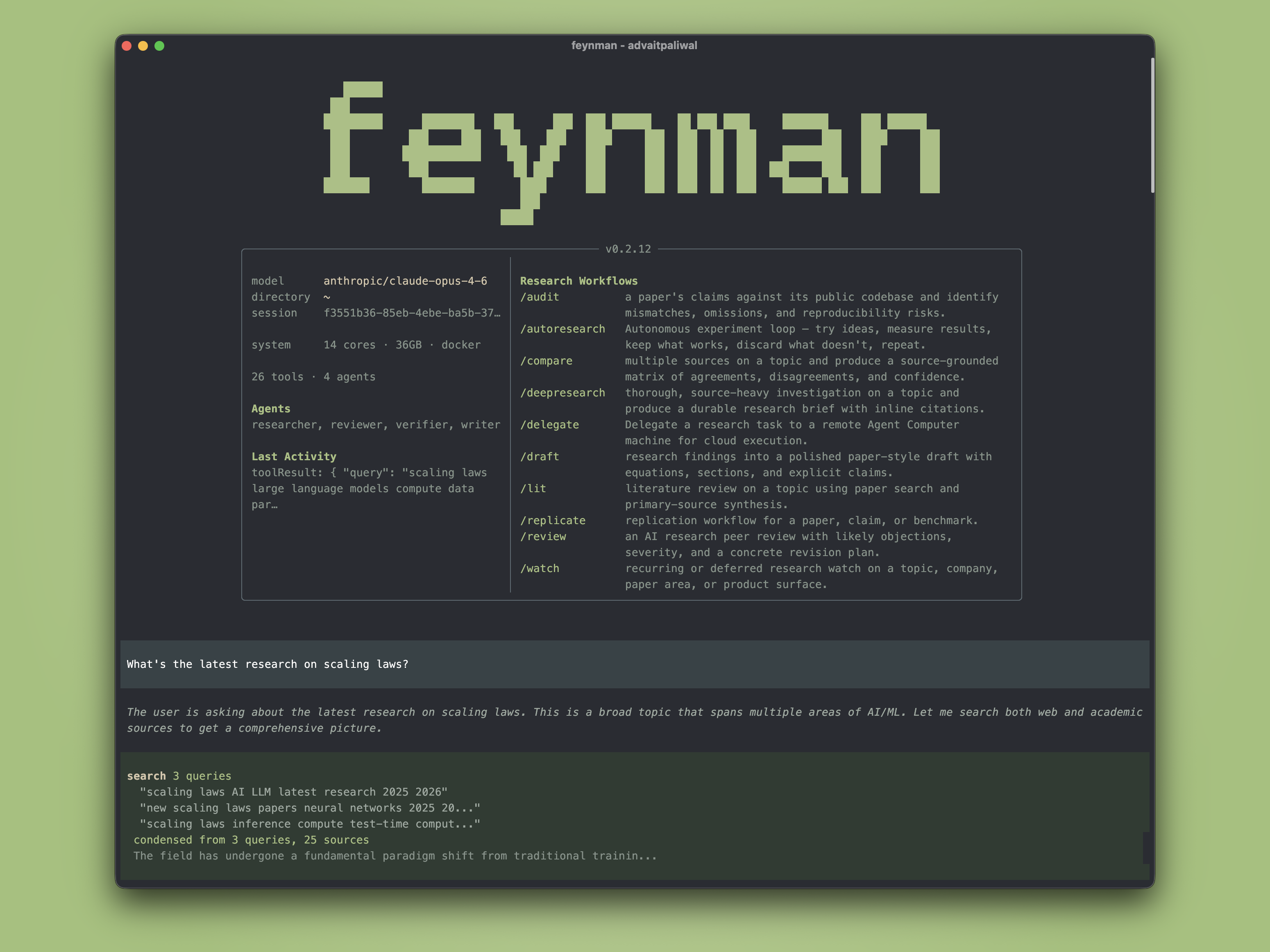
The open source AI research agent.


Installation
macOS / Linux:
curl -fsSL https://feynman.is/install | bashWindows (PowerShell):
irm https://feynman.is/install.ps1 | iexThe one-line installer fetches the latest tagged release. To pin a version, pass it explicitly, for example curl -fsSL https://feynman.is/install | bash -s -- 0.2.35.
The installer downloads a standalone native bundle with its own pinned Node.js runtime and verifies the release SHA-256 before replacing an existing installation.
To upgrade the standalone app later, rerun the installer. feynman update only refreshes installed Pi packages inside Feynman's environment; it does not replace the standalone runtime bundle itself.
To uninstall the standalone app, remove the launcher and runtime bundle, then optionally remove ~/.feynman if you also want to delete settings, workbench app state, sessions, and installed package state. If you also want to delete alphaXiv login state, remove ~/.ahub. See the installation guide for platform-specific paths.
Local models are supported through the setup flow. For LM Studio, run feynman setup, choose LM Studio, and keep the default http://localhost:1234/v1 unless you changed the server port. For LiteLLM, choose LiteLLM Proxy and keep the default http://localhost:4000/v1. For Ollama or vLLM, choose Custom provider (baseUrl + API key), use openai-completions, and point it at the local /v1 endpoint.
Skills Only
If you want just the research skills without the full terminal app:
macOS / Linux:
curl -fsSL https://feynman.is/install-skills | bashWindows (PowerShell):
irm https://feynman.is/install-skills.ps1 | iexThat installs the skill library into ~/.codex/skills/feynman for Codex. You can also name the Codex target explicitly:
macOS / Linux:
curl -fsSL https://feynman.is/install-skills | bash -s -- --codexWindows (PowerShell):
& ([scriptblock]::Create((irm https://feynman.is/install-skills.ps1))) -Scope CodexFor a repo-local Claude/agent install instead:
macOS / Linux:
curl -fsSL https://feynman.is/install-skills | bash -s -- --repoWindows (PowerShell):
& ([scriptblock]::Create((irm https://feynman.is/install-skills.ps1))) -Scope RepoThat installs into .agents/skills/feynman under the current repository.
For an OpenCode project-local install instead:
macOS / Linux:
curl -fsSL https://feynman.is/install-skills | bash -s -- --opencodeWindows (PowerShell):
& ([scriptblock]::Create((irm https://feynman.is/install-skills.ps1))) -Scope OpenCodeThat installs into .opencode/skills/feynman under the current repository.
These installers download the bundled skills/ and prompts/ trees plus the repo guidance files referenced by those skills. They do not install the Feynman terminal, bundled Node runtime, auth storage, or Pi packages.
What you type → what happens
$ feynman "what do we know about scaling laws"
→ Searches papers and web, produces a cited research brief

$ feynman deepresearch "mechanistic interpretability"
→ Multi-agent investigation with parallel researchers, synthesis, verification

$ feynman lit "RLHF alternatives"
→ Literature review with consensus, disagreements, open questions, and lab/PI corpus mode when the input names a research group

$ feynman rank "mechanistic interpretability sparse autoencoders"
→ Decides what to read first with citation, method, reproducibility, and provenance evidence

$ feynman rank "mechanistic interpretability sparse autoencoders" --expand-citations 2
→ Adds cited and citing papers to the local citation graph before scoring graph prestige

$ feynman rank "mechanistic interpretability sparse autoencoders" --full-text-top 3
→ Adds section-aware full-text evidence and checklist rubric answers before rescoring

$ feynman rank "mechanistic interpretability sparse autoencoders" --critique-top 5
→ Adds research-critique strengths, concerns, and follow-up questions grounded in score evidence

$ feynman rank "mechanistic interpretability sparse autoencoders" --synthesize
→ Writes an auditable model synthesis and names the selected model plus whether it was recommended or explicitly requested

$ feynman paper 10.7717/peerj.4375 --fetch-full-text
→ Resolves legal full-text access candidates for one paper and fetches source-specific text when available

$ feynman serve
→ Opens the standalone science workbench with projects, Pi chat, Feynman Bio Tools, notebooks, compute, artifact previews, provenance, settings, skills, and onboarding context

$ feynman serve --no-auth
→ Opens the same local workbench at a plain localhost URL for trusted local testing

$ feynman audit 2401.12345
→ Compares paper claims against the public codebase

$ feynman replicate "chain-of-thought improves math"
→ Plans replication checks and runs them only after an explicit environment choice

$ feynman recipe "fine-tune a small model for math reasoning"
→ Finds ranked, implementable ML training recipes from papers, datasets, docs, and code
Workflows
Ask naturally or use slash commands as shortcuts.
| Command | What it does |
|---|---|
feynman rank <topic> |
PaperRank scoring for deciding what to read first, with transparent evidence for citations, methods, reproducibility, and provenance |
feynman paper <id-or-title> |
Paper access resolver for one DOI, arXiv ID, OpenAlex ID, PMID, PMCID, or title, with OpenAlex, arXiv/alphaXiv, DOI, and Europe PMC candidates plus optional source-specific text fetching |
feynman serve |
Standalone science workbench with project/session navigation, project metadata, in-app Pi chat, optional --no-auth plain localhost mode, Feynman Bio Tools, Ketcher chemistry sketch artifacts, notebooks, compute, Files host inventory for local, SSH/BYOC, and cloud-backed artifact contexts, audio/video/spreadsheet/notebook/LaTeX/science artifact previews including element-level HTML report annotations and KET/RXN/CDXML/CXSMILES chemistry sketches, artifact Notes and note preview modals, Cloud storage credential modal, Cloud export target/destination modal, frame records, frame message rows, frame backfill health records, lineage, provenance, settings, org-scoped app-data workbench state under ~/.feynman/orgs/<org_uuid>/workbench, an org-level feynman-workbench.db mirror with physical tables for the full reference-shaped workbench ledger coverage map including compute egress/Modal environment fields and Feynman-owned connector ledgers, watch routine state, skill source/license state, setup decision state, review feedback state, compute poller lease state, redacted credential state, onboarding intent context, verification files, and CHANGELOG.md lab-notebook entries |
/deepresearch <topic> |
Source-heavy multi-agent investigation |
/lit <topic-or-lab> |
Literature review from paper search and primary sources; lab/PI inputs map publication trajectories and originality-ranked papers |
/review <artifact> |
Research review with severity and revision plan |
/audit <item> |
Paper vs. codebase mismatch audit |
/replicate <paper> |
Plan replication checks; execute only after choosing an environment |
/recipe <task-or-paper> |
Ranked ML training recipes with dataset, method, code, and verification status |
/compare <topic> |
Source comparison matrix |
/draft <topic> |
Paper-style draft from research findings |
/autoresearch <idea> |
Bounded experiment loop with benchmark evidence |
/watch <topic> |
Research watch baseline with optional scheduled follow-up |
/btw <question> |
Side conversation while the main research agent is busy, with optional handoff back into the main thread |
/thinking [level] |
View or set model reasoning effort (off through max, model permitting) without leaving the REPL |
/outputs |
Browse all research artifacts |
Agents
Four bundled research agents, invoked by workflow prompts when decomposition helps.
- Researcher — gather evidence across papers, web, repos, docs
- Reviewer — internal research critique with severity-graded feedback
- Writer — structured drafts from research notes
- Verifier — inline citations, source URL verification, dead link cleanup
Skills & Tools
- AlphaXiv — paper search, Q&A, code reading, annotations (via Feynman's
alphatools andfeynman alphacommand) - Feynman Bio Tools — Feynman-owned open science connector catalog for literature, exact OpenAlex work/citation/reference/author/venue workflows, exact arXiv search and batch-paper retrieval, PubMed metadata, PMID/PMCID/DOI conversion, related-article links, citation matching, copyright/license checks, PMC full-text routing, bioRxiv/medRxiv preprint DOI lookup, date/category windows, published-preprint links, funder/ROR lookup, usage/content statistics, Europe PMC open-access full-text sections, citation graphs, authors, venues, OA status, ClinicalTrials.gov trial search, NCT details, sponsor programs, eligibility filters, investigator records, endpoint summaries, Grants.gov exact opportunity search, FDA labels, adverse events, recalls, Drugs@FDA applications, sponsor/status/route counts, pharmacologic classes, generic-equivalent active-ingredient sets, ChEMBL compound/drug/ADMET/bioactivity/mechanism/target workflows, PubChem compound/search/similarity/bioassay/safety workflows, ChEBI entity/ontology workflows, BindingDB target/compound workflows, editable Ketcher chemistry sketch seeds, gene, BioMart, Ensembl lookup/xref/VEP/homology/sequence/overlap workflows, MyGene query-many, OLS ontology, QuickGO annotation, UniProt entry, Reactome pathway, CellGuide, PanglaoDB marker genes and gene-to-cell-type workflows, exact Antibody Registry antibody/RRID/catalog/stat workflows, reagent, cell-type, metabolomics, genome-track, UCSC exact track/chromosome/conservation/TFBS workflows, UniBind TF-DNA binding, KEGG entry/search/link/ID-conversion workflows, InterPro/Pfam exact domain architecture, entry, clan, family protein/proteome modes, Human Protein Atlas exact gene/search modes, STRING exact ID mapping, network, similarity, and best-hit workflows, purchasable ZINC compounds, protein, predicted-structure, structure, EM-map, complex, interaction, exact ENCODE/JASPAR/UniBind regulation modes for experiments, biosamples, files, matrices, species/taxa/collections/releases, datasets, and regional TFBS, exact ArrayExpress/GEO/MetaboLights/MGnify/PRIDE omics-archive modes for experiments, samples, files, analyses, projects, and protein evidence, metagenomics, chemical-ontology, chemistry, pathway, exact Rfam RNA family metadata, accession/id conversion, seed alignment, covariance model, tree, region, structure-mapping, and sequence-search workflows, exact gnomAD short variant, gene, region, liftover, ClinVar-mirror, structural, and mitochondrial workflows, exact CADD variant/position/range scores, exact direct ClinVar search/accession/rsID workflows, exact dbSNP rsID/region workflows, GWAS Catalog exact association/study/trait/SNP workflows, eQTL Catalogue exact dataset and association workflows, PheWeb/FinnGen PheWAS workflows, GTEx dataset/tissue/sample/gene/expression/eQTL workflows, tissue/protein-atlas, expression, human-genetics, cBioPortal study/detail/mutation-frequency/mutation/CNA/clinical-attribute workflows, DepMap model/gene/dependency workflows, CIViC gene/variant/evidence/assertion/profile/disease/therapy workflows, ClinGen validity/dosage/actionability/classification workflows, Open Targets disease-drug/disease-target/drug/search workflows, and canceromics sources
- Hugging Face Hub — dataset metadata, split/schema inspection, and small file reads from model, dataset, and Space repos
- Web search — Exa, Perplexity, or Gemini API; no Chromium cookie access by default
- Session search — indexed recall across prior research sessions
- Artifact previews — local workbench viewers for reports, JSON/JSONL, tables, PDFs, images, audio, video, XLSX workbooks, Jupyter notebooks, LaTeX, sequences, alignments, variants, genomes, KET/RXN/CDXML/CXSMILES/Molfile/SDF/SMILES chemistry artifacts, structures, trees, and tensors
- Observability — PostHog analytics, logs, distributed traces, and Pi AI runtime traces through OpenTelemetry metadata
- Research execution options — Docker, Modal, and RunPod instructions for explicitly chosen replication, benchmark, or dataset-heavy experiment runs; not service deployment or generic cloud administration
- Workbench control plane — local onboarding, project/session/frame state, upload-frame linkage, frame message rows, frame backfill health records, chat-produced artifact attachment, artifact/version lineage, Files host inventory for local workspace files, SSH/BYOC compute hosts, and cloud buckets, media/document/science previews, element-level HTML report annotations, artifact Notes and note preview modals, Cloud storage credential modal, Cloud export target/destination modal with audit logs, execution logs, verification checks, memory categories, watch routine records, skill source/license records, setup decision records, review feedback records, compute poller lease records, scoped settings, and redacted credential availability records under Feynman's own runtime and workspace files
How it works
Built on Pi for the agent runtime, alphaXiv for paper search and analysis, and CLI tools for compute and execution. Runtime resources follow Pi's documented package model for packages, extensions, and skills. Hugging Face inspection uses the public Hub API endpoints and HF_TOKEN / HUGGINGFACE_HUB_TOKEN environment variables documented by huggingface_hub. The ML recipe workflow was informed by the open-source Hugging Face ml-intern research-agent repo, but is implemented as native Feynman prompts, skills, and read-only tools. Research outputs are source-grounded — research claims link to papers, docs, or repos with direct URLs.
Star History
Contributing
See CONTRIBUTING.md for the full contributor guide.
git clone https://github.com/companion-inc/feynman.git
cd feynman
nvm use || nvm install
npm install
npm test
npm run typecheck
npm run build