

craft-ai-agents/craft-agents-ossPublic

AI summary: An open-source framework for building autonomous, goal-oriented AI agents.

Stars
7K
+8 today
Forks
1.1K
Watchers
49
Open issues
320
Open PRs
150
Contributors
~7
Commits
98
Branches
3

TypeScriptApache-2.0Created Jan 19, 2026Last push 1d agoLatest release v0.11.2+37 stars this week+37 this month

Star history

since May 3, 2026
02K4K6KMay 2026Jun 2026Jul 2026Aug 2026
7K stars as of Aug 7, 2026, tracked back to May 3, 2026. Historical curve reconstructed from public GitHub event archives, calibrated to the current total.

Contribution activity

commits per day, last 52 weeks
AugSepOctNovDecJanFebMarAprMayJunJulMonWedFri2025-08-02: 0 commits2025-08-03: 0 commits2025-08-04: 0 commits2025-08-05: 0 commits2025-08-06: 0 commits2025-08-07: 0 commits2025-08-08: 0 commits2025-08-09: 0 commits2025-08-10: 0 commits2025-08-11: 0 commits2025-08-12: 0 commits2025-08-13: 0 commits2025-08-14: 0 commits2025-08-15: 0 commits2025-08-16: 0 commits2025-08-17: 0 commits2025-08-18: 0 commits2025-08-19: 0 commits2025-08-20: 0 commits2025-08-21: 0 commits2025-08-22: 0 commits2025-08-23: 0 commits2025-08-24: 0 commits2025-08-25: 0 commits2025-08-26: 0 commits2025-08-27: 0 commits2025-08-28: 0 commits2025-08-29: 0 commits2025-08-30: 0 commits2025-08-31: 0 commits2025-09-01: 0 commits2025-09-02: 0 commits2025-09-03: 0 commits2025-09-04: 0 commits2025-09-05: 0 commits2025-09-06: 0 commits2025-09-07: 0 commits2025-09-08: 0 commits2025-09-09: 0 commits2025-09-10: 0 commits2025-09-11: 0 commits2025-09-12: 0 commits2025-09-13: 0 commits2025-09-14: 0 commits2025-09-15: 0 commits2025-09-16: 0 commits2025-09-17: 0 commits2025-09-18: 0 commits2025-09-19: 0 commits2025-09-20: 0 commits2025-09-21: 0 commits2025-09-22: 0 commits2025-09-23: 0 commits2025-09-24: 0 commits2025-09-25: 0 commits2025-09-26: 0 commits2025-09-27: 0 commits2025-09-28: 0 commits2025-09-29: 0 commits2025-09-30: 0 commits2025-10-01: 0 commits2025-10-02: 0 commits2025-10-03: 0 commits2025-10-04: 0 commits2025-10-05: 0 commits2025-10-06: 0 commits2025-10-07: 0 commits2025-10-08: 0 commits2025-10-09: 0 commits2025-10-10: 0 commits2025-10-11: 0 commits2025-10-12: 0 commits2025-10-13: 0 commits2025-10-14: 0 commits2025-10-15: 0 commits2025-10-16: 0 commits2025-10-17: 0 commits2025-10-18: 0 commits2025-10-19: 0 commits2025-10-20: 0 commits2025-10-21: 0 commits2025-10-22: 0 commits2025-10-23: 0 commits2025-10-24: 0 commits2025-10-25: 0 commits2025-10-26: 0 commits2025-10-27: 0 commits2025-10-28: 0 commits2025-10-29: 0 commits2025-10-30: 0 commits2025-10-31: 0 commits2025-11-01: 0 commits2025-11-02: 0 commits2025-11-03: 0 commits2025-11-04: 0 commits2025-11-05: 0 commits2025-11-06: 0 commits2025-11-07: 0 commits2025-11-09: 0 commits2025-11-10: 0 commits2025-11-11: 0 commits2025-11-12: 0 commits2025-11-13: 0 commits2025-11-14: 0 commits2025-11-15: 0 commits2025-11-16: 0 commits2025-11-17: 0 commits2025-11-18: 0 commits2025-11-19: 0 commits2025-11-20: 0 commits2025-11-21: 0 commits2025-11-22: 0 commits2025-11-23: 0 commits2025-11-24: 0 commits2025-11-25: 0 commits2025-11-26: 0 commits2025-11-27: 0 commits2025-11-28: 0 commits2025-11-29: 0 commits2025-11-30: 0 commits2025-12-01: 0 commits2025-12-02: 0 commits2025-12-03: 0 commits2025-12-04: 0 commits2025-12-05: 0 commits2025-12-06: 0 commits2025-12-07: 0 commits2025-12-08: 0 commits2025-12-09: 0 commits2025-12-10: 0 commits2025-12-11: 0 commits2025-12-12: 0 commits2025-12-13: 0 commits2025-12-14: 0 commits2025-12-15: 0 commits2025-12-16: 0 commits2025-12-17: 0 commits2025-12-18: 0 commits2025-12-19: 0 commits2025-12-20: 0 commits2025-12-21: 0 commits2025-12-22: 0 commits2025-12-23: 0 commits2025-12-24: 0 commits2025-12-25: 0 commits2025-12-26: 0 commits2025-12-27: 0 commits2025-12-28: 0 commits2025-12-29: 0 commits2025-12-30: 0 commits2025-12-31: 0 commits2026-01-01: 0 commits2026-01-02: 0 commits2026-01-03: 0 commits2026-01-04: 0 commits2026-01-05: 0 commits2026-01-06: 0 commits2026-01-07: 0 commits2026-01-08: 0 commits2026-01-09: 0 commits2026-01-10: 0 commits2026-01-11: 0 commits2026-01-12: 0 commits2026-01-13: 0 commits2026-01-14: 0 commits2026-01-15: 0 commits2026-01-16: 0 commits2026-01-17: 0 commits2026-01-18: 0 commits2026-01-19: 6 commits2026-01-20: 2 commits2026-01-21: 8 commits2026-01-22: 1 commit2026-01-23: 3 commits2026-01-24: 1 commit2026-01-25: 1 commit2026-01-26: 5 commits2026-01-27: 2 commits2026-01-28: 1 commit2026-01-29: 0 commits2026-01-30: 1 commit2026-01-31: 1 commit2026-02-01: 0 commits2026-02-02: 0 commits2026-02-03: 1 commit2026-02-04: 1 commit2026-02-05: 1 commit2026-02-06: 1 commit2026-02-07: 0 commits2026-02-08: 1 commit2026-02-09: 1 commit2026-02-10: 2 commits2026-02-11: 0 commits2026-02-12: 2 commits2026-02-13: 0 commits2026-02-14: 0 commits2026-02-15: 0 commits2026-02-16: 2 commits2026-02-17: 1 commit2026-02-18: 0 commits2026-02-19: 0 commits2026-02-20: 0 commits2026-02-21: 0 commits2026-02-22: 0 commits2026-02-23: 0 commits2026-02-24: 0 commits2026-02-25: 1 commit2026-02-26: 0 commits2026-02-27: 1 commit2026-02-28: 0 commits2026-03-01: 0 commits2026-03-02: 1 commit2026-03-03: 0 commits2026-03-04: 0 commits2026-03-05: 1 commit2026-03-06: 1 commit2026-03-07: 0 commits2026-03-08: 0 commits2026-03-09: 1 commit2026-03-10: 1 commit2026-03-11: 1 commit2026-03-12: 1 commit2026-03-13: 0 commits2026-03-14: 0 commits2026-03-15: 0 commits2026-03-16: 1 commit2026-03-17: 1 commit2026-03-18: 1 commit2026-03-19: 1 commit2026-03-20: 2 commits2026-03-21: 0 commits2026-03-22: 0 commits2026-03-23: 1 commit2026-03-24: 0 commits2026-03-25: 1 commit2026-03-26: 3 commits2026-03-27: 0 commits2026-03-28: 0 commits2026-03-29: 0 commits2026-03-30: 1 commit2026-03-31: 1 commit2026-04-01: 0 commits2026-04-02: 1 commit2026-04-03: 0 commits2026-04-04: 0 commits2026-04-05: 0 commits2026-04-06: 0 commits2026-04-07: 0 commits2026-04-08: 1 commit2026-04-09: 1 commit2026-04-10: 0 commits2026-04-11: 1 commit2026-04-12: 0 commits2026-04-13: 0 commits2026-04-14: 1 commit2026-04-15: 0 commits2026-04-16: 2 commits2026-04-17: 0 commits2026-04-18: 0 commits2026-04-19: 0 commits2026-04-20: 0 commits2026-04-21: 1 commit2026-04-22: 1 commit2026-04-23: 0 commits2026-04-24: 1 commit2026-04-25: 0 commits2026-04-26: 0 commits2026-04-27: 0 commits2026-04-28: 0 commits2026-04-29: 1 commit2026-04-30: 1 commit2026-05-01: 0 commits2026-05-02: 0 commits2026-05-03: 0 commits2026-05-04: 0 commits2026-05-05: 1 commit2026-05-06: 1 commit2026-05-07: 0 commits2026-05-08: 0 commits2026-05-09: 0 commits2026-05-10: 0 commits2026-05-11: 1 commit2026-05-12: 0 commits2026-05-13: 0 commits2026-05-14: 0 commits2026-05-15: 1 commit2026-05-16: 0 commits2026-05-17: 0 commits2026-05-18: 0 commits2026-05-19: 1 commit2026-05-20: 0 commits2026-05-21: 0 commits2026-05-22: 0 commits2026-05-23: 0 commits2026-05-24: 0 commits2026-05-25: 1 commit2026-05-26: 1 commit2026-05-27: 0 commits2026-05-28: 0 commits2026-05-29: 0 commits2026-05-30: 0 commits2026-05-31: 0 commits2026-06-01: 0 commits2026-06-02: 1 commit2026-06-03: 0 commits2026-06-04: 0 commits2026-06-05: 0 commits2026-06-06: 0 commits2026-06-07: 0 commits2026-06-08: 0 commits2026-06-09: 2 commits2026-06-10: 0 commits2026-06-11: 0 commits2026-06-12: 0 commits2026-06-13: 0 commits2026-06-14: 0 commits2026-06-15: 0 commits2026-06-16: 0 commits2026-06-17: 0 commits2026-06-18: 0 commits2026-06-19: 0 commits2026-06-20: 0 commits2026-06-21: 0 commits2026-06-22: 0 commits2026-06-23: 0 commits2026-06-24: 1 commit2026-06-25: 0 commits2026-06-26: 0 commits2026-06-27: 0 commits2026-06-28: 0 commits2026-06-29: 0 commits2026-06-30: 0 commits2026-07-01: 1 commit2026-07-02: 0 commits2026-07-03: 0 commits2026-07-04: 0 commits2026-07-05: 0 commits2026-07-06: 0 commits2026-07-07: 1 commit2026-07-08: 0 commits2026-07-09: 0 commits2026-07-10: 1 commit2026-07-11: 0 commits2026-07-12: 0 commits2026-07-13: 0 commits2026-07-14: 0 commits2026-07-15: 0 commits2026-07-16: 0 commits2026-07-17: 0 commits2026-07-18: 0 commits2026-07-19: 0 commits2026-07-20: 0 commits2026-07-21: 0 commits2026-07-22: 1 commit2026-07-23: 0 commits2026-07-24: 0 commits2026-07-25: 0 commits2026-07-26: 0 commits2026-07-27: 0 commits2026-07-28: 0 commits2026-07-29: 0 commits2026-07-30: 0 commits2026-07-31: 0 commits2026-08-01: 0 commits
94 commits in the last yearLessMore

Signals and awards

derived from tracked data
  • Actively maintained

    Pushed within 48 hours

  • Permissive license

    Apache-2.0

What craft-agents-oss does

This project provides a robust, extensible framework for developing autonomous AI agents capable of complex reasoning and tool usage. It implements sophisticated cognitive architectures that allow agents to break down high-level goals, plan sequences of actions, and adapt to changing environments. The framework handles the intricate orchestration of LLM calls, memory persistence, and secure execution of external tools. By providing a standardized interface for agent creation, it lowers the barrier to entry for developers looking to integrate autonomous capabilities into their systems, ensuring reliability and observability throughout the agent's lifecycle.

Aimed at AI developers and software engineers looking to build robust autonomous systems. Familiarity with LLM architectures and API integration is required.

  • Goal-Oriented Planning: Agents can autonomously decompose complex tasks into actionable sub-steps.
  • Tool Integration: Standardized interfaces for connecting agents to external APIs, databases, and local scripts.
  • Memory Systems: Implements both short-term context windows and long-term vector-based memory for sustained interactions.
  • Execution Sandboxing: Ensures tools are executed securely, preventing agents from performing unauthorized actions.
  • Observability Dashboard: Provides real-time insights into agent reasoning, memory states, and API usage.

Where teams use it

Autonomous Research

Creating agents that can independently gather data from the web, synthesize findings, and generate reports.

Automated Workflow Execution

Deploying agents to handle complex, multi-step business processes requiring dynamic decision making.

Personal Assistants

Building highly customized digital assistants capable of interacting with a user's local file system and preferred apps.

Interactive NPCs

Developing complex non-player characters for games that can reason and adapt to player actions.

Getting started: pip install craft-agents-oss && python -m craft_agents init

README

main branch
craft-ai-agents%2Fcraft-agents-oss | Trendshift

Craft Agents

License Contributor Covenant

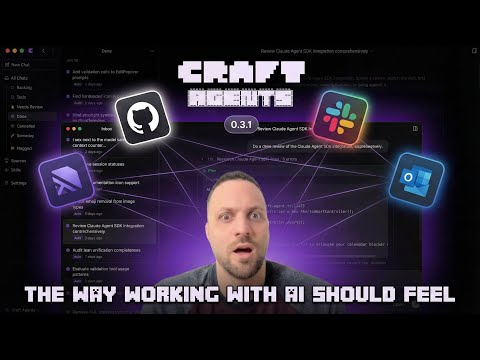
How it Works (Video)

To understand what Craft Agents does and how it works watch this video.
Demo Video

Click Here (or on the image above) to watch the video on YouTube →

Why Craft Agents was built

Craft Agents is a tool we built so that we (at craft.do) can work effectively with agents. It enables intuitive multitasking, no-fluff connection to any API or Service, sharing sessions, and a more document (vs code) centric workflow - in a beautiful and fluid UI.

It uses the Claude Agent SDK and the Pi SDK side by side—building on what we found great and improving areas where we've desired improvements.

It's built with Agent Native software principles in mind, and is highly customisable out of the box. One of the first of its kind.

Craft Agents is open source under the Apache 2.0 license - so you are free to remix, change anything. And that's actually possible. We ourselves are building Craft Agents with Craft Agents only - no code editors - so really, any customisation is just a prompt away.

We built Craft Agents because we wanted a better, more opinionated (and preferably non-CLI way) of working with the most powerful agents in the world. We'll continue to improve it, based on our experiences and intuition.

image

Things that are hard to believe "just work"

How do I connect to Linear, Gmail, Slack...? Tell the agent "add Linear as a source." It finds public APIs and MCP servers, reads their docs, sets up credentials, and configures everything. No config files, no setup wizards.

Check out how I just connected to Slack →

I already have my MCP config JSON. Paste it. The agent handles the rest.

What about local MCPs? Fully supported. Stdio-based MCP servers run as local subprocesses on your machine. Point it at an npx command, a Python script, or any local binary. It just works.

Can it handle custom APIs? Yes. Paste an OpenAPI spec, some endpoint URLs, screenshots of docs, whatever you have. It figures it out and guides you through the rest.

APIs too? Not just MCPs? Craft Agents connects to anything. We have it hooked up to a direct Postgres DB behind a jumpbox. Skills + Sources = magic.

How do I import my Claude Code skills and MCPs? Tell the agent you want to import your skills from Claude Code. It handles the migration.

Here I imported all my skills in one go →

How do I create a new skill? Describe what the skill should do, give it context. The agent takes care of the rest.

Do I need to restart after changes? No. Everything is instant. Mention new skills or sources with @, even mid-conversation.

So I can just ask it anything? Yes. That's the core idea behind agent-native software. You describe what you want, and it figures out how. That's a good use of tokens.

Installation

One-Line Install (Recommended)

macOS / Linux:

curl -fsSL https://agents.craft.do/install-app.sh | bash

Windows (PowerShell):

irm https://agents.craft.do/install-app.ps1 | iex

Build from Source

git clone https://github.com/lukilabs/craft-agents-oss.git
cd craft-agents-oss
bun install
bun run electron:start

Features

  • Multi-Session Inbox: Desktop app with session management, status workflow, and flagging
  • Claude Code Experience: Streaming responses, tool visualization, real-time updates
  • Multiple LLM Connections: Add multiple AI providers and set per-workspace defaults
  • Multi-Provider Support: Run sessions with Google AI Studio, ChatGPT Plus, GitHub Copilot, or OpenAI API keys alongside Anthropic
  • Craft MCP Integration: Access to 32+ Craft document tools (blocks, collections, search, tasks)
  • Sources: Connect to MCP servers, REST APIs (Google, Slack, Microsoft), and local filesystems
  • Permission Modes: Three-level system (Explore, Ask to Edit, Auto) with customizable rules
  • Background Tasks: Run long-running operations with progress tracking
  • Dynamic Status System: Customizable session workflow states (Todo, In Progress, Done, etc.)
  • Theme System: Cascading themes at app and workspace levels
  • Multi-File Diff: VS Code-style window for viewing all file changes in a turn
  • Skills: Specialized agent instructions stored per-workspace
  • File Attachments: Drag-drop images, PDFs, Office documents with auto-conversion
  • Automations: Event-driven automation — create agent sessions on label changes, schedules, tool use, and more

Quick Start

  1. Launch the app after installation
  2. Choose API Connection: Use Anthropic (API key or Claude Max), Google AI Studio, ChatGPT Plus (Codex OAuth), or GitHub Copilot OAuth
  3. Create a workspace: Set up a workspace to organize your sessions
  4. Connect sources (optional): Add MCP servers, REST APIs, or local filesystems
  5. Start chatting: Create sessions and interact with Claude

Desktop App Features

Session Management

  • Inbox/Archive: Sessions organized by workflow status
  • Flagging: Mark important sessions for quick access
  • Status Workflow: Todo → In Progress → Needs Review → Done
  • Session Naming: AI-generated titles or manual naming
  • Session Persistence: Full conversation history saved to disk

Sources

Connect external data sources to your workspace:

Type Examples
MCP Servers Craft, Linear, GitHub, Notion, custom servers
REST APIs Google (Gmail, Calendar, Drive, YouTube, Search Console), Slack, Microsoft
Local Files Filesystem, Obsidian vaults, Git repos

Permission Modes

Mode Display Behavior
safe Explore Read-only, blocks all write operations
ask Ask to Edit Prompts for approval (default)
allow-all Auto Auto-approves all commands

Use SHIFT+TAB to cycle through modes in the chat interface.

Keyboard Shortcuts

Shortcut Action
Cmd+N New chat
Cmd+1/2/3 Focus sidebar/list/chat
Cmd+/ Keyboard shortcuts dialog
SHIFT+TAB Cycle permission modes
Enter Send message
Shift+Enter New line

Remote Server (Headless)

Craft Agents can run as a headless server on a remote machine (e.g., a Linux VPS), with the desktop app connecting as a thin client. This lets you keep long-running sessions alive, access them from multiple machines, and run compute-heavy tasks on a powerful server.

Quick Start

From the monorepo root:

# Generate a token and start the server
CRAFT_SERVER_TOKEN=$(openssl rand -hex 32) bun run packages/server/src/index.ts

The server prints the connection details on startup:

CRAFT_SERVER_URL=ws://203.0.113.5:9100
CRAFT_SERVER_TOKEN=<generated-token>

Copy these values and use them to connect the desktop app.

Connecting the Desktop App

Launch the Electron app in thin-client mode by passing the server URL and token:

CRAFT_SERVER_URL=wss://203.0.113.5:9100 CRAFT_SERVER_TOKEN=<token> bun run electron:start

In thin-client mode, the desktop app renders the UI but all session logic, tool execution, and LLM calls run on the remote server.

Environment Variables

Variable Required Default Description
CRAFT_SERVER_TOKEN Yes Bearer token for client authentication
CRAFT_RPC_HOST No 127.0.0.1 Bind address (0.0.0.0 for remote access)
CRAFT_RPC_PORT No 9100 Bind port
CRAFT_RPC_TLS_CERT No Path to PEM certificate file (enables wss://)
CRAFT_RPC_TLS_KEY No Path to PEM private key file (required with cert)
CRAFT_RPC_TLS_CA No Path to PEM CA chain file (optional, for client cert verification)
CRAFT_DEBUG No false Enable debug logging

TLS (Recommended for Remote Access)

When exposing the server over the network, TLS encrypts the WebSocket connection (wss:// instead of ws://).

Generate a self-signed certificate (development/testing):

./scripts/generate-dev-cert.sh
# Creates certs/cert.pem and certs/key.pem (valid 365 days)

Start the server with TLS:

CRAFT_SERVER_TOKEN=<token> \
CRAFT_RPC_HOST=0.0.0.0 \
CRAFT_RPC_TLS_CERT=certs/cert.pem \
CRAFT_RPC_TLS_KEY=certs/key.pem \
bun run packages/server/src/index.ts

The server will print CRAFT_SERVER_URL=wss://<your-public-ip>:9100.

For production, use certificates from a trusted CA (e.g., Let's Encrypt) or place the server behind a reverse proxy (nginx, Caddy) that terminates TLS.

Docker

docker run -d \
  -p 9100:9100 \
  -e CRAFT_SERVER_TOKEN=<token> \
  -e CRAFT_RPC_HOST=0.0.0.0 \
  -v craft-data:/root/.craft-agent \
  craft-agents-server

To enable TLS in Docker, mount your certificates and set the env vars:

docker run -d \
  -p 9100:9100 \
  -e CRAFT_SERVER_TOKEN=<token> \
  -e CRAFT_RPC_HOST=0.0.0.0 \
  -e CRAFT_RPC_TLS_CERT=/certs/cert.pem \
  -e CRAFT_RPC_TLS_KEY=/certs/key.pem \
  -v ./certs:/certs:ro \
  -v craft-data:/root/.craft-agent \
  craft-agents-server

CLI Client

A terminal client that connects to a running Craft Agent server over WebSocket (ws:// or wss://). Use it for scripting, CI/CD pipelines, server validation, or when you prefer the command line.

Installation

# From the monorepo (requires Bun)
bun run apps/cli/src/index.ts --help

# Or add to your PATH
alias craft-cli="bun run $(pwd)/apps/cli/src/index.ts"

Connection

The CLI reads connection details from flags or environment variables:

# Via environment (set once)
export CRAFT_SERVER_URL=ws://127.0.0.1:9100
export CRAFT_SERVER_TOKEN=<your-token>

# Or via flags
craft-cli --url ws://127.0.0.1:9100 --token <token> ping

For TLS connections (wss://), use --tls-ca <path> for self-signed certificates.

Commands

Command Description
ping Verify connectivity (clientId + latency)
health Check credential store health
versions Show server runtime versions
workspaces List workspaces
sessions List sessions in workspace
connections List LLM connections
sources List configured sources
session create Create a session (--name, --mode)
session messages <id> Print session message history
session delete <id> Delete a session
send <id> <message> Send message and stream AI response
cancel <id> Cancel in-progress processing
invoke <channel> [args] Raw RPC call with JSON args
listen <channel> Subscribe to push events (Ctrl+C to stop)
run <prompt> Self-contained: spawn server, run prompt, stream response, exit
--validate-server 21-step integration test (auto-spawns server if no --url)

Run Command Flags

Flag Default Description
--workspace-dir <path> Register a workspace directory before running
--source <slug> Enable a source (repeatable)
--output-format <fmt> text Output format: text or stream-json
--mode <mode> allow-all Permission mode for the session
--no-cleanup false Skip session deletion on exit
--server-entry <path> Custom server entry point
--provider <name> anthropic LLM provider (anthropic, openai, google, openrouter, groq, mistral, xai, etc.)
--model <id> (provider default) Model ID (e.g., claude-sonnet-4-5-20250929, gpt-4o, gemini-2.0-flash)
--api-key <key> API key (or $LLM_API_KEY, or provider-specific env var)
--base-url <url> Custom API endpoint for proxies or self-hosted models

The run command is fully self-contained — it spawns a headless server, creates a session, sends the prompt, streams the response, and exits. No separate server setup needed. An API key is resolved from --api-key, $LLM_API_KEY, or a provider-specific env var (e.g., $ANTHROPIC_API_KEY, $OPENAI_API_KEY).

Examples

# Quick connectivity check
craft-cli ping

# List sessions (human-readable)
craft-cli sessions

# Send a message and stream the AI response
craft-cli send abc-123 "What files are in the current directory?"

# Pipe input
echo "Summarize this" | craft-cli send abc-123

# JSON output for scripting
craft-cli --json workspaces | jq '.[].name'

# Self-contained run (spawns its own server)
craft-cli run "Summarize the README"
craft-cli run --workspace-dir ./my-project --source github "List open PRs"

# Multi-provider support
craft-cli run --provider openai --model gpt-4o "Summarize this repo"
GOOGLE_API_KEY=... craft-cli run --provider google --model gemini-2.0-flash "Hello"
craft-cli run --provider anthropic --base-url https://openrouter.ai/api/v1 --api-key $OR_KEY "Hello"

# Validate the server (auto-spawns if no --url)
craft-cli --validate-server
craft-cli --validate-server --url ws://127.0.0.1:9100 --token <token>

Architecture

craft-agent/
├── apps/
│   ├── cli/                   # Terminal client (CLI)
│   └── electron/              # Desktop GUI (primary)
│       └── src/
│           ├── main/          # Electron main process
│           ├── preload/       # Context bridge
│           └── renderer/      # React UI (Vite + shadcn)
└── packages/
    ├── core/                  # Shared types
    └── shared/                # Business logic
        └── src/
            ├── agent/         # CraftAgent, permissions
            ├── auth/          # OAuth, tokens
            ├── config/        # Storage, preferences, themes
            ├── credentials/   # AES-256-GCM encrypted storage
            ├── sessions/      # Session persistence
            ├── sources/       # MCP, API, local sources
            └── statuses/      # Dynamic status system

Development

# Hot reload development
bun run electron:dev

# Build and run
bun run electron:start

# Type checking
bun run typecheck:all

# Debug logging (writes to ~/Library/Logs/@craft-agent/electron/)
# Logs are automatically enabled in development

Environment Variables

OAuth integrations (Slack, Microsoft) require credentials baked into the build. Create a .env file:

MICROSOFT_OAUTH_CLIENT_ID=your-client-id
SLACK_OAUTH_CLIENT_ID=your-slack-client-id
SLACK_OAUTH_CLIENT_SECRET=your-slack-client-secret

Note: Google OAuth credentials are NOT baked into the build. Users provide their own credentials via source configuration. See the Google OAuth Setup section below.

Google OAuth Setup (Gmail, Calendar, Drive, YouTube, Search Console)

Google integrations require you to create your own OAuth credentials. This is a one-time setup.

1. Create a Google Cloud Project

  1. Go to Google Cloud Console
  2. Create a new project (or select an existing one)
  3. Note your Project ID

2. Enable Required APIs

Go to APIs & Services → Library and enable the APIs you need:

  • Gmail API - for email integration
  • Google Calendar API - for calendar integration
  • Google Drive API - for file storage integration

3. Configure OAuth Consent Screen

  1. Go to APIs & Services → OAuth consent screen
  2. Select External user type (unless you have Google Workspace)
  3. Fill in required fields:
    • App name: e.g., "My Craft Agent"
    • User support email: your email
    • Developer contact: your email
  4. Add scopes (optional - can leave default)
  5. Add yourself as a test user (required for External apps in testing mode)
  6. Complete the wizard

4. Create OAuth Credentials

  1. Go to APIs & Services → Credentials
  2. Click Create Credentials → OAuth Client ID
  3. Application type: Desktop app
  4. Name: e.g., "Craft Agent Desktop"
  5. Click Create
  6. Note the Client ID and Client Secret

5. Configure in Craft Agent

When setting up a Google source (Gmail, Calendar, Drive, YouTube, Search Console, etc.), add these fields to your source's config.json:

{
  "api": {
    "googleService": "gmail",
    "googleOAuthClientId": "your-client-id.apps.googleusercontent.com",
    "googleOAuthClientSecret": "your-client-secret"
  }
}

Or simply tell the agent you want to connect Gmail/Calendar/Drive - it will guide you through entering your credentials.

Security Notes

  • Your OAuth credentials are stored encrypted alongside other source credentials
  • Never commit credentials to version control
  • For production use, consider getting your OAuth consent screen verified by Google

Supported LLM Providers

Craft Agents supports multiple ways to connect to LLM providers:

Direct Connections

Provider Auth Notes
Anthropic API key or Claude Max/Pro OAuth Direct Claude connection via the Claude Agent SDK
Google AI Studio API key Gemini models with native Google Search grounding built in
ChatGPT Plus / Pro Codex OAuth Sign in with your ChatGPT subscription — uses OpenAI's Codex models
GitHub Copilot OAuth (device code) One-click authentication with your Copilot subscription

Third-Party & Self-Hosted Providers

Additional providers are supported through the Claude / Anthropic API Key connection by choosing a custom endpoint:

Provider Endpoint Notes
OpenRouter https://openrouter.ai/api Access Claude, GPT, Llama, Gemini, and hundreds of other models through a single API key. Use provider/model-name format (e.g. anthropic/claude-opus-4.7).
Vercel AI Gateway https://ai-gateway.vercel.sh Route requests through Vercel's AI Gateway with built-in observability and caching.
Ollama http://localhost:11434 Run open-source models locally. No API key required.
Custom Any URL Any OpenAI-compatible or Anthropic-compatible endpoint.

Architecture

Craft Agents uses two agent backends:

  • Claude — powered by the Claude Agent SDK, which natively supports custom base URLs and provider routing. Anthropic API key, Claude Max/Pro OAuth, and all third-party endpoints use this backend.
  • Pi — powered by the Pi SDK, which handles Google AI Studio, ChatGPT Plus (Codex OAuth), GitHub Copilot OAuth, and OpenAI API key connections. Pi connections route through their own provider infrastructure.

Configuration

Configuration is stored at ~/.craft-agent/:

~/.craft-agent/
├── config.json              # Main config (workspaces, LLM connections)
├── credentials.enc          # Encrypted credentials (AES-256-GCM)
├── preferences.json         # User preferences
├── theme.json               # App-level theme
└── workspaces/
    └── {id}/
        ├── config.json      # Workspace settings
        ├── theme.json       # Workspace theme override
        ├── automations.json  # Event-driven automations
        ├── sessions/        # Session data (JSONL)
        ├── sources/         # Connected sources
        ├── skills/          # Custom skills
        └── statuses/        # Status configuration

Automations

Automations let you automate workflows by triggering actions when events happen — labels change, sessions start, tools run, or on a cron schedule.

Just ask the agent:

  • "Set up a daily standup briefing every weekday at 9am"
  • "Notify me when a session is labelled urgent"
  • "Track permission mode changes and summarise them"
  • "Every Friday at 5pm, summarise this week's completed tasks"

Or configure manually in ~/.craft-agent/workspaces/{id}/automations.json:

{
  "version": 2,
  "automations": {
    "SchedulerTick": [
      {
        "cron": "0 9 * * 1-5",
        "timezone": "America/New_York",
        "labels": ["Scheduled"],
        "actions": [
          { "type": "prompt", "prompt": "Check @github for new issues assigned to me" }
        ]
      }
    ],
    "LabelAdd": [
      {
        "matcher": "^urgent$",
        "actions": [
          { "type": "prompt", "prompt": "An urgent label was added. Triage the session and summarise what needs attention." }
        ]
      }
    ]
  }
}

Prompt actions create a new agent session with a prompt. They support @mentions for sources and skills, and environment variables like $CRAFT_LABEL and $CRAFT_SESSION_ID are expanded automatically.

Supported events: LabelAdd, LabelRemove, PermissionModeChange, FlagChange, SessionStatusChange, SchedulerTick, PreToolUse, PostToolUse, SessionStart, SessionEnd, and more.

See the Automations documentation for the full reference.

Advanced Features

Large Response Handling

Tool responses exceeding ~60KB are automatically summarized using Claude Haiku with intent-aware context. The _intent field is injected into MCP tool schemas to preserve summarization focus.

Deep Linking

External apps can navigate using craftagents:// URLs:

craftagents://allSessions                      # All sessions view
craftagents://allSessions/session/session123   # Specific session
craftagents://settings                         # Settings
craftagents://sources/source/github            # Source info
craftagents://action/new-chat                  # Create new session

Tech Stack

Layer Technology
Runtime Bun
AI @anthropic-ai/claude-agent-sdk
AI (Pi) Pi SDK agent server
Desktop Electron + React
UI shadcn/ui + Tailwind CSS v4
Build esbuild (main) + Vite (renderer)
Credentials AES-256-GCM encrypted file storage

Troubleshooting

Debug Mode

To launch the packaged app with verbose logging enabled, use -- --debug (note the double dash separator):

macOS:

/Applications/Craft\ Agents.app/Contents/MacOS/Craft\ Agents -- --debug

Windows (PowerShell):

& "$env:LOCALAPPDATA\Programs\@craft-agentelectron\Craft Agents.exe" -- --debug

Linux:

./craft-agents -- --debug

Logs are written to:

  • macOS: ~/Library/Logs/@craft-agent/electron/main.log
  • Windows: %APPDATA%\@craft-agent\electron\logs\main.log
  • Linux: ~/.config/@craft-agent/electron/logs/main.log

License

This project is licensed under the Apache License 2.0 - see the LICENSE file for details.

Third-Party Licenses

This project uses the Claude Agent SDK, which is subject to Anthropic's Commercial Terms of Service.

Trademark

"Craft" and "Craft Agents" are trademarks of Craft Docs Ltd. See TRADEMARK.md for usage guidelines.

Contributing

We welcome contributions! Please see CONTRIBUTING.md for guidelines.

Security

Local MCP Server Isolation

When spawning local MCP servers (stdio transport), sensitive environment variables are filtered out to prevent credential leakage to subprocesses. Blocked variables include:

  • ANTHROPIC_API_KEY, CLAUDE_CODE_OAUTH_TOKEN (app auth)
  • AWS_ACCESS_KEY_ID, AWS_SECRET_ACCESS_KEY, AWS_SESSION_TOKEN
  • GITHUB_TOKEN, GH_TOKEN, OPENAI_API_KEY, GOOGLE_API_KEY, STRIPE_SECRET_KEY, NPM_TOKEN

To explicitly pass an env var to a specific MCP server, use the env field in the source config.

To report security vulnerabilities, please see SECURITY.md.

View on GitHub

Recent activity

commits and pull requests

Releases and announcements

76 total
  1. v0.11.2v0.11.2Jul 22, 2026564 downloads

    ## Features - Claude- and Pi-backed agents can create unstarted Tasks on the board with the new `create_task` tool — including title, description, acceptance criteria, sources, skills, LLM connection/model, and working directory; Tasks inherit the current project unless another project is specified, and unknown source or skill references are reported as warnings instead of blocking creation - Sessions can now be sent between any two workspaces, including remote-to-local and local-to-local transfers ## Improvements - Press Up arrow in a truly empty chat input to cancel the running turn and bring your last prompt back for editing - In-app "background session finished" alerts are now off by default — enable them under Settings → Appearance - Background task chips can be dismissed without stopping the task, and a chip with no updates stops spinning and shows an Unknown state without claiming the task stopped ## Bug Fixes - Large transfers involving a remote workspace now allow more time for bundle export and import, reducing timeouts on slower connections - Queuing a message while the agent is still replying no longer pushes the in-progress response below your new message - Queuin

  2. v0.11.1v0.11.1Jul 10, 2026813 downloads

    ## Features - Support for OpenAI GPT-5.6 (Luna, Terra, Sol) via OpenAI API key, ChatGPT account, and Azure OpenAI connections - The Max thinking level is now sent natively to models that support it (GPT-5.6, adaptive Claude models) instead of capping at XHigh ## Improvements - New OpenAI connections default to GPT-5.6 Sol - Updated Pi SDK to 0.80.6: request-wide input-token pricing tiers for accurate long-context cost accounting on GPT-5.4/5.5/5.6

  3. v0.11.0v0.11.0Jul 7, 2026399 downloads

    # v0.11.0 — Projects & Kanban Task Board (Beta) The biggest release in a while: workspaces gain **Projects**, and work gets a visual home on a **Kanban task board** backed by durable **Tasks** that can fan out into orchestrated multi-session runs. ## ⭐ Projects Workspaces now have first-class Projects: named collections of sessions, assets, and context stored at `{workspaceRootPath}/projects/{slug}/`. Bind a session to a project and it inherits the project's working directory and gets a `<project_context>` block injected into its system prompt — including the project's asset manifest and a size-capped `MEMORY.md` — so the agent starts every conversation already knowing what the project is about. - **Projects panel & info page** — a `ProjectsListPanel` in the navigator and a `ProjectInfoPage` with Sessions / Assets / Settings tabs; assign sessions from the session menu. (`f2eb9542`, `95bc761e`, `423ff362`) - **Project-aware session list** — group and filter your sessions by project. (`0ad7189e`) - **Per-project accent color** — with an appearance-treatment toggle; workspaces got avatars and a rebuilt color picker along the way. (`2b2d64bd`, `481851f8`) - **Live binding + context

  4. v0.10.5v0.10.5Jul 1, 2026491 downloads

    # v0.10.5 — Claude Sonnet 5 ## Features - **Claude Sonnet 5 now available** — Anthropic's newest Sonnet-class model (`claude-sonnet-5`, released 2026-06-30) is now selectable in the model picker, with a 1M-token context window and adaptive thinking. It joins the lineup as the primary Sonnet, with Sonnet 4.6 kept available as the previous generation. Bedrock routing (US / EU / Global inference profiles) and connection defaults are wired up so it works across both Anthropic and Amazon Bedrock connections. The default model is unchanged (Opus 4.8). (`5bf361b6`) ## Improvements - **Claude Agent SDK uplifted to 0.3.197** — the bundled SDK moves from 0.3.170 to 0.3.197 (Claude Code v2.1.197 parity), so the bundled CLI is itself aware of Sonnet 5 (the `sonnet` alias, context-window, and effort defaults). Includes upstream fixes since 0.3.170, including a Windows CLI subprocess console-flash fix. Full typecheck and shared test suites pass clean. (`5bf361b6`) ## Bug Fixes - None. ## Breaking Changes - None.

  5. v0.10.4v0.10.4Jun 24, 2026629 downloads

    # v0.10.4 — GLM-5 family on z.ai + Pi SDK uplift ## Features - **GLM-5.2 and the GLM-5 family now available on z.ai** — the Pi SDK uplift regenerates the model catalog from models.dev, so z.ai's GLM-5.2, GLM-5.1, and GLM-5-turbo surface automatically on the existing z.ai provider, with correct thinking / `reasoning_effort` handling (fixed upstream). Previously GLM-5.2 was only reachable through a hand-rolled OpenAI-compatible endpoint where reasoning effort misbehaved. (`694d4b1c`) - **Automatic config.json backups on startup** — Craft Agent now snapshots `config.json` on every startup and keeps the newest three backups, so a corrupted or bad config write can be recovered. (`a5e62bc8`) ## Improvements - **Pi SDK uplifted to 0.79.9 (scope migration to `@earendil-works`)** — the three Pi packages (`pi-ai`, `pi-coding-agent`, `pi-agent-core`) move from the now-frozen `@mariozechner/*` scope at 0.73.1 to the rebranded `@earendil-works/*` scope at 0.79.9, across all manifests and the lockfile. Newer models for existing Pi providers (OpenRouter, z.ai, and others) appear automatically via the regenerated models.dev catalog. GitHub Copilot device-code login now consumes the SDK's struc

Code frequency

additions and deletions
+134K-134KWeek of 2026-01-18: +131,792 linesWeek of 2026-01-18: -12,307 linesWeek of 2026-01-25: +47,180 linesWeek of 2026-01-25: -5,835 linesWeek of 2026-02-01: +9,764 linesWeek of 2026-02-01: -2,031 linesWeek of 2026-02-08: +134,009 linesWeek of 2026-02-08: -24,995 linesWeek of 2026-02-15: +13,271 linesWeek of 2026-02-15: -2,793 linesWeek of 2026-02-22: +30,880 linesWeek of 2026-02-22: -31,633 linesWeek of 2026-03-01: +76,288 linesWeek of 2026-03-01: -50,699 linesWeek of 2026-03-08: +25,100 linesWeek of 2026-03-08: -6,815 linesWeek of 2026-03-15: +7,980 linesWeek of 2026-03-15: -1,334 linesWeek of 2026-03-22: +11,627 linesWeek of 2026-03-22: -35,480 linesWeek of 2026-03-29: +3,147 linesWeek of 2026-03-29: -1,190 linesWeek of 2026-04-05: +13,577 linesWeek of 2026-04-05: -2,346 linesWeek of 2026-04-12: +6,908 linesWeek of 2026-04-12: -761 linesWeek of 2026-04-19: +18,710 linesWeek of 2026-04-19: -1,775 linesWeek of 2026-04-26: +10,144 linesWeek of 2026-04-26: -836 linesWeek of 2026-05-03: +11,093 linesWeek of 2026-05-03: -1,264 linesWeek of 2026-05-10: +8,339 linesWeek of 2026-05-10: -1,450 linesWeek of 2026-05-17: +4,167 linesWeek of 2026-05-17: -797 linesWeek of 2026-05-24: +4,787 linesWeek of 2026-05-24: -346 linesWeek of 2026-05-31: +1,365 linesWeek of 2026-05-31: -534 linesWeek of 2026-06-07: +921 linesWeek of 2026-06-07: -142 linesWeek of 2026-06-14: +0 linesWeek of 2026-06-14: -0 linesWeek of 2026-06-21: +568 linesWeek of 2026-06-21: -807 linesWeek of 2026-06-28: +122 linesWeek of 2026-06-28: -51 linesWeek of 2026-07-05: +19,603 linesWeek of 2026-07-05: -638 linesWeek of 2026-07-12: +0 linesWeek of 2026-07-12: -0 linesWeek of 2026-07-19: +1,509 linesWeek of 2026-07-19: -238 linesWeek of 2026-07-26: +0 linesWeek of 2026-07-26: -0 linesJan 18, 2026Jul 26, 2026
+592.9K lines added, -187.1K removed over the last year.

Commits per week

last 52 weeks
210Week of 2025-08-02: 0 commitsWeek of 2025-08-09: 0 commitsWeek of 2025-08-16: 0 commitsWeek of 2025-08-23: 0 commitsWeek of 2025-08-30: 0 commitsWeek of 2025-09-06: 0 commitsWeek of 2025-09-13: 0 commitsWeek of 2025-09-20: 0 commitsWeek of 2025-09-27: 0 commitsWeek of 2025-10-04: 0 commitsWeek of 2025-10-11: 0 commitsWeek of 2025-10-18: 0 commitsWeek of 2025-10-25: 0 commitsWeek of 2025-11-01: 0 commitsWeek of 2025-11-09: 0 commitsWeek of 2025-11-16: 0 commitsWeek of 2025-11-23: 0 commitsWeek of 2025-11-30: 0 commitsWeek of 2025-12-07: 0 commitsWeek of 2025-12-14: 0 commitsWeek of 2025-12-21: 0 commitsWeek of 2025-12-28: 0 commitsWeek of 2026-01-04: 0 commitsWeek of 2026-01-11: 0 commitsWeek of 2026-01-18: 21 commitsWeek of 2026-01-25: 11 commitsWeek of 2026-02-01: 4 commitsWeek of 2026-02-08: 6 commitsWeek of 2026-02-15: 3 commitsWeek of 2026-02-22: 2 commitsWeek of 2026-03-01: 3 commitsWeek of 2026-03-08: 4 commitsWeek of 2026-03-15: 6 commitsWeek of 2026-03-22: 5 commitsWeek of 2026-03-29: 3 commitsWeek of 2026-04-05: 3 commitsWeek of 2026-04-12: 3 commitsWeek of 2026-04-19: 3 commitsWeek of 2026-04-26: 2 commitsWeek of 2026-05-03: 2 commitsWeek of 2026-05-10: 2 commitsWeek of 2026-05-17: 1 commitsWeek of 2026-05-24: 2 commitsWeek of 2026-05-31: 1 commitsWeek of 2026-06-07: 2 commitsWeek of 2026-06-14: 0 commitsWeek of 2026-06-21: 1 commitsWeek of 2026-06-28: 1 commitsWeek of 2026-07-05: 2 commitsWeek of 2026-07-12: 0 commitsWeek of 2026-07-19: 1 commitsWeek of 2026-07-26: 0 commitsAug 2, 2025Jul 26, 2026
94 commits in the last 52 weeks.

When work happens

weekday and hour
SunMonTueWedThuFriSat036912151821Sun 0:00 — 0 commitsSun 1:00 — 0 commitsSun 2:00 — 0 commitsSun 3:00 — 0 commitsSun 4:00 — 0 commitsSun 5:00 — 0 commitsSun 6:00 — 0 commitsSun 7:00 — 0 commitsSun 8:00 — 0 commitsSun 9:00 — 0 commitsSun 10:00 — 0 commitsSun 11:00 — 0 commitsSun 12:00 — 0 commitsSun 13:00 — 0 commitsSun 14:00 — 0 commitsSun 15:00 — 0 commitsSun 16:00 — 1 commitsSun 17:00 — 0 commitsSun 18:00 — 0 commitsSun 19:00 — 0 commitsSun 20:00 — 1 commitsSun 21:00 — 0 commitsSun 22:00 — 0 commitsSun 23:00 — 0 commitsMon 0:00 — 1 commitsMon 1:00 — 0 commitsMon 2:00 — 0 commitsMon 3:00 — 1 commitsMon 4:00 — 0 commitsMon 5:00 — 1 commitsMon 6:00 — 0 commitsMon 7:00 — 0 commitsMon 8:00 — 2 commitsMon 9:00 — 0 commitsMon 10:00 — 1 commitsMon 11:00 — 0 commitsMon 12:00 — 2 commitsMon 13:00 — 1 commitsMon 14:00 — 1 commitsMon 15:00 — 2 commitsMon 16:00 — 2 commitsMon 17:00 — 1 commitsMon 18:00 — 2 commitsMon 19:00 — 1 commitsMon 20:00 — 1 commitsMon 21:00 — 1 commitsMon 22:00 — 0 commitsMon 23:00 — 1 commitsTue 0:00 — 1 commitsTue 1:00 — 0 commitsTue 2:00 — 0 commitsTue 3:00 — 0 commitsTue 4:00 — 0 commitsTue 5:00 — 0 commitsTue 6:00 — 0 commitsTue 7:00 — 0 commitsTue 8:00 — 0 commitsTue 9:00 — 1 commitsTue 10:00 — 1 commitsTue 11:00 — 1 commitsTue 12:00 — 1 commitsTue 13:00 — 2 commitsTue 14:00 — 2 commitsTue 15:00 — 0 commitsTue 16:00 — 4 commitsTue 17:00 — 0 commitsTue 18:00 — 0 commitsTue 19:00 — 0 commitsTue 20:00 — 1 commitsTue 21:00 — 3 commitsTue 22:00 — 2 commitsTue 23:00 — 1 commitsWed 0:00 — 1 commitsWed 1:00 — 1 commitsWed 2:00 — 0 commitsWed 3:00 — 0 commitsWed 4:00 — 0 commitsWed 5:00 — 0 commitsWed 6:00 — 0 commitsWed 7:00 — 1 commitsWed 8:00 — 2 commitsWed 9:00 — 0 commitsWed 10:00 — 1 commitsWed 11:00 — 2 commitsWed 12:00 — 2 commitsWed 13:00 — 0 commitsWed 14:00 — 1 commitsWed 15:00 — 0 commitsWed 16:00 — 0 commitsWed 17:00 — 2 commitsWed 18:00 — 0 commitsWed 19:00 — 1 commitsWed 20:00 — 1 commitsWed 21:00 — 5 commitsWed 22:00 — 1 commitsWed 23:00 — 0 commitsThu 0:00 — 0 commitsThu 1:00 — 0 commitsThu 2:00 — 0 commitsThu 3:00 — 1 commitsThu 4:00 — 0 commitsThu 5:00 — 0 commitsThu 6:00 — 1 commitsThu 7:00 — 0 commitsThu 8:00 — 0 commitsThu 9:00 — 0 commitsThu 10:00 — 1 commitsThu 11:00 — 0 commitsThu 12:00 — 1 commitsThu 13:00 — 1 commitsThu 14:00 — 0 commitsThu 15:00 — 0 commitsThu 16:00 — 0 commitsThu 17:00 — 2 commitsThu 18:00 — 1 commitsThu 19:00 — 2 commitsThu 20:00 — 0 commitsThu 21:00 — 3 commitsThu 22:00 — 2 commitsThu 23:00 — 0 commitsFri 0:00 — 0 commitsFri 1:00 — 1 commitsFri 2:00 — 0 commitsFri 3:00 — 0 commitsFri 4:00 — 0 commitsFri 5:00 — 0 commitsFri 6:00 — 0 commitsFri 7:00 — 0 commitsFri 8:00 — 1 commitsFri 9:00 — 0 commitsFri 10:00 — 1 commitsFri 11:00 — 0 commitsFri 12:00 — 1 commitsFri 13:00 — 2 commitsFri 14:00 — 0 commitsFri 15:00 — 0 commitsFri 16:00 — 0 commitsFri 17:00 — 2 commitsFri 18:00 — 0 commitsFri 19:00 — 1 commitsFri 20:00 — 0 commitsFri 21:00 — 0 commitsFri 22:00 — 2 commitsFri 23:00 — 1 commitsSat 0:00 — 0 commitsSat 1:00 — 0 commitsSat 2:00 — 0 commitsSat 3:00 — 0 commitsSat 4:00 — 0 commitsSat 5:00 — 0 commitsSat 6:00 — 0 commitsSat 7:00 — 1 commitsSat 8:00 — 0 commitsSat 9:00 — 0 commitsSat 10:00 — 1 commitsSat 11:00 — 1 commitsSat 12:00 — 0 commitsSat 13:00 — 0 commitsSat 14:00 — 0 commitsSat 15:00 — 0 commitsSat 16:00 — 0 commitsSat 17:00 — 0 commitsSat 18:00 — 0 commitsSat 19:00 — 0 commitsSat 20:00 — 0 commitsSat 21:00 — 0 commitsSat 22:00 — 0 commitsSat 23:00 — 0 commits
Commit volume by weekday and hour (UTC). Larger dots mean more commits.
  • freeCodeCamp/freeCodeCamp

    freeCodeCamp.org's open-source codebase and curriculum. Learn math, programming, and computer science for free.

    453.6K stars · TypeScript

  • openclaw/openclaw

    Your own personal AI assistant. Any OS. Any Platform. The lobster way. 🦞

    385.5K stars · TypeScript

  • openclaw/openclaw

    Your own personal AI assistant. Any OS. Any Platform. The lobster way. 🦞

    384.4K stars · TypeScript

  • openclaw/openclaw

    Your own personal AI assistant. Any OS. Any Platform. The lobster way. 🦞

    384.4K stars · TypeScript

  • openclaw/openclaw

    Your own personal AI assistant. Any OS. Any Platform. The lobster way. 🦞

    384.4K stars · TypeScript

  • anomalyco/opencode

    The open source coding agent.

    194.7K stars · TypeScript