deepentropy/tvscreenerPublic

TradingView Screener API - Stock, Crypto, Forex, Bond, Futures, Coin

AI summary: Python library and visual code generator for querying the TradingView Screener API.

Stars
1.1K
+3 today
Forks
160
Watchers
16
Open issues
1
Open PRs
0
Contributors
~8
Commits
183
Branches
1

JavaScriptApache-2.0Created Aug 2, 2023Last push 25d agoLatest release v0.3.0+12 stars this week+14 this month

Star history

since Dec 7, 2025
05001KDec 2025Feb 2026May 2026Aug 2026
1.1K stars as of Aug 7, 2026, tracked back to Dec 7, 2025. Historical curve reconstructed from public GitHub event archives, calibrated to the current total.

Contribution activity

commits per day, last 52 weeks
AugSepOctNovDecJanFebMarAprMayJunJulMonWedFri2025-08-03: 0 commits2025-08-04: 0 commits2025-08-05: 0 commits2025-08-06: 0 commits2025-08-07: 0 commits2025-08-08: 0 commits2025-08-09: 0 commits2025-08-10: 0 commits2025-08-11: 0 commits2025-08-12: 0 commits2025-08-13: 0 commits2025-08-14: 0 commits2025-08-15: 0 commits2025-08-16: 0 commits2025-08-17: 0 commits2025-08-18: 0 commits2025-08-19: 0 commits2025-08-20: 0 commits2025-08-21: 0 commits2025-08-22: 0 commits2025-08-23: 0 commits2025-08-24: 0 commits2025-08-25: 0 commits2025-08-26: 0 commits2025-08-27: 0 commits2025-08-28: 0 commits2025-08-29: 0 commits2025-08-30: 0 commits2025-08-31: 0 commits2025-09-01: 0 commits2025-09-02: 0 commits2025-09-03: 0 commits2025-09-04: 0 commits2025-09-05: 0 commits2025-09-06: 0 commits2025-09-07: 0 commits2025-09-08: 0 commits2025-09-09: 0 commits2025-09-10: 0 commits2025-09-11: 0 commits2025-09-12: 0 commits2025-09-13: 0 commits2025-09-14: 0 commits2025-09-15: 0 commits2025-09-16: 0 commits2025-09-17: 0 commits2025-09-18: 0 commits2025-09-19: 0 commits2025-09-20: 0 commits2025-09-21: 0 commits2025-09-22: 0 commits2025-09-23: 0 commits2025-09-24: 0 commits2025-09-25: 0 commits2025-09-26: 0 commits2025-09-27: 0 commits2025-09-28: 0 commits2025-09-29: 0 commits2025-09-30: 0 commits2025-10-01: 0 commits2025-10-02: 0 commits2025-10-03: 0 commits2025-10-04: 0 commits2025-10-05: 0 commits2025-10-06: 0 commits2025-10-07: 0 commits2025-10-08: 0 commits2025-10-09: 0 commits2025-10-10: 0 commits2025-10-11: 0 commits2025-10-12: 0 commits2025-10-13: 0 commits2025-10-14: 0 commits2025-10-15: 0 commits2025-10-16: 0 commits2025-10-17: 0 commits2025-10-18: 0 commits2025-10-19: 0 commits2025-10-20: 4 commits2025-10-21: 0 commits2025-10-22: 0 commits2025-10-23: 0 commits2025-10-24: 2 commits2025-10-25: 0 commits2025-10-26: 0 commits2025-10-27: 0 commits2025-10-28: 0 commits2025-10-29: 0 commits2025-10-30: 0 commits2025-10-31: 0 commits2025-11-01: 0 commits2025-11-02: 0 commits2025-11-03: 0 commits2025-11-04: 0 commits2025-11-05: 0 commits2025-11-06: 0 commits2025-11-07: 0 commits2025-11-08: 0 commits2025-11-09: 0 commits2025-11-10: 0 commits2025-11-11: 0 commits2025-11-12: 0 commits2025-11-13: 0 commits2025-11-14: 10 commits2025-11-15: 0 commits2025-11-16: 0 commits2025-11-17: 0 commits2025-11-18: 0 commits2025-11-19: 0 commits2025-11-20: 0 commits2025-11-21: 0 commits2025-11-22: 0 commits2025-11-23: 0 commits2025-11-24: 0 commits2025-11-25: 0 commits2025-11-26: 0 commits2025-11-27: 0 commits2025-11-28: 0 commits2025-11-29: 9 commits2025-11-30: 0 commits2025-12-01: 0 commits2025-12-02: 0 commits2025-12-03: 0 commits2025-12-04: 0 commits2025-12-05: 0 commits2025-12-06: 0 commits2025-12-07: 0 commits2025-12-08: 2 commits2025-12-09: 2 commits2025-12-10: 7 commits2025-12-11: 0 commits2025-12-12: 0 commits2025-12-13: 0 commits2025-12-14: 0 commits2025-12-15: 0 commits2025-12-16: 0 commits2025-12-17: 0 commits2025-12-18: 0 commits2025-12-19: 0 commits2025-12-20: 0 commits2025-12-21: 0 commits2025-12-22: 0 commits2025-12-23: 0 commits2025-12-24: 0 commits2025-12-25: 0 commits2025-12-26: 0 commits2025-12-27: 0 commits2025-12-28: 0 commits2025-12-29: 0 commits2025-12-30: 0 commits2025-12-31: 0 commits2026-01-01: 0 commits2026-01-02: 0 commits2026-01-03: 0 commits2026-01-04: 0 commits2026-01-05: 1 commit2026-01-06: 0 commits2026-01-07: 0 commits2026-01-08: 0 commits2026-01-09: 0 commits2026-01-10: 0 commits2026-01-11: 0 commits2026-01-12: 2 commits2026-01-13: 0 commits2026-01-14: 0 commits2026-01-15: 2 commits2026-01-16: 0 commits2026-01-17: 0 commits2026-01-18: 0 commits2026-01-19: 0 commits2026-01-20: 0 commits2026-01-21: 0 commits2026-01-22: 0 commits2026-01-23: 0 commits2026-01-24: 0 commits2026-01-25: 0 commits2026-01-26: 0 commits2026-01-27: 0 commits2026-01-28: 0 commits2026-01-29: 0 commits2026-01-30: 0 commits2026-01-31: 0 commits2026-02-01: 0 commits2026-02-02: 0 commits2026-02-03: 0 commits2026-02-04: 0 commits2026-02-05: 0 commits2026-02-06: 0 commits2026-02-07: 0 commits2026-02-08: 0 commits2026-02-09: 0 commits2026-02-10: 0 commits2026-02-11: 0 commits2026-02-12: 0 commits2026-02-13: 0 commits2026-02-14: 0 commits2026-02-15: 0 commits2026-02-16: 0 commits2026-02-17: 0 commits2026-02-18: 0 commits2026-02-19: 0 commits2026-02-20: 0 commits2026-02-21: 0 commits2026-02-22: 0 commits2026-02-23: 0 commits2026-02-24: 0 commits2026-02-25: 0 commits2026-02-26: 0 commits2026-02-27: 0 commits2026-02-28: 0 commits2026-03-01: 0 commits2026-03-02: 0 commits2026-03-03: 0 commits2026-03-04: 0 commits2026-03-05: 0 commits2026-03-06: 0 commits2026-03-07: 0 commits2026-03-08: 0 commits2026-03-09: 0 commits2026-03-10: 0 commits2026-03-11: 0 commits2026-03-12: 0 commits2026-03-13: 0 commits2026-03-14: 0 commits2026-03-15: 0 commits2026-03-16: 1 commit2026-03-17: 0 commits2026-03-18: 0 commits2026-03-19: 0 commits2026-03-20: 0 commits2026-03-21: 0 commits2026-03-22: 0 commits2026-03-23: 0 commits2026-03-24: 0 commits2026-03-25: 0 commits2026-03-26: 0 commits2026-03-27: 2 commits2026-03-28: 1 commit2026-03-29: 0 commits2026-03-30: 0 commits2026-03-31: 0 commits2026-04-01: 0 commits2026-04-02: 0 commits2026-04-03: 0 commits2026-04-04: 0 commits2026-04-05: 0 commits2026-04-06: 0 commits2026-04-07: 0 commits2026-04-08: 0 commits2026-04-09: 0 commits2026-04-10: 0 commits2026-04-11: 0 commits2026-04-12: 0 commits2026-04-13: 0 commits2026-04-14: 0 commits2026-04-15: 0 commits2026-04-16: 0 commits2026-04-17: 0 commits2026-04-18: 0 commits2026-04-19: 0 commits2026-04-20: 0 commits2026-04-21: 0 commits2026-04-22: 0 commits2026-04-23: 0 commits2026-04-24: 0 commits2026-04-25: 0 commits2026-04-26: 0 commits2026-04-27: 0 commits2026-04-28: 0 commits2026-04-29: 0 commits2026-04-30: 0 commits2026-05-01: 0 commits2026-05-02: 0 commits2026-05-03: 0 commits2026-05-04: 0 commits2026-05-05: 0 commits2026-05-06: 0 commits2026-05-07: 0 commits2026-05-08: 0 commits2026-05-09: 0 commits2026-05-10: 0 commits2026-05-11: 0 commits2026-05-12: 0 commits2026-05-13: 0 commits2026-05-14: 0 commits2026-05-15: 0 commits2026-05-16: 0 commits2026-05-17: 0 commits2026-05-18: 0 commits2026-05-19: 0 commits2026-05-20: 0 commits2026-05-21: 0 commits2026-05-22: 0 commits2026-05-23: 0 commits2026-05-24: 0 commits2026-05-25: 0 commits2026-05-26: 0 commits2026-05-27: 0 commits2026-05-28: 0 commits2026-05-29: 0 commits2026-05-30: 0 commits2026-05-31: 0 commits2026-06-01: 0 commits2026-06-02: 0 commits2026-06-03: 0 commits2026-06-04: 0 commits2026-06-05: 0 commits2026-06-06: 0 commits2026-06-07: 0 commits2026-06-08: 0 commits2026-06-09: 0 commits2026-06-10: 0 commits2026-06-11: 0 commits2026-06-12: 0 commits2026-06-13: 0 commits2026-06-14: 0 commits2026-06-15: 0 commits2026-06-16: 0 commits2026-06-17: 0 commits2026-06-18: 0 commits2026-06-19: 0 commits2026-06-20: 0 commits2026-06-21: 0 commits2026-06-22: 0 commits2026-06-23: 0 commits2026-06-24: 0 commits2026-06-25: 0 commits2026-06-26: 0 commits2026-06-27: 0 commits2026-06-28: 0 commits2026-06-29: 0 commits2026-06-30: 0 commits2026-07-01: 0 commits2026-07-02: 0 commits2026-07-03: 0 commits2026-07-04: 0 commits2026-07-05: 0 commits2026-07-06: 0 commits2026-07-07: 0 commits2026-07-08: 0 commits2026-07-09: 0 commits2026-07-10: 0 commits2026-07-11: 0 commits2026-07-12: 0 commits2026-07-13: 1 commit2026-07-14: 0 commits2026-07-15: 0 commits2026-07-16: 0 commits2026-07-17: 0 commits2026-07-18: 0 commits2026-07-19: 0 commits2026-07-20: 0 commits2026-07-21: 0 commits2026-07-22: 0 commits2026-07-23: 0 commits2026-07-24: 0 commits2026-07-25: 0 commits2026-07-26: 0 commits2026-07-27: 0 commits2026-07-28: 0 commits2026-07-29: 0 commits2026-07-30: 0 commits2026-07-31: 0 commits2026-08-01: 0 commits
46 commits in the last yearLessMore

Signals and awards

derived from tracked data
  • Permissive license

    Apache-2.0

  • Continuous integration

    Automated checks passing

What tvscreener does

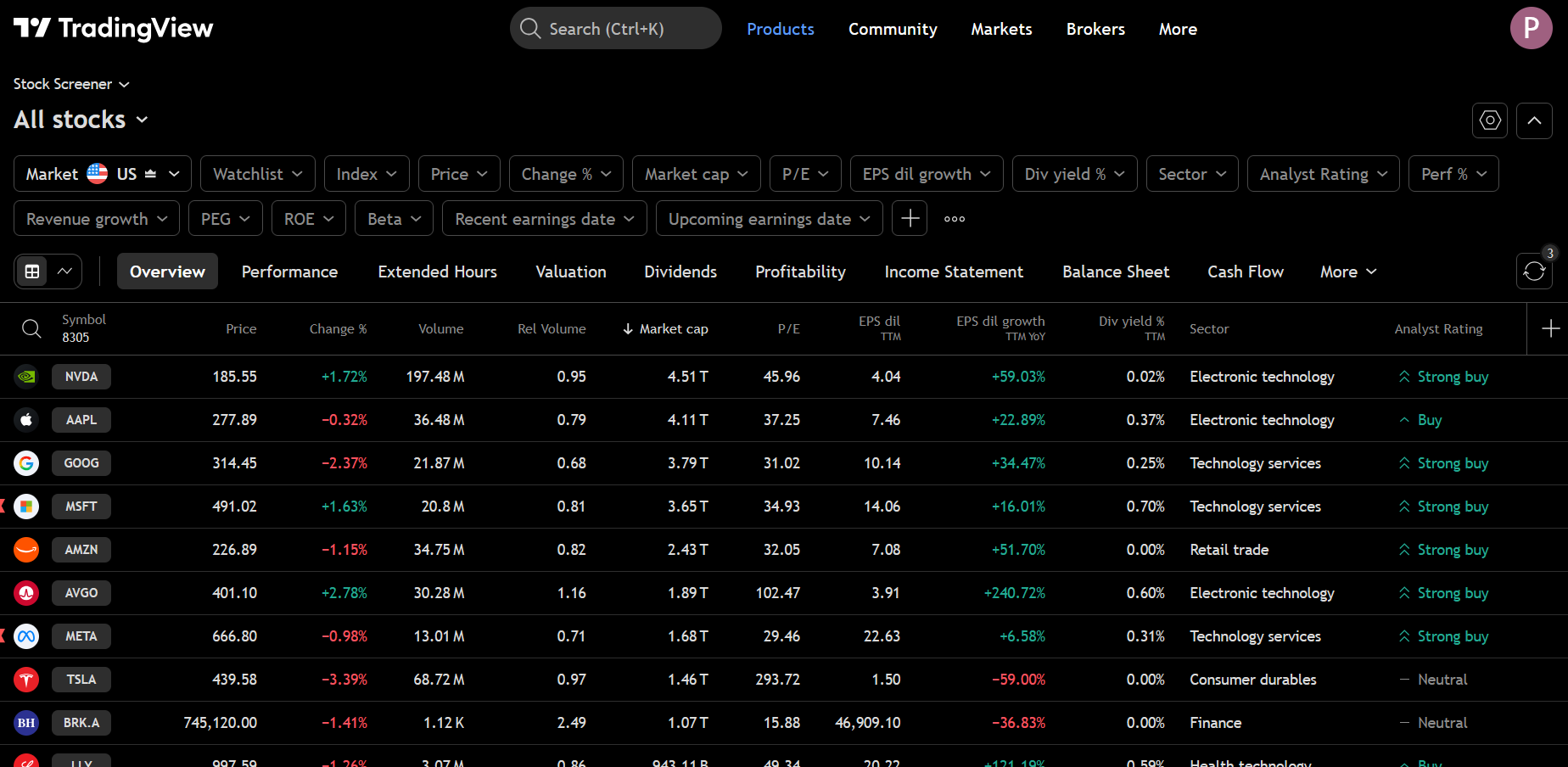
This project provides a straightforward Python wrapper around the undocumented TradingView Screener API, enabling programmatic access to vast amounts of quantitative financial data and technical indicators. It circumvents the need for complex web scraping by interacting directly with the screener endpoints. The repository uniquely features a visual Code Generator tool that allows users to build complex financial filters (e.g., RSI, moving averages) in a UI and instantly exports the corresponding Python code to execute the query.

Quantitative analysts, algorithmic traders, and Python developers building financial tools. Familiarity with technical analysis concepts like RSI or MACD is beneficial.

  • Direct API access: fetches financial data cleanly without relying on brittle HTML scraping.
  • Visual Code Generator: provides a UI to build queries and export ready-to-run Python snippets.
  • Technical indicator filtering: supports querying stocks based on complex TradingView technical signals.
  • Multiple screener support: accesses various asset classes including stocks, forex, and crypto screeners.
  • Pythonic interface: returns financial data in standard formats suitable for quantitative analysis.

Where teams use it

Algorithmic trading

Programmatically fetch lists of stocks that meet specific technical criteria for daily automated trading.

Quantitative research

Download bulk indicator data for backtesting trading strategies.

Market monitoring

Build custom dashboards that alert when specific assets cross moving average thresholds.

Query generation

Use the visual builder to quickly generate complex API queries without reading documentation.

Getting started: pip install tvscreener

README

main branch
TradingView Screener API Logo

TradingView™ Screener API


TradingView™ Screener API: simple Python library to retrieve data from TradingView™ Screener

PyPI version Downloads Coverage

🚀 Try the Code Generator

Build screener queries visually and get Python code instantly!

Code Generator

The Code Generator lets you:

  • Select from 6 screener types (Stock, Crypto, Forex, Bond, Futures, Coin)
  • Build filters visually with 13,000+ fields
  • Generate ready-to-use Python code
  • Copy and run in your environment

tradingview-screener.png

Get the results as a Pandas Dataframe

dataframe.png

Disclaimer

This is an unofficial, third-party library and is not affiliated with, endorsed by, or connected to TradingView™ in any way. TradingView™ is a trademark of TradingView™, Inc. This independent project provides a Python interface to publicly available data from TradingView's screener. Use of this library is at your own risk and subject to TradingView's terms of service.

What's New in v0.2.0

MCP Server Integration - This release adds Model Context Protocol (MCP) support, enabling AI assistants like Claude to query market data directly.

MCP Server for AI Assistants

# Install with MCP support
pip install tvscreener[mcp]

# Run MCP server
tvscreener-mcp

# Register with Claude Code
claude mcp add tvscreener -- tvscreener-mcp

MCP Tools:

  • discover_fields - Search 3500+ available fields by keyword
  • custom_query - Flexible queries with any fields and filters
  • search_stocks / search_crypto / search_forex - Simplified screeners
  • get_top_movers - Get top gainers/losers

What's New in v0.1.0

Major API Enhancement Release - This release significantly expands the library with new screeners, 13,000+ fields, and a more intuitive API.

New Screeners

  • BondScreener - Query government and corporate bonds
  • FuturesScreener - Query futures contracts
  • CoinScreener - Query coins from CEX and DEX exchanges

Expanded Field Coverage

  • 13,000+ fields across all screener types (up from ~300)
  • Complete technical indicator coverage with all time intervals
  • Fields organized by category with search and discovery methods

Pythonic Comparison Syntax

from tvscreener import StockScreener, StockField

ss = StockScreener()
ss.where(StockField.PRICE > 50)
ss.where(StockField.VOLUME >= 1_000_000)
ss.where(StockField.MARKET_CAPITALIZATION.between(1e9, 50e9))
ss.where(StockField.SECTOR.isin(['Technology', 'Healthcare']))
df = ss.get()

Fluent API

# Chain methods for cleaner code
ss = StockScreener()
ss.select(StockField.NAME, StockField.PRICE, StockField.CHANGE_PERCENT)
ss.where(StockField.PRICE > 100)
df = ss.get()

Field Presets

from tvscreener import StockScreener, STOCK_VALUATION_FIELDS, STOCK_DIVIDEND_FIELDS

ss = StockScreener()
ss.specific_fields = STOCK_VALUATION_FIELDS + STOCK_DIVIDEND_FIELDS

Type-Safe Validation

The library now validates that you're using the correct field types with each screener, catching errors early.


Main Features

  • Query Stock, Forex, Crypto, Bond, Futures, and Coin Screeners
  • All the fields available: 13,000+ fields across all screener types
  • Any time interval (no need to be a registered user - 1D, 5m, 1h, etc.)
  • Fluent API with select() and where() methods for cleaner code
  • Field discovery - search fields by name, get technicals, filter by category
  • Field presets - curated field groups for common use cases
  • Type-safe validation - catches field/screener mismatches
  • Filters by any fields, symbols, markets, countries, etc.
  • Get the results as a Pandas Dataframe
  • Styled output with TradingView-like colors and formatting
  • Streaming/Auto-update - continuously fetch data at specified intervals

Installation

The source code is currently hosted on GitHub at: https://github.com/deepentropy/tvscreener

Binary installers for the latest released version are available at the Python Package Index (PyPI)

# or PyPI
pip install tvscreener

From pip + GitHub:

$ pip install git+https://github.com/deepentropy/tvscreener.git

Usage

Basic Screeners

import tvscreener as tvs

# Stock Screener
ss = tvs.StockScreener()
df = ss.get()  # returns a dataframe with 150 rows by default

# Forex Screener
fs = tvs.ForexScreener()
df = fs.get()

# Crypto Screener
cs = tvs.CryptoScreener()
df = cs.get()

# Bond Screener (NEW)
bs = tvs.BondScreener()
df = bs.get()

# Futures Screener (NEW)
futs = tvs.FuturesScreener()
df = futs.get()

# Coin Screener (NEW) - CEX and DEX coins
coins = tvs.CoinScreener()
df = coins.get()

Fluent API

Use select() and where() for cleaner, chainable code:

from tvscreener import StockScreener, StockField

ss = StockScreener()
ss.select(
    StockField.NAME,
    StockField.PRICE,
    StockField.CHANGE_PERCENT,
    StockField.VOLUME,
    StockField.MARKET_CAPITALIZATION
)
ss.where(StockField.MARKET_CAPITALIZATION > 1e9)
ss.where(StockField.CHANGE_PERCENT > 5)
df = ss.get()

Field Discovery

Search and explore the 13,000+ available fields:

from tvscreener import StockField

# Search fields by name or label
rsi_fields = StockField.search("rsi")
print(f"Found {len(rsi_fields)} RSI-related fields")

# Get all technical indicator fields
technicals = StockField.technicals()
print(f"Found {len(technicals)} technical fields")

# Get recommendation fields
recommendations = StockField.recommendations()

Field Presets

Use curated field groups for common analysis needs:

from tvscreener import (
    StockScreener, get_preset, list_presets,
    STOCK_PRICE_FIELDS, STOCK_VALUATION_FIELDS, STOCK_DIVIDEND_FIELDS,
    STOCK_PERFORMANCE_FIELDS, STOCK_OSCILLATOR_FIELDS
)

# See all available presets
print(list_presets())
# ['stock_price', 'stock_volume', 'stock_valuation', 'stock_dividend', ...]

# Use presets directly
ss = StockScreener()
ss.specific_fields = STOCK_VALUATION_FIELDS + STOCK_DIVIDEND_FIELDS
df = ss.get()

# Or get preset by name
fields = get_preset('stock_performance')

Available Presets:

Category Presets
Stock stock_price, stock_volume, stock_valuation, stock_dividend, stock_profitability, stock_performance, stock_oscillators, stock_moving_averages, stock_earnings
Crypto crypto_price, crypto_volume, crypto_performance, crypto_technical
Forex forex_price, forex_performance, forex_technical
Bond bond_basic, bond_yield, bond_maturity
Futures futures_price, futures_technical
Coin coin_price, coin_market

Time Intervals for Technical Fields

Apply different time intervals to technical indicators:

from tvscreener import StockScreener, StockField

ss = StockScreener()

# Get RSI with 1-hour interval
rsi_1h = StockField.RELATIVE_STRENGTH_INDEX_14.with_interval("60")

# Available intervals: 1, 5, 15, 30, 60, 120, 240, 1D, 1W, 1M
ss.specific_fields = [
    StockField.NAME,
    StockField.PRICE,
    rsi_1h,
    StockField.MACD_LEVEL_12_26.with_interval("240"),  # 4-hour MACD
]
df = ss.get()

Parameters

For detailed usage examples, see the documentation and notebooks below.

Styled Output

You can apply TradingView-style formatting to your screener results using the beautify function. This adds colored text for ratings and percent changes, formatted numbers with K/M/B suffixes, and visual indicators for buy/sell/neutral recommendations.

import tvscreener as tvs

# Get raw data
ss = tvs.StockScreener()
df = ss.get()

# Apply TradingView styling
styled = tvs.beautify(df, tvs.StockField)

# Display in Jupyter/IPython (shows colored output)
styled

The styled output includes:

  • Rating columns with colored text and directional arrows:
    • Buy signals: Blue color with up arrow (↑)
    • Sell signals: Red color with down arrow (↓)
    • Neutral: Gray color with dash (-)
  • Percent change columns: Green for positive, Red for negative
  • Number formatting: K, M, B, T suffixes for large numbers
  • Missing values: Displayed as "--"

Streaming / Auto-Update

You can use the stream() method to continuously fetch screener data at specified intervals. This is useful for monitoring real-time market data.

import tvscreener as tvs

# Basic streaming with iteration limit
ss = tvs.StockScreener()
for df in ss.stream(interval=10, max_iterations=5):
    print(f"Got {len(df)} rows")

# Streaming with callback
from datetime import datetime

def on_update(df):
    print(f"Updated at {datetime.now()}: {len(df)} rows")

ss = tvs.StockScreener()
try:
    for df in ss.stream(interval=5, on_update=on_update):
        # Process data
        pass
except KeyboardInterrupt:
    print("Stopped streaming")

# Stream with filters
ss = tvs.StockScreener()
ss.set_markets(tvs.Market.AMERICA)
for df in ss.stream(interval=30, max_iterations=10):
    print(df.head())

Parameters:

  • interval: Refresh interval in seconds (minimum 1.0 to avoid rate limiting)
  • max_iterations: Maximum number of refreshes (None = infinite)
  • on_update: Optional callback function called with each DataFrame

Documentation

📖 Full Documentation - Complete guides, API reference, and examples.

Quick Links

Guide Description
Quick Start Get up and running in 5 minutes
Filtering Complete filtering reference
Stock Screening Value, momentum, dividend strategies
Technical Analysis RSI, MACD, multi-timeframe
API Reference Screeners, Fields, Enums

Jupyter Notebooks

Interactive examples organized by use case:

Notebook Description
01-quickstart.ipynb Overview of all 6 screeners
02-stocks.ipynb Stock screening strategies
03-crypto.ipynb Crypto analysis
04-forex.ipynb Forex pairs screening
05-bonds-futures.ipynb Bonds and futures
View on GitHub

Recent activity

commits and pull requests

Recent open issues

view all

Releases and announcements

9 total
  1. v0.3.0v0.3.0Mar 28, 2026

    ## What's New ### News Support - **`get_news(symbol)`** — Fetch news headlines for any TradingView symbol (stocks, crypto, forex) or global news. Returns a DataFrame with title, published date, provider, related symbols, and story path. - **`get_article(story_path)`** — Fetch full article text from a story path. Works with both open articles (HTML extraction) and paywalled sources like Reuters (JSON AST extraction). ### Example ```python from tvscreener import get_news, get_article # Get AAPL news headlines df = get_news("NASDAQ:AAPL") print(df[["title", "published", "provider"]]) # Read full article text = get_article(df.iloc[0]["story_path"]) print(text) ```

  2. ## MCP Server Integration This release adds Model Context Protocol (MCP) support, enabling AI assistants like Claude to query market data directly. ### Added - **MCP Server Integration** - Model Context Protocol server for AI assistants - Enable AI assistants (Claude, etc.) to query market data directly - `tvscreener.mcp` subpackage with full MCP support - `tvscreener-mcp` CLI entry point - **MCP Tools**: - `discover_fields` - Search 3500+ available fields by keyword - `list_field_types` - Explore field categories - `custom_query` - Flexible queries with any fields and filters - `search_stocks` - Screen stocks by price, market cap, sector - `search_crypto` - Screen crypto by volume, market cap - `search_forex` - Screen forex pairs - `get_top_movers` - Get top gainers/losers - `list_sectors` - List available stock sectors - `list_filter_operators` - List available filter operators ### Installation ```bash # Install with MCP support pip install tvscreener[mcp] # Run MCP server tvscreener-mcp # Register with Claude Code claude mcp add tvscreener -- tvscreener-mcp ``` **Full Changelog**: https://github.com/deepentropy/tvscreener/compare/v0.1.0...v0.2.0

  3. Streaming & Beautifyv0.0.17Nov 29, 2025
  4. Minor updatesv0.0.16Nov 14, 2025

Commits per week

last 52 weeks
110Week of 2025-08-03: 0 commitsWeek of 2025-08-10: 0 commitsWeek of 2025-08-17: 0 commitsWeek of 2025-08-24: 0 commitsWeek of 2025-08-31: 0 commitsWeek of 2025-09-07: 0 commitsWeek of 2025-09-14: 0 commitsWeek of 2025-09-21: 0 commitsWeek of 2025-09-28: 0 commitsWeek of 2025-10-05: 0 commitsWeek of 2025-10-12: 0 commitsWeek of 2025-10-19: 6 commitsWeek of 2025-10-26: 0 commitsWeek of 2025-11-02: 0 commitsWeek of 2025-11-09: 10 commitsWeek of 2025-11-16: 0 commitsWeek of 2025-11-23: 9 commitsWeek of 2025-11-30: 0 commitsWeek of 2025-12-07: 11 commitsWeek of 2025-12-14: 0 commitsWeek of 2025-12-21: 0 commitsWeek of 2025-12-28: 0 commitsWeek of 2026-01-04: 1 commitsWeek of 2026-01-11: 4 commitsWeek of 2026-01-18: 0 commitsWeek of 2026-01-25: 0 commitsWeek of 2026-02-01: 0 commitsWeek of 2026-02-08: 0 commitsWeek of 2026-02-15: 0 commitsWeek of 2026-02-22: 0 commitsWeek of 2026-03-01: 0 commitsWeek of 2026-03-08: 0 commitsWeek of 2026-03-15: 1 commitsWeek of 2026-03-22: 3 commitsWeek of 2026-03-29: 0 commitsWeek of 2026-04-05: 0 commitsWeek of 2026-04-12: 0 commitsWeek of 2026-04-19: 0 commitsWeek of 2026-04-26: 0 commitsWeek of 2026-05-03: 0 commitsWeek of 2026-05-10: 0 commitsWeek of 2026-05-17: 0 commitsWeek of 2026-05-24: 0 commitsWeek of 2026-05-31: 0 commitsWeek of 2026-06-07: 0 commitsWeek of 2026-06-14: 0 commitsWeek of 2026-06-21: 0 commitsWeek of 2026-06-28: 0 commitsWeek of 2026-07-05: 0 commitsWeek of 2026-07-12: 1 commitsWeek of 2026-07-19: 0 commitsWeek of 2026-07-26: 0 commitsAug 3, 2025Jul 26, 2026
46 commits in the last 52 weeks.

When work happens

weekday and hour
SunMonTueWedThuFriSat036912151821Sun 0:00 — 0 commitsSun 1:00 — 0 commitsSun 2:00 — 0 commitsSun 3:00 — 0 commitsSun 4:00 — 0 commitsSun 5:00 — 0 commitsSun 6:00 — 0 commitsSun 7:00 — 0 commitsSun 8:00 — 0 commitsSun 9:00 — 0 commitsSun 10:00 — 0 commitsSun 11:00 — 0 commitsSun 12:00 — 0 commitsSun 13:00 — 0 commitsSun 14:00 — 0 commitsSun 15:00 — 0 commitsSun 16:00 — 0 commitsSun 17:00 — 0 commitsSun 18:00 — 1 commitsSun 19:00 — 0 commitsSun 20:00 — 0 commitsSun 21:00 — 1 commitsSun 22:00 — 0 commitsSun 23:00 — 0 commitsMon 0:00 — 0 commitsMon 1:00 — 0 commitsMon 2:00 — 0 commitsMon 3:00 — 0 commitsMon 4:00 — 0 commitsMon 5:00 — 0 commitsMon 6:00 — 0 commitsMon 7:00 — 0 commitsMon 8:00 — 1 commitsMon 9:00 — 2 commitsMon 10:00 — 0 commitsMon 11:00 — 0 commitsMon 12:00 — 0 commitsMon 13:00 — 0 commitsMon 14:00 — 0 commitsMon 15:00 — 4 commitsMon 16:00 — 3 commitsMon 17:00 — 4 commitsMon 18:00 — 3 commitsMon 19:00 — 0 commitsMon 20:00 — 3 commitsMon 21:00 — 1 commitsMon 22:00 — 0 commitsMon 23:00 — 2 commitsTue 0:00 — 0 commitsTue 1:00 — 0 commitsTue 2:00 — 0 commitsTue 3:00 — 0 commitsTue 4:00 — 0 commitsTue 5:00 — 0 commitsTue 6:00 — 0 commitsTue 7:00 — 0 commitsTue 8:00 — 2 commitsTue 9:00 — 0 commitsTue 10:00 — 0 commitsTue 11:00 — 1 commitsTue 12:00 — 0 commitsTue 13:00 — 0 commitsTue 14:00 — 0 commitsTue 15:00 — 0 commitsTue 16:00 — 0 commitsTue 17:00 — 0 commitsTue 18:00 — 0 commitsTue 19:00 — 0 commitsTue 20:00 — 2 commitsTue 21:00 — 0 commitsTue 22:00 — 0 commitsTue 23:00 — 1 commitsWed 0:00 — 0 commitsWed 1:00 — 0 commitsWed 2:00 — 0 commitsWed 3:00 — 0 commitsWed 4:00 — 0 commitsWed 5:00 — 0 commitsWed 6:00 — 0 commitsWed 7:00 — 0 commitsWed 8:00 — 0 commitsWed 9:00 — 2 commitsWed 10:00 — 0 commitsWed 11:00 — 1 commitsWed 12:00 — 3 commitsWed 13:00 — 7 commitsWed 14:00 — 7 commitsWed 15:00 — 16 commitsWed 16:00 — 7 commitsWed 17:00 — 9 commitsWed 18:00 — 5 commitsWed 19:00 — 0 commitsWed 20:00 — 0 commitsWed 21:00 — 3 commitsWed 22:00 — 4 commitsWed 23:00 — 4 commitsThu 0:00 — 0 commitsThu 1:00 — 0 commitsThu 2:00 — 0 commitsThu 3:00 — 0 commitsThu 4:00 — 0 commitsThu 5:00 — 0 commitsThu 6:00 — 0 commitsThu 7:00 — 0 commitsThu 8:00 — 2 commitsThu 9:00 — 3 commitsThu 10:00 — 1 commitsThu 11:00 — 1 commitsThu 12:00 — 0 commitsThu 13:00 — 0 commitsThu 14:00 — 2 commitsThu 15:00 — 1 commitsThu 16:00 — 0 commitsThu 17:00 — 0 commitsThu 18:00 — 0 commitsThu 19:00 — 0 commitsThu 20:00 — 0 commitsThu 21:00 — 1 commitsThu 22:00 — 2 commitsThu 23:00 — 0 commitsFri 0:00 — 0 commitsFri 1:00 — 0 commitsFri 2:00 — 0 commitsFri 3:00 — 0 commitsFri 4:00 — 0 commitsFri 5:00 — 0 commitsFri 6:00 — 0 commitsFri 7:00 — 0 commitsFri 8:00 — 1 commitsFri 9:00 — 1 commitsFri 10:00 — 2 commitsFri 11:00 — 0 commitsFri 12:00 — 3 commitsFri 13:00 — 3 commitsFri 14:00 — 2 commitsFri 15:00 — 3 commitsFri 16:00 — 5 commitsFri 17:00 — 0 commitsFri 18:00 — 0 commitsFri 19:00 — 0 commitsFri 20:00 — 1 commitsFri 21:00 — 0 commitsFri 22:00 — 0 commitsFri 23:00 — 0 commitsSat 0:00 — 0 commitsSat 1:00 — 0 commitsSat 2:00 — 0 commitsSat 3:00 — 0 commitsSat 4:00 — 0 commitsSat 5:00 — 0 commitsSat 6:00 — 0 commitsSat 7:00 — 0 commitsSat 8:00 — 0 commitsSat 9:00 — 0 commitsSat 10:00 — 0 commitsSat 11:00 — 0 commitsSat 12:00 — 0 commitsSat 13:00 — 6 commitsSat 14:00 — 3 commitsSat 15:00 — 0 commitsSat 16:00 — 0 commitsSat 17:00 — 0 commitsSat 18:00 — 0 commitsSat 19:00 — 0 commitsSat 20:00 — 4 commitsSat 21:00 — 0 commitsSat 22:00 — 0 commitsSat 23:00 — 2 commits
Commit volume by weekday and hour (UTC). Larger dots mean more commits.

Who is committing

last 52 weeks
Maintainer commits14 (21%)
Community commits54 (79%)

68 commits in total over the last year.

DateListRankStars gained
Feb 9, 2026daily#23+141
  • react/react

    The library for web and native user interfaces.

    247.1K stars · JavaScript

  • affaan-m/ECC

    The agent harness performance optimization system. Skills, instincts, memory, security, and research-first development for Claude Code, Codex, Opencode, Cursor and beyond.

    238.5K stars · JavaScript

  • affaan-m/ECC

    The agent harness performance optimization system. Skills, instincts, memory, security, and research-first development for Claude Code, Codex, Opencode, Cursor and beyond.

    234.7K stars · JavaScript

  • vercel/next.js

    The React Framework

    141.7K stars · JavaScript

  • DietrichGebert/ponytail

    Makes your AI agent think like the laziest senior dev in the room. The best code is the code you never wrote.

    98.1K stars · JavaScript

  • JuliusBrussee/caveman

    🪨 why use many token when few token do trick — Claude Code skill that cuts 65% of tokens by talking like caveman

    96.7K stars · JavaScript