
The Concise TypeScript Book
The Concise TypeScript Book provides a comprehensive and succinct overview of TypeScript's capabilities. It offers clear explanations covering all aspects of the latest version of the language, from its powerful type system to advanced features.
Whether you're a beginner or an experienced developer, this book is an invaluable resource to enhance your understanding and proficiency in TypeScript.
This book is completely free and open source.
I believe that high-quality technical education should be accessible to everyone. For this reason, I keep the book freely available and regularly update it with improvements, and new examples.
Discover The Concise TypeScript Book Plus Edition.
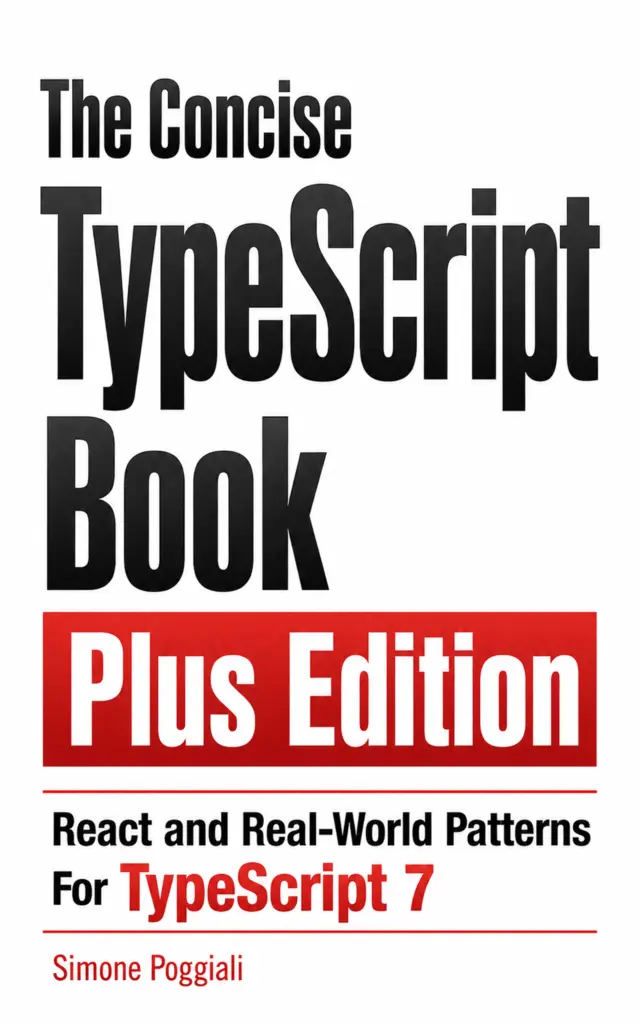
For readers who want to go beyond the open-source edition, The Concise TypeScript Book Plus Edition: React and Real-World Patterns for TypeScript 7 includes additional and exclusive content focused on practical application.
The Plus Edition includes:
- Updated for TypeScript 7 — coverage of the latest TypeScript 7 features and language improvements.
- TypeScript with React — practical guidance for typing components, props, hooks, events, children, refs, and common React patterns.
- TypeScript Recipes for Real-World Projects — focused examples that address practical problems developers encounter when building and maintaining TypeScript applications.
By purchasing the Plus Edition, you also directly support the continued development and maintenance of the free and open-source book.
The Plus Edition is available in English and Italian on Amazon worldwide. Explore the Plus Edition and buy on Amazon.
Support the Project
If the free book helped you fix a bug, understand a difficult concept, or advance in your career, please consider supporting my work by paying what you want, with a suggested contribution of $5, or by sponsoring a coffee.
Your support helps me keep the content up to date and expand it with new examples, clearer explanations, and additional practical guidance.


Translations
This book has been translated into several languages, including:
Downloads and website
You can also download the EPUB version:
https://github.com/gibbok/typescript-book/tree/main/downloads
An online version is available at:
https://gibbok.github.io/typescript-book
Table of Contents
- The Concise TypeScript Book
- Support the Project
- Translations
- Downloads and website
- Table of Contents
- Introduction
- About the Author
- TypeScript Introduction
- Getting Started With TypeScript
- Exploring the Type System
- The TypeScript Language Service
- Structural Typing
- TypeScript Fundamental Comparison Rules
- Types as Sets
- Assign a type: Type Declarations and Type Assertions
- Property Checking and Excess Property Checking
- Weak Types
- Strict Object Literal Checking (Freshness)
- Type Inference
- More Advanced Inferences
- Type Widening
- Const
- Explicit Type Annotation
- Type Narrowing
- Primitive Types
- Type Annotations
- Optional Properties
- Readonly Properties
- Index Signatures
- Extending Types
- Literal Types
- Literal Inference
- strictNullChecks
- Enums
- Narrowing
- Assignments
- Control Flow Analysis
- Type Predicates
- Discriminated Unions
- The never Type
- Exhaustiveness checking
- Object Types
- Tuple Type (Anonymous)
- Named Tuple Type (Labeled)
- Fixed Length Tuple
- Union Type
- Intersection Types
- Type Indexing
- Type from Value
- Type from Func Return
- Type from Module
- Mapped Types
- Mapped Type Modifiers
- Conditional Types
- Distributive Conditional Types
- infer Type Inference in Conditional Types
- Predefined Conditional Types
- Template Union Types
- Any type
- Unknown type
- Void type
- Never type
- Interface and Type
- Built-in Type Primitives
- Common Built-in JS Objects
- Overloads
- Merging and Extension
- Differences between Type and Interface
- Class
- Generics
- Erased Structural Types
- Namespacing
- Symbols
- Triple-Slash Directives
- Type Manipulation
- Creating Types from Types
- Indexed Access Types
- Utility Types
- Awaited<T>
- Partial<T>
- Required<T>
- Readonly<T>
- Record<K, T>
- Pick<T, K>
- Omit<T, K>
- Exclude<T, U>
- Extract<T, U>
- NonNullable<T>
- Parameters<T>
- ConstructorParameters<T>
- ReturnType<T>
- InstanceType<T>
- ThisParameterType<T>
- OmitThisParameter<T>
- ThisType<T>
- Uppercase<T>
- Lowercase<T>
- Capitalize<T>
- Uncapitalize<T>
- NoInfer<T>
- Others
- Errors and Exception Handling
- Mixin classes
- Asynchronous Language Features
- Iterators and Generators
- TsDocs JSDoc Reference
- @types
- JSX
- ES6 Modules
- ES7 Exponentiation Operator
- The for-await-of Statement
- New target meta-property
- Dynamic Import Expressions
- "tsc –watch"
- Non-null Assertion Operator
- Defaulted declarations
- Optional Chaining
- Nullish coalescing operator
- Template Literal Types
- Function overloading
- Recursive Types
- Recursive Conditional Types
- ECMAScript Module Support in Node
- Assertion Functions
- Variadic Tuple Types
- Boxed types
- Covariance and Contravariance in TypeScript
- Template String Pattern Index Signatures
- The satisfies Operator
- Type-Only Imports and Export
- using declaration and Explicit Resource Management
- Import Attributes
- Regular Expression Syntax Checking
- import defer
Introduction
Welcome to The Concise TypeScript Book! This guide equips you with essential knowledge and practical skills for effective TypeScript development. Discover key concepts and techniques to write clean, robust code. Whether you're a beginner or an experienced developer, this book serves as both a comprehensive guide and a handy reference for leveraging TypeScript's power in your projects.
This book covers TypeScript 7.0.
About the Author
Simone Poggiali is an experienced Staff Engineer with a passion for writing professional-grade code since the 90s. Throughout his international career, he has contributed to numerous projects for a wide range of clients, from startups to large organizations. Notable companies such as HelloFresh, Siemens, O2, Leroy Merlin and Snowplow have benefited from his expertise and dedication.
You can reach Simone Poggiali on the following platforms:
- LinkedIn: https://www.linkedin.com/in/simone-poggiali
- GitHub: https://github.com/gibbok
- X.com: https://x.com/gibbok_coding
- Email: gibbok.coding📧gmail.com
Full list of contributors: https://github.com/gibbok/typescript-book/graphs/contributors
TypeScript Introduction
What is TypeScript?
TypeScript is a strongly typed programming language that builds on JavaScript. It was originally designed by Anders Hejlsberg in 2012 and is currently developed and maintained by Microsoft as an open source project.
TypeScript compiles to JavaScript and can be executed in any JavaScript runtime (e.g., a browser or Node.js on a server).
It supports multiple programming paradigms such as functional, generic, imperative, and object-oriented programming, and is a compiled (transpiled) language that is converted into JavaScript before execution.
Why TypeScript?
TypeScript is a strongly typed language that helps prevent common programming mistakes and avoid certain kinds of run-time errors before the program is executed.
A strongly typed language allows the developer to specify various program constraints and behaviors in the data type definitions, facilitating the ability to verify the correctness of the software and prevent defects. This is especially valuable in large-scale applications.
Some of the benefits of TypeScript:
- Static typing, optionally strongly typed
- Type Inference
- Access to ES6 and ES7 features
- Cross-Platform and Cross-browser Compatibility
- Tooling support with IntelliSense
TypeScript and JavaScript
TypeScript is written in .ts or .tsx files, while JavaScript files are written in .js or .jsx.
Files with the extension .tsx or .jsx can contain JavaScript Syntax Extension JSX, which is used in React for UI development.
TypeScript is a typed superset of JavaScript (ECMAScript 2015) in terms of syntax. All JavaScript code is valid TypeScript code, but the reverse is not always true.
For instance, consider a function in a JavaScript file with the .js extension, such as the following:
const sum = (a, b) => a + b;The function can be converted and used in TypeScript by changing the file extension to .ts. However, if the same function is annotated with TypeScript types, it cannot be executed in any JavaScript runtime without compilation. The following TypeScript code will produce a syntax error if it is not compiled:
const sum = (a: number, b: number): number => a + b;TypeScript was designed to detect potential runtime errors at compile time by allowing developers to express intent through type annotations. In addition, TypeScript can also catch certain issues even when no explicit type annotations are provided, thanks to type inference. For example, the following code snippet does not specify any TypeScript types:
const items = [{ x: 1 }, { x: 2 }];
const result = items.filter(item => item.y);
In this case, TypeScript detects an error and reports:
Property 'y' does not exist on type '{ x: number; }'.
TypeScript's type system is largely influenced by the runtime behavior of JavaScript. For example, the addition operator (+), which in JavaScript can either perform string concatenation or numeric addition, is modeled in the same way in TypeScript:
const result = '1' + 1; // Result is of type stringThe team behind TypeScript has made a deliberate decision to flag unusual usage of JavaScript as errors. For instance, consider the following valid JavaScript code:
const result = 1 + true; // In JavaScript, the result is equal to 2However, TypeScript throws an error:
Operator '+' cannot be applied to types 'number' and 'boolean'.
This error occurs because TypeScript strictly enforces type compatibility, and in this case, it identifies an invalid operation between a number and a boolean.
TypeScript Code Generation
The TypeScript compiler has two main responsibilities: checking for type errors and compiling to JavaScript. These two processes are independent of each other. Types do not affect the execution of the code in a JavaScript runtime, as they are completely erased during compilation. TypeScript can still output JavaScript even in the presence of type errors. Here is an example of TypeScript code with a type error:
const add = (a: number, b: number): number => a + b;
const result = add('x', 'y'); // Argument of type 'string' is not assignable to parameter of type 'number'.
However, it can still produce executable JavaScript output:
'use strict';
const add = (a, b) => a + b;
const result = add('x', 'y'); // xy
It is not possible to check TypeScript types at runtime. For example:
interface Animal {
    name: string;
}
interface Dog extends Animal {
    bark: () => void;
}
interface Cat extends Animal {
    meow: () => void;
}
const makeNoise = (animal: Animal) => {
    if (animal instanceof Dog) {
        // 'Dog' only refers to a type, but is being used as a value here.
        // ...
    }
};
As the types are erased after compilation, there is no way to run this code in JavaScript. To recognize types at runtime, we need to use another mechanism. TypeScript provides several options, with a common one being "tagged union". For example:
interface Dog {
    kind: 'dog'; // Tagged union
    bark: () => void;
}
interface Cat {
    kind: 'cat'; // Tagged union
    meow: () => void;
}
type Animal = Dog | Cat;

const makeNoise = (animal: Animal) => {
    if (animal.kind === 'dog') {
        animal.bark();
    } else {
        animal.meow();
    }
};

const dog: Dog = {
    kind: 'dog',
    bark: () => console.log('bark'),
};
makeNoise(dog);
The property "kind" is a value that can be used at runtime to distinguish between objects in JavaScript.
It is also possible for a value at runtime to have a type different from the one declared in the type declaration. For instance, if the developer has misinterpreted an API type and annotated it incorrectly.
TypeScript is a superset of JavaScript, so the "class" keyword can be used as a type and value at runtime.
class Animal {
    constructor(public name: string) {}
}
class Dog extends Animal {
    constructor(
        public name: string,
        public bark: () => void
    ) {
        super(name);
    }
}
class Cat extends Animal {
    constructor(
        public name: string,
        public meow: () => void
    ) {
        super(name);
    }
}
type Mammal = Dog | Cat;

const makeNoise = (mammal: Mammal) => {
    if (mammal instanceof Dog) {
        mammal.bark();
    } else {
        mammal.meow();
    }
};

const dog = new Dog('Fido', () => console.log('bark'));
makeNoise(dog);
In JavaScript, a "class" has a "prototype" property, and the "instanceof" operator can be used to test if the prototype property of a constructor appears anywhere in the prototype chain of an object.
TypeScript has no effect on runtime performance, as all types will be erased. However, TypeScript does introduce some build time overhead.
Modern JavaScript Now (Downleveling)
TypeScript can compile code to any released version of JavaScript since ECMAScript 3 (1999). This means that TypeScript can transpile code from the latest JavaScript features to older versions, a process known as Downleveling. This allows the usage of modern JavaScript while maintaining maximum compatibility with older runtime environments.
It's important to note that during transpilation to an older version of JavaScript, TypeScript may generate code that could incur a performance overhead compared to native implementations.
Here are some of the modern JavaScript features that can be used in TypeScript:
- ECMAScript modules instead of AMD-style "define" callbacks or CommonJS "require" statements.
- Classes instead of prototypes.
- Variables declaration using "let" or "const" instead of "var".
- "for-of" loop or ".forEach" instead of the traditional "for" loop.
- Arrow functions instead of function expressions.
- Destructuring assignment.
- Shorthand property/method names and computed property names.
- Default function parameters.
By leveraging these modern JavaScript features, developers can write more expressive and concise code in TypeScript.
Getting Started With TypeScript
Installation
Visual Studio Code provides excellent support for the TypeScript language but does not include the TypeScript compiler. To install the TypeScript compiler, you can use a package manager like npm or yarn:
npm install typescript --save-devor
yarn add typescript --devMake sure to commit the generated lockfile to ensure that every team member uses the same version of TypeScript.
To run the TypeScript compiler, you can use the following commands
npx tscor
yarn tscIt is recommended to install TypeScript project-wise rather than globally, as it provides a more predictable build process. However, for one-off occasions, you can use the following command:
npx tscor installing it globally:
npm install -g typescriptIf you are using Microsoft Visual Studio, you can obtain TypeScript as a package in NuGet for your MSBuild projects. In the NuGet Package Manager Console, run the following command:
Install-Package Microsoft.TypeScript.MSBuildDuring the TypeScript installation, two executables are installed: "tsc" as the TypeScript compiler and "tsserver" as the TypeScript standalone server. The standalone server contains the compiler and language services that can be utilized by editors and IDEs to provide intelligent code completion.
Additionally, there are several TypeScript-compatible transpilers available, such as Babel (via a plugin) or swc. These transpilers can be used to convert TypeScript code into other target languages or versions.
TypeScript 7.0 was rewritten in Go as a native implementation of the compiler and language service. It uses shared-memory multithreading and other optimizations to make full builds and editor features faster, reducing feedback time during development.
Some TypeScript 7.0 performance features can be tuned. Type checking can run in parallel workers with --checkers; more workers can speed up large projects but use more memory. The rebuilt --watch mode improves cross-platform file watching. TypeScript 7.0 does not include a compiler API yet (as of July 2026), so tools that still need the TypeScript 6.0 API can run side-by-side with TypeScript 7.0 by using @typescript/typescript6 or npm aliases.
Configuration
TypeScript can be configured using the tsc CLI options or by utilizing a dedicated configuration file called tsconfig.json placed in the root of the project.
To generate a tsconfig.json file prepopulated with recommended settings, you can use the following command:
tsc --initWhen executing the tsc command locally, TypeScript will compile the code using the configuration specified in the nearest tsconfig.json file.
Here are some examples of CLI commands that run with the default settings:
tsc main.ts // Compile a specific file (main.ts) to JavaScript
tsc src/*.ts // Compile any .ts files under the 'src' folder to JavaScript
tsc app.ts util.ts --outfile index.js // Compile two TypeScript files (app.ts and util.ts) into a single JavaScript file (index.js)
TypeScript Configuration File
A tsconfig.json file is used to configure the TypeScript Compiler (tsc). Usually, it is added to the root of the project, together with the package.json file.
Notes:
- tsconfig.json accepts comments even if it is in json format.
- It is advisable to use this configuration file instead of the command-line options.
At the following link you can find the complete documentation and its schema:
https://www.typescriptlang.org/tsconfig
https://www.typescriptlang.org/tsconfig/
The following represents a list of the common and useful configurations:
target
The "target" property is used to specify which ECMAScript version your TypeScript code should emit/compile into. For modern browsers ES6 is a good option. Note: ES5 support was deprecated in TypeScript 6.0 and is no longer supported in TypeScript 7.0.
lib
The "lib" property is used to specify which library files to include at compilation time. TypeScript automatically includes APIs for features specified in the "target" property, but it is possible to omit or pick specific libraries for particular needs. For instance, if you are working on a server project, you could exclude the "DOM" library, which is useful only in a browser environment.
strict
The "strict" option improves type safety by enabling stronger checks. It is enabled by default starting with TypeScript 6.0; otherwise, you should explicitly set it to true in your tsconfig.json. Enabling "strict" allows TypeScript to:
- Emit code using "use strict" for each source file.
- Consider "null" and "undefined" in the type checking process.
- Disable the usage of the "any" type when no type annotations are present.
- Raise an error on the usage of the "this" expression, which would otherwise imply the "any" type.
module
The "module" property sets the module system supported for the compiled program. During runtime, a module loader is used to locate and execute dependencies based on the specified module system.
The most common module loaders used in JavaScript are Node.js CommonJS for server-side applications and RequireJS for AMD modules in browser-based web applications. TypeScript can emit code for various module systems, including UMD, System, ESNext, ES2015/ES6, and ES2020. The module system should be chosen based on the target environment and the module loading mechanism available in that environment.
Note: Support for older module systems (AMD, UMD, SystemJS) was deprecated in TypeScript 6.0 and is no longer supported in TypeScript 7.0.
moduleResolution
The "moduleResolution" property specifies the module resolution strategy. Use "nodenext" or "bundler" for modern TypeScript code. The "classic" strategy is used only for old versions of TypeScript (before 1.6).
esModuleInterop
The "esModuleInterop" property allows default imports from CommonJS modules that did not export using the "default" property; this property provides a shim to ensure compatibility in the emitted JavaScript. After enabling this option, we can use import MyLibrary from "my-library" instead of import * as MyLibrary from "my-library".
"esModuleInterop" was originally opt-in to avoid breaking changes, but has long been the recommended default. Disabling it can cause subtle runtime issues when using CommonJS with ESM. Note: Starting with TypeScript 6.0, this safer interop behavior is always enabled.
In TypeScript 6.0, some older configuration options and syntax forms were deprecated or transitioned through old behavior. In TypeScript 7.0, they are hard errors or no-op behavior.
The deprecations that have turned into hard errors with no-op behavior are:
target: es5downlevelIterationmoduleResolution: node/node10module: amd/umd/systemjs/nonebaseUrlmoduleResolution: classic- disabling
esModuleInteroporallowSyntheticDefaultImports - disabling
alwaysStrict modulekeyword in namespace declarationsassertson imports/// <reference no-default-lib />underskipDefaultLibCheck- CLI file paths with a local
tsconfig.jsonunless--ignoreConfigis used
jsx
The "jsx" property applies only to .tsx files used in ReactJS and controls how JSX constructs are compiled into JavaScript. A common option is "preserve" which will compile to a .jsx file keeping unchanged the JSX so it can be passed to different tools like Babel for further transformations.
skipLibCheck
The "skipLibCheck" property will prevent TypeScript from type-checking the entire imported third-party packages. This property will reduce the compile time of a project. TypeScript will still check your code against the type definitions provided by these packages.
files
The "files" property indicates to the compiler a list of files that must always be included in the program.
include
The "include" property indicates to the compiler a list of files that we would like to include. This property allows glob-like patterns, such as "*" for any subdirectory, "" for any file name, and "?" for optional characters.
exclude
The "exclude" property indicates to the compiler a list of files that should not be included in the compilation. This can include files such as "node_modules" or test files. Note: tsconfig.json allows comments.
importHelpers
TypeScript uses helper code when generating code for certain advanced or down-leveled JavaScript features. By default, these helpers are duplicated in files using them. The importHelpers option imports these helpers from the tslib module instead, making the JavaScript output more efficient.
Migration to TypeScript Advice
For large projects, it is recommended to adopt a gradual transition where TypeScript and JavaScript code will initially coexist. Only small projects can be migrated to TypeScript in one go.
The first step of this transition is to introduce TypeScript into the build chain process. This can be done by using the "allowJs" compiler option, which permits .ts and .tsx files to coexist with existing JavaScript files. As TypeScript will fall back to a type of "any" for a variable when it cannot infer the type from JavaScript files, it is recommended to disable "noImplicitAny" in your compiler options at the beginning of the migration.
The second step is to ensure that your JavaScript tests work alongside TypeScript files so that you can run tests as you convert each module. If you are using Jest, consider using ts-jest, which allows you to test TypeScript projects with Jest.
The third step is to include type declarations for third-party libraries in your project. These declarations can be found either bundled or on DefinitelyTyped. You can search for them using https://www.typescriptlang.org/dt/search and install them using:
npm install --save-dev @types/package-nameor
yarn add --dev @types/package-nameThe fourth step is to migrate module by module with a bottom-up approach, following your Dependency Graph starting with the leaves. The idea is to start converting Modules that do not depend on other Modules. To visualize the dependency graphs, you can use the "madge" tool.
Good candidate modules for these initial conversions are utility functions and code related to external APIs or specifications. It is possible to automatically generate TypeScript type definitions from Swagger contracts, GraphQL or JSON schemas to be included in your project.
When there are no specifications or official schemas available, you can generate types from raw data, such as JSON returned by a server. However, it is recommended to generate types from specifications instead of data to avoid missing edge cases.
During the migration, refrain from code refactoring and focus only on adding types to your modules.
The fifth step is to enable "noImplicitAny," which will enforce that all types are known and defined, providing a better TypeScript experience for your project.
During the migration, you can use the @ts-check directive, which enables TypeScript type checking in a JavaScript file. This directive provides a loose version of type checking and can be initially used to identify issues in JavaScript files. When @ts-check is included in a file, TypeScript will try to deduce definitions using JSDoc-style comments. However, consider using JSDoc annotations only at a very early stage of the migration.
Consider keeping the default value of noEmitOnError in your tsconfig.json as false. This will allow you to output JavaScript source code even if errors are reported.
Exploring the Type System
The TypeScript Language Service
The TypeScript Language Service, also known as tsserver, offers various features such as error reporting, diagnostics, compile-on-save, renaming, go to definition, completion lists, signature help, and more. It is primarily used by integrated development environments (IDEs) to provide IntelliSense support. It seamlessly integrates with Visual Studio Code and is utilized by tools like Conquer of Completion (Coc).
Developers can leverage a dedicated API and create their own custom language service plugins to enhance the TypeScript editing experience. This can be particularly useful for implementing special linting features or enabling auto-completion for a custom templating language.
An example of a real-world custom plugin is "typescript-styled-plugin", which provides syntax error reporting and IntelliSense support for CSS properties in styled components.
For more information and quick start guides, you can refer to the official TypeScript Wiki on GitHub: https://github.com/microsoft/TypeScript/wiki/
Structural Typing
TypeScript is based on a structural type system. This means that the compatibility and equivalence of types are determined by the type's actual structure or definition, rather than its name or place of declaration, as in nominative type systems like C# or C.
TypeScript's structural type system was designed based on how JavaScript's dynamic duck typing system works during runtime.
The following example is valid TypeScript code. As you can observe, "X" and "Y" have the same member "a," even though they have different declaration names. The types are determined by their structures, and in this case, since the structures are the same, they are compatible and valid.
type X = {
    a: string;
};
type Y = {
    a: string;
};
const x: X = { a: 'a' };
const y: Y = x; // Valid
TypeScript Fundamental Comparison Rules
The TypeScript comparison process is recursive and executed on types nested at any level.
A type "X" is compatible with "Y" if "Y" has at least the same members as "X".
type X = {
    a: string;
};
const y = { a: 'A', b: 'B' }; // Valid, as it has at least the same members as X
const r: X = y;
Function parameters are compared by types, not by their names:
type X = (a: number) => void;
type Y = (a: number) => void;
let x: X = (j: number) => undefined;
let y: Y = (k: number) => undefined;
y = x; // Valid
x = y; // Valid
Function return types must be the same:
type X = (a: number) => undefined;
type Y = (a: number) => number;
let x: X = (a: number) => undefined;
let y: Y = (a: number) => 1;
y = x; // Invalid
x = y; // Invalid
The return type of a source function must be a subtype of the return type of a target function:
let x = () => ({ a: 'A' });
let y = () => ({ a: 'A', b: 'B' });
x = y; // Valid
y = x; // Invalid member b is missing
Discarding function parameters is allowed, as it is a common practice in JavaScript, for instance using "Array.prototype.map()":
[1, 2, 3].map((element, _index, _array) => element + 'x');Therefore, the following type declarations are completely valid:
type X = (a: number) => undefined;
type Y = (a: number, b: number) => undefined;
let x: X = (a: number) => undefined;
let y: Y = (a: number) => undefined; // Missing b parameter
y = x; // Valid
Any additional optional parameters of the source type are valid:
type X = (a: number, b?: number, c?: number) => undefined;
type Y = (a: number) => undefined;
let x: X = a => undefined;
let y: Y = a => undefined;
y = x; // Valid
x = y; //Valid
Any optional parameters of the target type without corresponding parameters in the source type are valid and not an error:
type X = (a: number) => undefined;
type Y = (a: number, b?: number) => undefined;
let x: X = a => undefined;
let y: Y = a => undefined;
y = x; // Valid
x = y; // Valid
The rest parameter is treated as an infinite series of optional parameters:
type X = (a: number, ...rest: number[]) => undefined;
let x: X = a => undefined; //valid
Functions with overloads are valid if the overload signature is compatible with its implementation signature:
function x(a: string): void;
function x(a: string, b: number): void;
function x(a: string, b?: number): void {
    console.log(a, b);
}
x('a'); // Valid
x('a', 1); // Valid

function y(a: string): void; // Invalid, not compatible with implementation signature
function y(a: string, b: number): void;
function y(a: string, b: number): void {
    console.log(a, b);
}
y('a');
y('a', 1);
Function parameter comparison succeeds if the source and target parameters are assignable to supertypes or subtypes (bivariance).
// Supertype
class X {
    a: string;
    constructor(value: string) {
        this.a = value;
    }
}
// Subtype
class Y extends X {}
// Subtype
class Z extends X {}

type GetA = (x: X) => string;
const getA: GetA = x => x.a;

// Bivariance does accept supertypes
console.log(getA(new X('x'))); // Valid
console.log(getA(new Y(
