pixel-agents-hq/pixel-agentsPublic

Pixel office.

AI summary: Visualizes your terminal AI coding agents as pixel-art characters in a tiny office.

Stars
8.8K
+15 today
Forks
1.4K
Watchers
37
Open issues
27
Open PRs
41
Contributors
~20
Commits
214
Branches
8

TypeScriptMITCreated Feb 8, 2026Last push 2d agoLatest release v1.4.0+61 stars this week+61 this month

Star history

since May 17, 2026
02.5K5K7.5KMay 2026Jun 2026Jul 2026Aug 2026
8.8K stars as of Aug 7, 2026, tracked back to May 17, 2026. Historical curve reconstructed from public GitHub event archives, calibrated to the current total.

Contribution activity

commits per day, last 52 weeks
AugSepOctNovDecJanFebMarAprMayJunJulMonWedFri2025-08-02: 0 commits2025-08-03: 0 commits2025-08-04: 0 commits2025-08-05: 0 commits2025-08-06: 0 commits2025-08-07: 0 commits2025-08-08: 0 commits2025-08-09: 0 commits2025-08-10: 0 commits2025-08-11: 0 commits2025-08-12: 0 commits2025-08-13: 0 commits2025-08-14: 0 commits2025-08-15: 0 commits2025-08-16: 0 commits2025-08-17: 0 commits2025-08-18: 0 commits2025-08-19: 0 commits2025-08-20: 0 commits2025-08-21: 0 commits2025-08-22: 0 commits2025-08-23: 0 commits2025-08-24: 0 commits2025-08-25: 0 commits2025-08-26: 0 commits2025-08-27: 0 commits2025-08-28: 0 commits2025-08-29: 0 commits2025-08-30: 0 commits2025-08-31: 0 commits2025-09-01: 0 commits2025-09-02: 0 commits2025-09-03: 0 commits2025-09-04: 0 commits2025-09-05: 0 commits2025-09-06: 0 commits2025-09-07: 0 commits2025-09-08: 0 commits2025-09-09: 0 commits2025-09-10: 0 commits2025-09-11: 0 commits2025-09-12: 0 commits2025-09-13: 0 commits2025-09-14: 0 commits2025-09-15: 0 commits2025-09-16: 0 commits2025-09-17: 0 commits2025-09-18: 0 commits2025-09-19: 0 commits2025-09-20: 0 commits2025-09-21: 0 commits2025-09-22: 0 commits2025-09-23: 0 commits2025-09-24: 0 commits2025-09-25: 0 commits2025-09-26: 0 commits2025-09-27: 0 commits2025-09-28: 0 commits2025-09-29: 0 commits2025-09-30: 0 commits2025-10-01: 0 commits2025-10-02: 0 commits2025-10-03: 0 commits2025-10-04: 0 commits2025-10-05: 0 commits2025-10-06: 0 commits2025-10-07: 0 commits2025-10-08: 0 commits2025-10-09: 0 commits2025-10-10: 0 commits2025-10-11: 0 commits2025-10-12: 0 commits2025-10-13: 0 commits2025-10-14: 0 commits2025-10-15: 0 commits2025-10-16: 0 commits2025-10-17: 0 commits2025-10-18: 0 commits2025-10-19: 0 commits2025-10-20: 0 commits2025-10-21: 0 commits2025-10-22: 0 commits2025-10-23: 0 commits2025-10-24: 0 commits2025-10-25: 0 commits2025-10-26: 0 commits2025-10-27: 0 commits2025-10-28: 0 commits2025-10-29: 0 commits2025-10-30: 0 commits2025-10-31: 0 commits2025-11-01: 0 commits2025-11-02: 0 commits2025-11-03: 0 commits2025-11-04: 0 commits2025-11-05: 0 commits2025-11-06: 0 commits2025-11-07: 0 commits2025-11-09: 0 commits2025-11-10: 0 commits2025-11-11: 0 commits2025-11-12: 0 commits2025-11-13: 0 commits2025-11-14: 0 commits2025-11-15: 0 commits2025-11-16: 0 commits2025-11-17: 0 commits2025-11-18: 0 commits2025-11-19: 0 commits2025-11-20: 0 commits2025-11-21: 0 commits2025-11-22: 0 commits2025-11-23: 0 commits2025-11-24: 0 commits2025-11-25: 0 commits2025-11-26: 0 commits2025-11-27: 0 commits2025-11-28: 0 commits2025-11-29: 0 commits2025-11-30: 0 commits2025-12-01: 0 commits2025-12-02: 0 commits2025-12-03: 0 commits2025-12-04: 0 commits2025-12-05: 0 commits2025-12-06: 0 commits2025-12-07: 0 commits2025-12-08: 0 commits2025-12-09: 0 commits2025-12-10: 0 commits2025-12-11: 0 commits2025-12-12: 0 commits2025-12-13: 0 commits2025-12-14: 0 commits2025-12-15: 0 commits2025-12-16: 0 commits2025-12-17: 0 commits2025-12-18: 0 commits2025-12-19: 0 commits2025-12-20: 0 commits2025-12-21: 0 commits2025-12-22: 0 commits2025-12-23: 0 commits2025-12-24: 0 commits2025-12-25: 0 commits2025-12-26: 0 commits2025-12-27: 0 commits2025-12-28: 0 commits2025-12-29: 0 commits2025-12-30: 0 commits2025-12-31: 0 commits2026-01-01: 0 commits2026-01-02: 0 commits2026-01-03: 0 commits2026-01-04: 0 commits2026-01-05: 0 commits2026-01-06: 0 commits2026-01-07: 0 commits2026-01-08: 0 commits2026-01-09: 0 commits2026-01-10: 0 commits2026-01-11: 0 commits2026-01-12: 0 commits2026-01-13: 0 commits2026-01-14: 0 commits2026-01-15: 0 commits2026-01-16: 0 commits2026-01-17: 0 commits2026-01-18: 0 commits2026-01-19: 0 commits2026-01-20: 0 commits2026-01-21: 0 commits2026-01-22: 0 commits2026-01-23: 0 commits2026-01-24: 0 commits2026-01-25: 0 commits2026-01-26: 0 commits2026-01-27: 0 commits2026-01-28: 0 commits2026-01-29: 0 commits2026-01-30: 0 commits2026-01-31: 0 commits2026-02-01: 0 commits2026-02-02: 0 commits2026-02-03: 0 commits2026-02-04: 0 commits2026-02-05: 0 commits2026-02-06: 5 commits2026-02-07: 0 commits2026-02-08: 10 commits2026-02-09: 9 commits2026-02-10: 3 commits2026-02-11: 3 commits2026-02-12: 0 commits2026-02-13: 0 commits2026-02-14: 4 commits2026-02-15: 3 commits2026-02-16: 11 commits2026-02-17: 5 commits2026-02-18: 0 commits2026-02-19: 4 commits2026-02-20: 4 commits2026-02-21: 6 commits2026-02-22: 0 commits2026-02-23: 0 commits2026-02-24: 2 commits2026-02-25: 0 commits2026-02-26: 1 commit2026-02-27: 2 commits2026-02-28: 0 commits2026-03-01: 0 commits2026-03-02: 0 commits2026-03-03: 0 commits2026-03-04: 0 commits2026-03-05: 0 commits2026-03-06: 0 commits2026-03-07: 1 commit2026-03-08: 0 commits2026-03-09: 0 commits2026-03-10: 2 commits2026-03-11: 0 commits2026-03-12: 0 commits2026-03-13: 3 commits2026-03-14: 13 commits2026-03-15: 0 commits2026-03-16: 2 commits2026-03-17: 3 commits2026-03-18: 0 commits2026-03-19: 1 commit2026-03-20: 0 commits2026-03-21: 0 commits2026-03-22: 2 commits2026-03-23: 0 commits2026-03-24: 6 commits2026-03-25: 2 commits2026-03-26: 0 commits2026-03-27: 0 commits2026-03-28: 1 commit2026-03-29: 2 commits2026-03-30: 1 commit2026-03-31: 2 commits2026-04-01: 0 commits2026-04-02: 1 commit2026-04-03: 0 commits2026-04-04: 5 commits2026-04-05: 1 commit2026-04-06: 0 commits2026-04-07: 0 commits2026-04-08: 0 commits2026-04-09: 0 commits2026-04-10: 0 commits2026-04-11: 1 commit2026-04-12: 0 commits2026-04-13: 0 commits2026-04-14: 3 commits2026-04-15: 2 commits2026-04-16: 4 commits2026-04-17: 0 commits2026-04-18: 1 commit2026-04-19: 0 commits2026-04-20: 0 commits2026-04-21: 0 commits2026-04-22: 0 commits2026-04-23: 0 commits2026-04-24: 0 commits2026-04-25: 0 commits2026-04-26: 0 commits2026-04-27: 0 commits2026-04-28: 0 commits2026-04-29: 0 commits2026-04-30: 0 commits2026-05-01: 0 commits2026-05-02: 0 commits2026-05-03: 0 commits2026-05-04: 0 commits2026-05-05: 0 commits2026-05-06: 0 commits2026-05-07: 0 commits2026-05-08: 0 commits2026-05-09: 0 commits2026-05-10: 0 commits2026-05-11: 0 commits2026-05-12: 0 commits2026-05-13: 0 commits2026-05-14: 0 commits2026-05-15: 0 commits2026-05-16: 0 commits2026-05-17: 0 commits2026-05-18: 0 commits2026-05-19: 0 commits2026-05-20: 1 commit2026-05-21: 2 commits2026-05-22: 0 commits2026-05-23: 0 commits2026-05-24: 0 commits2026-05-25: 0 commits2026-05-26: 1 commit2026-05-27: 1 commit2026-05-28: 0 commits2026-05-29: 1 commit2026-05-30: 3 commits2026-05-31: 1 commit2026-06-01: 1 commit2026-06-02: 0 commits2026-06-03: 0 commits2026-06-04: 0 commits2026-06-05: 0 commits2026-06-06: 0 commits2026-06-07: 0 commits2026-06-08: 0 commits2026-06-09: 0 commits2026-06-10: 0 commits2026-06-11: 0 commits2026-06-12: 0 commits2026-06-13: 0 commits2026-06-14: 0 commits2026-06-15: 0 commits2026-06-16: 0 commits2026-06-17: 0 commits2026-06-18: 0 commits2026-06-19: 0 commits2026-06-20: 0 commits2026-06-21: 0 commits2026-06-22: 0 commits2026-06-23: 2 commits2026-06-24: 7 commits2026-06-25: 0 commits2026-06-26: 0 commits2026-06-27: 0 commits2026-06-28: 0 commits2026-06-29: 0 commits2026-06-30: 0 commits2026-07-01: 0 commits2026-07-02: 0 commits2026-07-03: 0 commits2026-07-04: 2 commits2026-07-05: 0 commits2026-07-06: 0 commits2026-07-07: 0 commits2026-07-08: 1 commit2026-07-09: 0 commits2026-07-10: 0 commits2026-07-11: 1 commit2026-07-12: 6 commits2026-07-13: 0 commits2026-07-14: 0 commits2026-07-15: 2 commits2026-07-16: 1 commit2026-07-17: 4 commits2026-07-18: 0 commits2026-07-19: 6 commits2026-07-20: 7 commits2026-07-21: 0 commits2026-07-22: 0 commits2026-07-23: 0 commits2026-07-24: 2 commits2026-07-25: 9 commits2026-07-26: 0 commits2026-07-27: 4 commits2026-07-28: 0 commits2026-07-29: 0 commits2026-07-30: 14 commits2026-07-31: 1 commit2026-08-01: 0 commits
211 commits in the last yearLessMore

Signals and awards

derived from tracked data
  • Well documented

    High community health score

  • Permissive license

    MIT

  • Continuous integration

    Automated checks passing

What pixel-agents does

Pixel Agents is a playful tool that transforms the invisible background work of AI coding agents into an animated, visual experience. Instead of watching text scroll in a terminal, it renders a 'pixel office' where animated characters represent your running agents. The characters visually reflect their current state: typing when editing code, reading when searching files, and waving when stuck waiting for human input. It operates as both a VS Code extension and a standalone CLI, adding a layer of delight and intuitive state monitoring to AI orchestration.

Developers using AI coding agents (like Claude Code or Codex) who want a more visual and fun way to monitor their background tasks.

  • Real-time state mapping: Translates terminal output and agent actions into specific character animations.
  • Dual deployment: Available seamlessly as both a VS Code extension panel and a local web server via CLI.
  • Visual blocking alerts: Characters clearly flag the user when the AI requires human intervention or approval.
  • Multi-agent support: Orchestrates and visualizes multiple parallel agents working in the same virtual office.
  • Playful aesthetic: Uses high-quality pixel art to make interacting with command-line bots more engaging.

Where teams use it

Agent orchestration

Developers running multiple AI scripts simultaneously can monitor their progress visually at a glance.

Workflow gamification

Engineers add a layer of fun to long, automated refactoring tasks by watching the pixel characters work.

State monitoring

Users easily spot when an agent is blocked on an API error just by looking at the character's animation.

Getting started: Install via the VS Code Marketplace or run npx pixel-agents.

README

main branch

The most playful way to orchestrate your agents


version marketplaces npm downloads stars license discord


Pixel Agents turns the AI coding agents running in your terminals into animated pixel-art characters working in a tiny office. They walk to their desks, sit down, type when they're editing files, read when they're searching, and flag you visually when they're stuck waiting for input.

It ships in two forms from the same codebase:

  • VS Code extensionVS Code Marketplace and Open VSX. Agents launch into VS Code terminals; characters render in the panel area.
  • Standalone CLInpx pixel-agents starts a local server and serves the same office as a browser app, useful for tmux, remote, and non-VS Code workflows.

The architecture is fully agent-agnostic and editor-agnostic: a typed HookProvider interface defines the integration boundary so adding a new AI tool is a single subdirectory of code. Claude Code is the reference implementation today; Codex, Gemini, Cursor, and others are on the roadmap.

Pixel Agents screenshot

Features

  • One agent, one character — every Claude Code terminal gets its own animated character
  • Live activity tracking — characters animate based on what the agent is actually doing (writing, reading, running commands)
  • Office layout editor — design your office with floors, walls, and furniture using a built-in editor
  • Speech bubbles — visual indicators when an agent is waiting for input or awaiting permission
  • Sound notifications — optional chimes when an agent finishes its turn or requests permission
  • Sub-agents and Agent Teams — see ephemeral sub-agents and persistent Claude teammates as separate characters, including team roles and lifecycle changes
  • Persistent layouts — your office design is saved and shared across VS Code windows
  • Shared layout and assets — import/export layouts and load external character, pet, and furniture packs
  • Areas — paint named areas onto the office, map workspace folders to them, and new agents sit inside the areas mapped to their folder
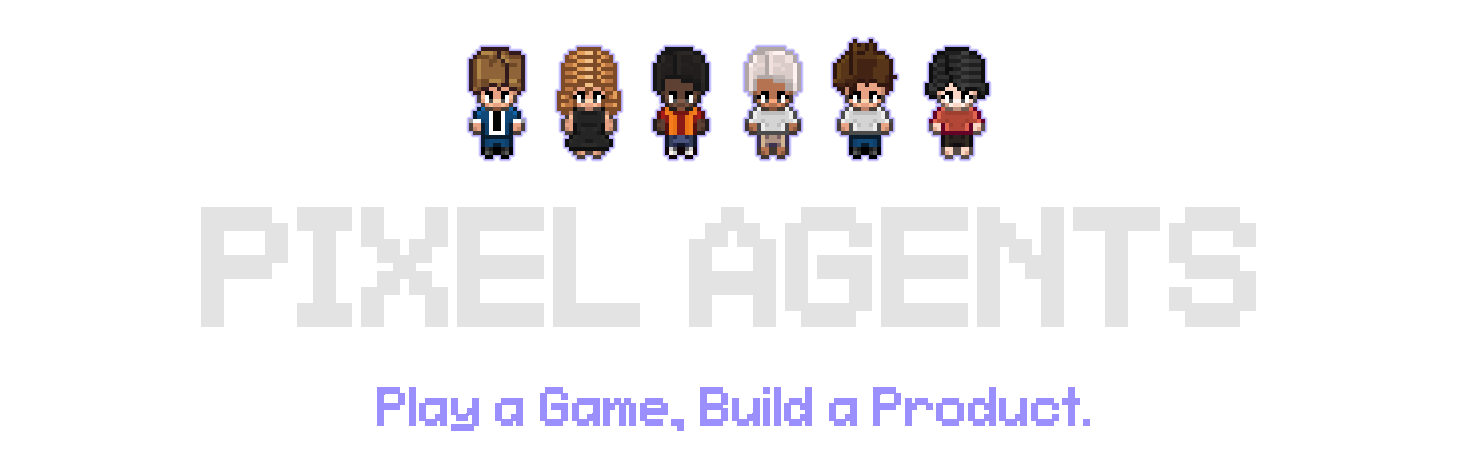
  • Diverse characters — 6 diverse characters. These are based on the amazing work of JIK-A-4, Metro City.

Pixel Agents characters

Where This Is Going

The vision is: play a game, build a product. Two goals follow from it: to build a familiar, intuitive interface for running and orchestrating a lot of agents; and to make the hours you spend doing it feel less like administration and more like play.

Roughly three stages get there:

  1. Everywhere, with everything. Today it's Claude Code in VS Code or the browser. It should be whatever agent you run, wherever you work. A new CLI is a subdirectory, not a rewrite — this is where help is most useful right now.
  2. Actually a game. Health bars for rate limits and token budgets. Scores for whatever you care about. Furniture that does things. Offices you open like save files, one per project.
  3. Expand the orchestration frontier. Orchestrator characters. Form a team by dragging a box around them. Hand work between agents. Point them at a board and let them pick up tasks themselves.

Most of this is still ahead. See Issues and Discussions for what's open, and CONTRIBUTING.md to jump in.

Requirements

  • Claude Code CLI installed and configured
  • VS Code extension: VS Code 1.105.0 or later
  • Standalone CLI: Node.js 20 or later
  • Windows, Linux, or macOS

Getting Started

VS Code extension

  1. Install Pixel Agents from the VS Code Marketplace or Open VSX.
  2. Open the Pixel Agents panel beside the terminal.
  3. Click + Agent to launch Claude Code. In a multi-root workspace, select the folder first.

To use Claude with --dangerously-skip-permissions, hover over + Agent to find the Skip permissions mode button. Only use this when you accept the security implications.

Pixel Agents also detects Claude sessions started outside the extension. Turn on Settings → Watch All Sessions to include sessions from other workspaces.

Standalone CLI

Run Pixel Agents from the workspace whose Claude sessions you want to see:

cd /path/to/your/project
npx pixel-agents

The CLI chooses a free local port and prints the URL. Standalone does not launch Claude for you; start Claude Code in a terminal for the same workspace. To install the command globally instead:

npm install --global pixel-agents
pixel-agents

Use a fixed address or port when needed:

pixel-agents --port 3100
pixel-agents --host 127.0.0.1 --port 3100
pixel-agents --help

The default bind address is 127.0.0.1. Binding to 0.0.0.0 exposes the UI and WebSocket to the local network; do this only on a trusted network.

Pass --no-terminal to disable the embedded terminal — watch agents without launching or attaching to them from the browser.

Running the extension and standalone together

The extension and standalone CLI can run at the same time. Each server registers under ~/.pixel-agents/servers/; the Claude hook script sends events to all active registrations. VS Code and standalone keep separate agents, seats, and settings while using the shared office layout.

Stop a standalone server with Ctrl+C. It removes only its own registration.

Customizing the Office

Click Layout to edit the office:

  • Paint floor patterns and walls, with color and contrast controls.
  • Place, rotate, recolor, select, and remove furniture.
  • Paint auto-tiling carpets and customize their main and accent colors.
  • Add animated pets; click a pet in the office to interact with it.
  • Create named Areas, paint their tiles, and assign workspace folders to them.
  • Undo/redo changes, then import or export the complete layout as JSON.

Layouts can grow to 64×64 tiles by clicking the ghost border outside the current grid.

Office assets

Bundled furniture, floors, walls, carpets, characters, and pets live under webview-ui/public/assets/. Furniture manifests describe sprites, rotation groups, state groups, and animation frames.

Use Settings → Add Asset Directory to load external characters, pets, and furniture. See docs/external-assets.md for furniture directory structure and manifest details. The visual asset manager at scripts/asset-manager.html helps create furniture manifests.

How It Works

Pixel Agents uses two Claude Code detection paths:

  • Hooks mode (default) — a hook script receives Claude events such as SessionStart, PreToolUse, PermissionRequest, and Stop. It discovers active Pixel Agents servers and sends authenticated events to each one.
  • Heuristic mode (fallback) — when hooks are unavailable, the runtime infers agent status by scanning Claude's JSONL session transcripts under ~/.claude/projects/. Transcripts are also read in hooks mode for details not present in an event.

The Claude provider normalizes both sources into a shared AgentEvent model. AgentRuntime updates the central state store, and the active transport sends typed messages to the React webview. The office renders through Canvas 2D with pathfinding and character state machines.

Pixel Agents does not modify Claude Code. Its hook configuration and persistent data live under ~/.claude/ and ~/.pixel-agents/ respectively.

Architecture

  • core/ — provider, adapter, transport, schema, and AsyncAPI message contracts with no runtime side effects.
  • server/ — shared Fastify server, agent runtime, persistence, Claude provider, transcript scanning, and standalone CLI.
  • adapters/vscode/ — the VS Code adapter: terminal, persistence, and webview bridge.
  • webview-ui/ — React 19, Vite, Canvas 2D, and adapter-specific transports for VS Code and browser WebSocket clients.

The extension and CLI are bundled with esbuild; the webview is built with Vite. Unit tests use Vitest and Node's test runner, and end-to-end coverage uses Playwright against VS Code and standalone.

Development

git clone https://github.com/pixel-agents-hq/pixel-agents.git
cd pixel-agents
npm install
npm run build

Press F5 in VS Code to launch the Extension Development Host. To run the standalone bundle built from source:

node dist/cli.js

Common checks:

npm run check-types
npm run lint
npm test
npm run e2e

See CONTRIBUTING.md for the development workflow and e2e/README.md for the end-to-end suite.

Hosted Test Reports

Build the combined Allure report locally and stage it for Vercel:

npm run test
npm run e2e
npm run e2e -- --attach-videos-on-success
npm run vercel:prepare

Use npm run test:report to build the combined report without preparing the Vercel output, then npm run test:report:open to serve it locally.

The staged output serves the combined e2e, server, and webview Allure report at /reports/allure/; it does not include a standalone webview preview. GitHub Actions creates a Vercel Preview deployment only for same-repository pull requests targeting main. The deploy job expects VERCEL_TOKEN, VERCEL_ORG_ID, and VERCEL_PROJECT_ID secrets and skips fork pull requests.

Troubleshooting

  • Standalone will not start: verify Node.js 20+, omit --port to choose a free port, or select another fixed port.
  • An agent is missing: confirm Settings → Instant Detection (Hooks) is on and that the session belongs to the current workspace. Enable Watch All Sessions if needed.
  • The UI looks disconnected: open Settings → Debug View to inspect the server connection, transcript path, and latest agent data.
  • Extension and standalone are both running: this is supported. Current versions create separate files under ~/.pixel-agents/servers/; stopping one does not remove the other.

Community & Contributing

Join the Discord to chat with other users and follow development. Use Issues to report bugs or request features, and Discussions for questions and ideas.

See CONTRIBUTING.md before opening a pull request and read our Code of Conduct before participating.

Supporting the Project

GitHub Sponsors Ko-fi

Star History

Star History Chart

License

Pixel Agents is available under the MIT License.

View on GitHub

Recent activity

commits and pull requests

Releases and announcements

6 total
  1. v1.4.0v1.4.0Jul 30, 2026

    ## Features - **Claude Code Agent Teams visualization** ([#218](https://github.com/pixel-agents-hq/pixel-agents/pull/218)) — Renders team leads and teammates as coordinated characters in both tmux and inline modes, with role labels, lead badges, token fuel gauges, tool activity, persistence, and coordinated cleanup. Builds on the early implementations in [#79](https://github.com/pixel-agents-hq/pixel-agents/pull/79) and [#177](https://github.com/pixel-agents-hq/pixel-agents/pull/177). Closes [#65](https://github.com/pixel-agents-hq/pixel-agents/issues/65). - **Claude Code sub-agents and teammates compatible up to v2.1.220** ([#351](https://github.com/pixel-agents-hq/pixel-agents/pull/351)) — Supports the newer Claude harness, where every `Agent` spawn runs in the background against an implicit per-session team. Named spawns become seated teammate characters with their own hook routing; unnamed spawns stay Subtask sub-agents whose transcripts are watched for live tool activity. Resumed leads re-latch to their newest team instead of stranding departed teammates or showing a phantom lead, and teammates take the free seat closest to their lead. - **Context gauge on every agent** ([#3

  2. v1.3.0v1.3.0Apr 14, 2026281 downloads

    ## Features - **Hooks-first session management with dual-mode architecture** ([#214](https://github.com/pablodelucca/pixel-agents/pull/214)) — Splits agent detection into a preferred hooks path and a heuristic fallback. When Claude Code hooks are available, session lifecycle, tool activity, permissions, and sub-agent events are reported instantly via a local HTTP server; when unavailable, the extension transparently falls back to JSONL polling. Builds on [#187](https://github.com/pablodelucca/pixel-agents/pull/187). Closes [#188](https://github.com/pablodelucca/pixel-agents/issues/188), [#201](https://github.com/pablodelucca/pixel-agents/issues/201). - **Claude Code hooks for instant agent status detection** ([#187](https://github.com/pablodelucca/pixel-agents/pull/187)) — Adds a standalone HTTP server and hook installer that routes 11 Claude Code hook events (SessionStart, Stop, PreToolUse, PostToolUse, SubagentStart, Notification, and others) to the webview for sub-second status updates, replacing filesystem polling when hooks are installed. - **External session support and Agent tool recognition** ([#115](https://github.com/pablodelucca/pixel-agents/pull/115)) — Detects Claude

  3. v1.2.0v1.2.0Mar 28, 2026127 downloads

    ### Features - **External asset packs** ([#169](https://github.com/pablodelucca/pixel-agents/pull/169)) — Load furniture assets from user-defined directories outside the extension, enabling third-party asset packs alongside built-in furniture. Add/remove directories via Settings modal with live palette refresh. - **Bypass permissions mode** ([#170](https://github.com/pablodelucca/pixel-agents/pull/170)) — Right-click the "+ Agent" button to launch with `--dangerously-skip-permissions`, skipping all tool-call approval prompts. - **Improved seating, sub-agent spawning, and background agents** ([#180](https://github.com/pablodelucca/pixel-agents/pull/180)) — Agents prefer seats facing electronics (PCs, monitors). Sub-agents spawn on the closest walkable tile to their parent instead of claiming seats. Background agents stay alive until their queue-operation completes. - **Agent connection diagnostics and JSONL parser resilience** ([#183](https://github.com/pablodelucca/pixel-agents/pull/183)) — Debug View shows agent connection state with diagnostic info. JSONL parser handles malformed/partial records gracefully. Simplified file watching to single poll for reliability. - **Brows

  4. v1.1.1v1.1.1Mar 14, 202645 downloads

    ### Fixes - **Fix Open VSX publishing** — Created namespace on Open VSX and added `skipDuplicate` to publish workflow for idempotent releases. ## About v1.1 ### Features - **Migrate to open-source assets with modular manifest-based loading** ([#117](https://github.com/pablodelucca/pixel-agents/pull/117)) — Replaces bundled proprietary tileset with open-source assets loaded via a manifest system, enabling community contributions and modding. - **Recognize 'Agent' tool name for sub-agent visualization** ([#76](https://github.com/pablodelucca/pixel-agents/pull/76)) — Claude Code renamed the sub-agent tool from 'Task' to 'Agent'; sub-agent characters now spawn correctly with current Claude Code versions. - **Dual-publish workflow for VS Code Marketplace + Open VSX** ([#44](https://github.com/pablodelucca/pixel-agents/pull/44)) — Automates extension releases to both VS Code Marketplace and Open VSX via GitHub Actions. ### Maintenance - **Add linting, formatting, and repo infrastructure** ([#82](https://github.com/pablodelucca/pixel-agents/pull/82)) — ESLint, Prettier, Husky pre-commit hooks, and lint-staged for consistent code quality. - **Add CI workflow, Dependabot,

  5. v1.1.0v1.1.0Mar 14, 2026

    ### Features - **Migrate to open-source assets with modular manifest-based loading** ([#117](https://github.com/pablodelucca/pixel-agents/pull/117)) — Replaces bundled proprietary tileset with open-source assets loaded via a manifest system, enabling community contributions and modding. - **Recognize 'Agent' tool name for sub-agent visualization** ([#76](https://github.com/pablodelucca/pixel-agents/pull/76)) — Claude Code renamed the sub-agent tool from 'Task' to 'Agent'; sub-agent characters now spawn correctly with current Claude Code versions. - **Dual-publish workflow for VS Code Marketplace + Open VSX** ([#44](https://github.com/pablodelucca/pixel-agents/pull/44)) — Automates extension releases to both VS Code Marketplace and Open VSX via GitHub Actions. ### Maintenance - **Add linting, formatting, and repo infrastructure** ([#82](https://github.com/pablodelucca/pixel-agents/pull/82)) — ESLint, Prettier, Husky pre-commit hooks, and lint-staged for consistent code quality. - **Add CI workflow, Dependabot, and ESLint contributor rules** ([#116](https://github.com/pablodelucca/pixel-agents/pull/116)) — Continuous integration, automated dependency updates, and shared linting co

Commits per week

last 52 weeks
330Week of 2025-08-02: 0 commitsWeek of 2025-08-09: 0 commitsWeek of 2025-08-16: 0 commitsWeek of 2025-08-23: 0 commitsWeek of 2025-08-30: 0 commitsWeek of 2025-09-06: 0 commitsWeek of 2025-09-13: 0 commitsWeek of 2025-09-20: 0 commitsWeek of 2025-09-27: 0 commitsWeek of 2025-10-04: 0 commitsWeek of 2025-10-11: 0 commitsWeek of 2025-10-18: 0 commitsWeek of 2025-10-25: 0 commitsWeek of 2025-11-01: 0 commitsWeek of 2025-11-09: 0 commitsWeek of 2025-11-16: 0 commitsWeek of 2025-11-23: 0 commitsWeek of 2025-11-30: 0 commitsWeek of 2025-12-07: 0 commitsWeek of 2025-12-14: 0 commitsWeek of 2025-12-21: 0 commitsWeek of 2025-12-28: 0 commitsWeek of 2026-01-04: 0 commitsWeek of 2026-01-11: 0 commitsWeek of 2026-01-18: 0 commitsWeek of 2026-01-25: 0 commitsWeek of 2026-02-01: 5 commitsWeek of 2026-02-08: 29 commitsWeek of 2026-02-15: 33 commitsWeek of 2026-02-22: 5 commitsWeek of 2026-03-01: 1 commitsWeek of 2026-03-08: 18 commitsWeek of 2026-03-15: 6 commitsWeek of 2026-03-22: 11 commitsWeek of 2026-03-29: 11 commitsWeek of 2026-04-05: 2 commitsWeek of 2026-04-12: 10 commitsWeek of 2026-04-19: 0 commitsWeek of 2026-04-26: 0 commitsWeek of 2026-05-03: 0 commitsWeek of 2026-05-10: 0 commitsWeek of 2026-05-17: 3 commitsWeek of 2026-05-24: 6 commitsWeek of 2026-05-31: 2 commitsWeek of 2026-06-07: 0 commitsWeek of 2026-06-14: 0 commitsWeek of 2026-06-21: 9 commitsWeek of 2026-06-28: 2 commitsWeek of 2026-07-05: 2 commitsWeek of 2026-07-12: 13 commitsWeek of 2026-07-19: 24 commitsWeek of 2026-07-26: 19 commitsAug 2, 2025Jul 26, 2026
211 commits in the last 52 weeks.

When work happens

weekday and hour
SunMonTueWedThuFriSat036912151821Sun 0:00 — 3 commitsSun 1:00 — 2 commitsSun 2:00 — 1 commitsSun 3:00 — 0 commitsSun 4:00 — 0 commitsSun 5:00 — 0 commitsSun 6:00 — 0 commitsSun 7:00 — 0 commitsSun 8:00 — 0 commitsSun 9:00 — 0 commitsSun 10:00 — 2 commitsSun 11:00 — 0 commitsSun 12:00 — 1 commitsSun 13:00 — 1 commitsSun 14:00 — 2 commitsSun 15:00 — 1 commitsSun 16:00 — 0 commitsSun 17:00 — 4 commitsSun 18:00 — 2 commitsSun 19:00 — 5 commitsSun 20:00 — 1 commitsSun 21:00 — 3 commitsSun 22:00 — 3 commitsSun 23:00 — 0 commitsMon 0:00 — 0 commitsMon 1:00 — 1 commitsMon 2:00 — 0 commitsMon 3:00 — 0 commitsMon 4:00 — 0 commitsMon 5:00 — 0 commitsMon 6:00 — 0 commitsMon 7:00 — 0 commitsMon 8:00 — 0 commitsMon 9:00 — 0 commitsMon 10:00 — 0 commitsMon 11:00 — 0 commitsMon 12:00 — 3 commitsMon 13:00 — 2 commitsMon 14:00 — 3 commitsMon 15:00 — 7 commitsMon 16:00 — 3 commitsMon 17:00 — 1 commitsMon 18:00 — 0 commitsMon 19:00 — 0 commitsMon 20:00 — 2 commitsMon 21:00 — 1 commitsMon 22:00 — 10 commitsMon 23:00 — 2 commitsTue 0:00 — 0 commitsTue 1:00 — 2 commitsTue 2:00 — 0 commitsTue 3:00 — 0 commitsTue 4:00 — 0 commitsTue 5:00 — 0 commitsTue 6:00 — 0 commitsTue 7:00 — 0 commitsTue 8:00 — 0 commitsTue 9:00 — 0 commitsTue 10:00 — 0 commitsTue 11:00 — 1 commitsTue 12:00 — 2 commitsTue 13:00 — 1 commitsTue 14:00 — 2 commitsTue 15:00 — 3 commitsTue 16:00 — 0 commitsTue 17:00 — 2 commitsTue 18:00 — 1 commitsTue 19:00 — 1 commitsTue 20:00 — 2 commitsTue 21:00 — 2 commitsTue 22:00 — 5 commitsTue 23:00 — 5 commitsWed 0:00 — 2 commitsWed 1:00 — 0 commitsWed 2:00 — 0 commitsWed 3:00 — 0 commitsWed 4:00 — 1 commitsWed 5:00 — 0 commitsWed 6:00 — 0 commitsWed 7:00 — 1 commitsWed 8:00 — 0 commitsWed 9:00 — 0 commitsWed 10:00 — 0 commitsWed 11:00 — 1 commitsWed 12:00 — 1 commitsWed 13:00 — 1 commitsWed 14:00 — 2 commitsWed 15:00 — 1 commitsWed 16:00 — 2 commitsWed 17:00 — 1 commitsWed 18:00 — 1 commitsWed 19:00 — 1 commitsWed 20:00 — 3 commitsWed 21:00 — 1 commitsWed 22:00 — 0 commitsWed 23:00 — 0 commitsThu 0:00 — 0 commitsThu 1:00 — 4 commitsThu 2:00 — 0 commitsThu 3:00 — 5 commitsThu 4:00 — 0 commitsThu 5:00 — 0 commitsThu 6:00 — 0 commitsThu 7:00 — 0 commitsThu 8:00 — 0 commitsThu 9:00 — 0 commitsThu 10:00 — 0 commitsThu 11:00 — 0 commitsThu 12:00 — 2 commitsThu 13:00 — 0 commitsThu 14:00 — 0 commitsThu 15:00 — 0 commitsThu 16:00 — 0 commitsThu 17:00 — 0 commitsThu 18:00 — 2 commitsThu 19:00 — 7 commitsThu 20:00 — 1 commitsThu 21:00 — 2 commitsThu 22:00 — 3 commitsThu 23:00 — 2 commitsFri 0:00 — 1 commitsFri 1:00 — 1 commitsFri 2:00 — 2 commitsFri 3:00 — 0 commitsFri 4:00 — 1 commitsFri 5:00 — 0 commitsFri 6:00 — 0 commitsFri 7:00 — 0 commitsFri 8:00 — 0 commitsFri 9:00 — 1 commitsFri 10:00 — 0 commitsFri 11:00 — 3 commitsFri 12:00 — 0 commitsFri 13:00 — 0 commitsFri 14:00 — 3 commitsFri 15:00 — 3 commitsFri 16:00 — 1 commitsFri 17:00 — 0 commitsFri 18:00 — 1 commitsFri 19:00 — 2 commitsFri 20:00 — 1 commitsFri 21:00 — 1 commitsFri 22:00 — 0 commitsFri 23:00 — 1 commitsSat 0:00 — 0 commitsSat 1:00 — 1 commitsSat 2:00 — 0 commitsSat 3:00 — 0 commitsSat 4:00 — 0 commitsSat 5:00 — 0 commitsSat 6:00 — 0 commitsSat 7:00 — 0 commitsSat 8:00 — 0 commitsSat 9:00 — 1 commitsSat 10:00 — 1 commitsSat 11:00 — 0 commitsSat 12:00 — 4 commitsSat 13:00 — 5 commitsSat 14:00 — 2 commitsSat 15:00 — 4 commitsSat 16:00 — 3 commitsSat 17:00 — 10 commitsSat 18:00 — 3 commitsSat 19:00 — 2 commitsSat 20:00 — 2 commitsSat 21:00 — 3 commitsSat 22:00 — 3 commitsSat 23:00 — 3 commits
Commit volume by weekday and hour (UTC). Larger dots mean more commits.
  • freeCodeCamp/freeCodeCamp

    freeCodeCamp.org's open-source codebase and curriculum. Learn math, programming, and computer science for free.

    453.6K stars · TypeScript

  • openclaw/openclaw

    Your own personal AI assistant. Any OS. Any Platform. The lobster way. 🦞

    385.5K stars · TypeScript

  • openclaw/openclaw

    Your own personal AI assistant. Any OS. Any Platform. The lobster way. 🦞

    384.4K stars · TypeScript

  • openclaw/openclaw

    Your own personal AI assistant. Any OS. Any Platform. The lobster way. 🦞

    384.4K stars · TypeScript

  • openclaw/openclaw

    Your own personal AI assistant. Any OS. Any Platform. The lobster way. 🦞

    384.4K stars · TypeScript

  • anomalyco/opencode

    The open source coding agent.

    194.7K stars · TypeScript

