
Rowboat
Open-source personal AI assistant with built-in docs, whiteboard and email. Works solo or with your team.




简体中文 · 日本語 · 한국어 · Español · Français · Português
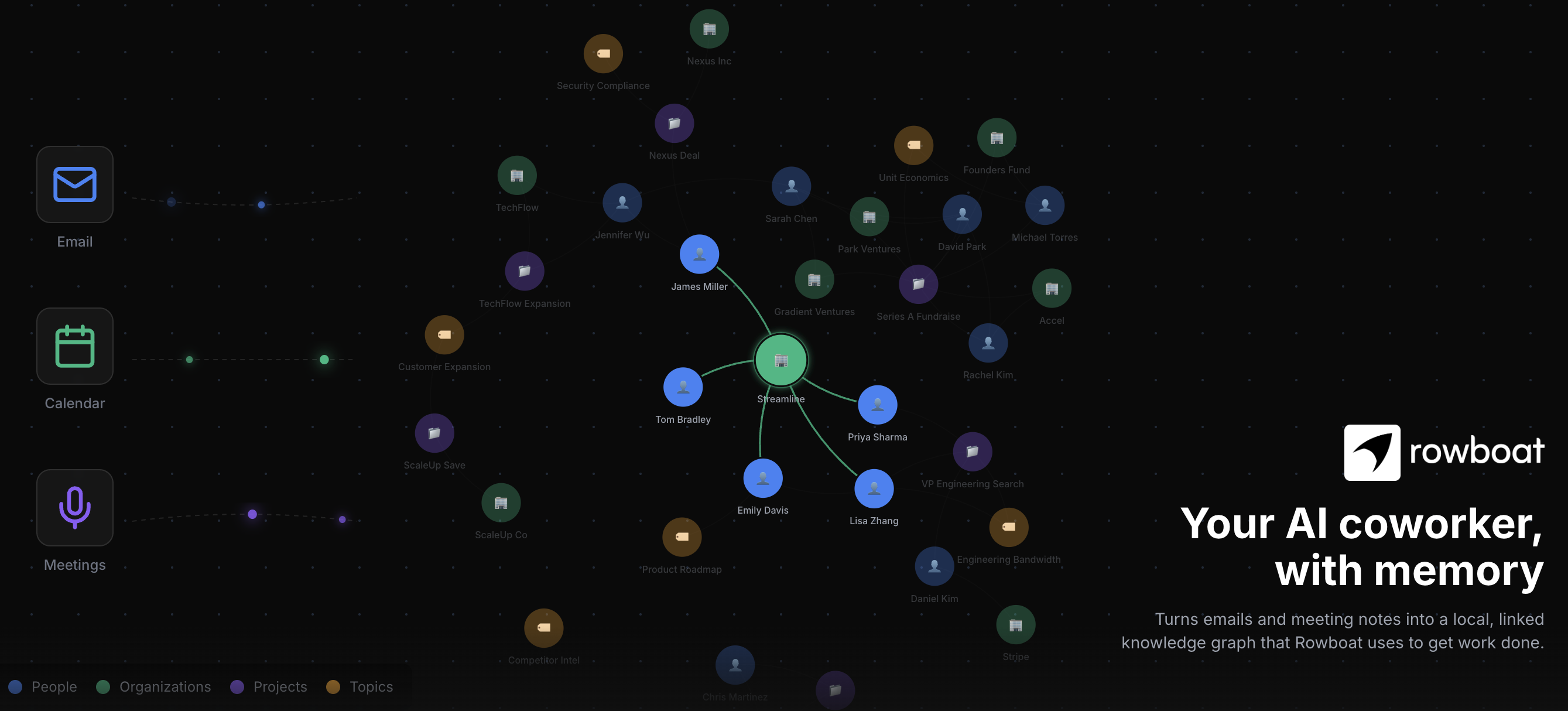
Rowboat indexes your work into a living knowledge graph and uses that to get work done on your machine. It includes work surfaces for collaborating with AI: email client, notes, browser, code mode, meeting note taker, and workspaces for different projects.
Download latest for Mac/Windows/Linux: Download
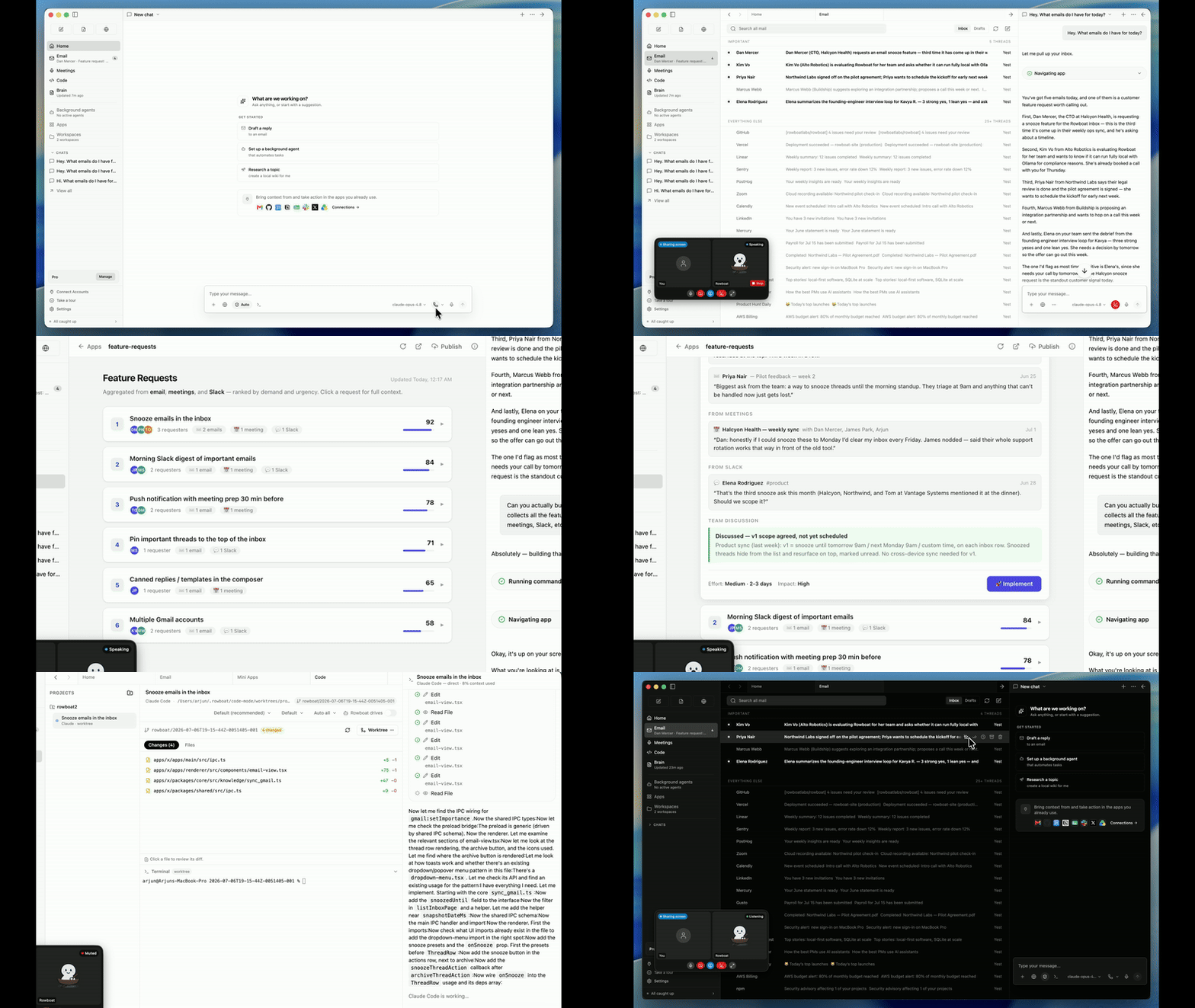
Demo - apps to code · Demo - knowledge graph
⭐ If you find Rowboat useful, please star the repo. It helps more people find it.
Overview
Brain |

|
|
|

|
Background agents |

|
Built-in Browser |

|
Meeting Notes |

|
Code Mode |

|
Apps |

|
Integrations |

|
Spaces: the multiplayer part
Everyone on the team runs their own Rowboat on their own machine, with their own memory of their work and their own model keys. A Space is where you come together: a place to talk, share files and whiteboards, and get work done. Type @rowboat in a Space and your Rowboat works with your context on your machine, then brings the result back to the room as you.
One Space. All your people. And their assistants.@mentions on one side; markdown files rendered as a wiki, uploads, and whiteboards on the other. Conversations, ideas, knowledge and the work itself, finally in the same place.
|

|
Ask your own Rowboat@rowboat what is missing? wakes your Rowboat on your machine. It gathers context from your Brain, email, meetings and notes, none of which ever leave your computer, and posts the answer back to the Space as "You (via Rowboat)". Every teammate gets the same: their own agent, their own context, one shared room.
|

|
Make something together |

|
From review to result@rowboat implement the proposal hands the work to Claude Code or Codex on that teammate's machine, with the Space's files as context. The changes come back to the thread ready for review.
|

|
How it fits together
Each person's Rowboat is a full local assistant. The Space lives on a small server called Harbor. The only thing that crosses the line between the two is what you (or your agent, acting as you) chose to post.
flowchart LR
  subgraph J["John's machine"]
    JR["John's Rowboat<br/>Brain · email · notes · code"]
  end
  subgraph S["Sarah's machine"]
    SR["Sarah's Rowboat<br/>Brain · email · notes · code"]
  end
  subgraph M["Sam's machine"]
    MR["Sam's Rowboat<br/>Brain · email · notes · code"]
  end
  H[("Harbor<br/>the Space: messages, files, whiteboards")]
  JR <-- "only what gets posted" --> H
  SR <--> H
  MR <--> H
Harbor has one core and three doors: HTTP, a live WebSocket, and an MCP server. Rowboat's own agent gets no privileged path. It reaches the Space through the same MCP door any other agent would use, so anything Rowboat can do in a Space, your own agent can do too (see Bring any agent).
What the room sees
When you address your Rowboat in a thread, the whole room saw the ask, so the receipt is a reaction on your message, not a stream of chatter:
| Reaction | Meaning |
|---|---|
| 👀 | Your Rowboat picked it up and is working. The room also sees a live "Rowboat is working" chip. |
| ✅ | Done. When the outcome speaks for itself (a file edited, a thread titled, a message pinned), that is all you get. A reply is posted only when the ask wanted an answer. |
| ❗ | It needs you: a decision, a confirmation, or something it could only explain with private detail. It asks in your own chat, which only you can see, never in the room. |
Everything an agent writes is attributed to its person, "Name (via Rowboat)", and stays in history like any other message.
Privacy rules your Rowboat follows in a Space
Everything it posts lands in front of the team. Everything it reads might be private to you. So:
- Read only what the task needs. "Message Harsh" needs a member id, not the HR directory.
- Answer only what was asked. What it saw in your files, DMs, email or notes along the way does not go into the reply.
- Private crosses to shared only on request, and as a summary. "Add my meeting notes to the roadmap" writes what the room needs from them, never the notes themselves. It never pastes emails, chats or DM content into a Space.
- A receipt says what it did, not what it read.
Get a Space
- Create a server. In the app, open Spaces and choose Create a server. Sign in with your Rowboat account (Google or Microsoft) and you get a hosted server with your first Space. Add teammates with Copy invite link.
- Join a server. Paste the invite link someone sent you. Invites bind your sign-in to a membership; a server can restrict joins to an email domain.
- Self-host. Harbor is open source and lives in this repo. See Run your own Harbor.
You can belong to several servers at once, and a server can be just you: your notes to self live in a one-member DM.
Installation
Download latest for Mac/Windows/Linux: Download
All release files: https://github.com/rowboatlabs/rowboat/releases/latest
Google setup
To connect Google services (Gmail, Calendar, and Drive), follow Google setup.
Voice input
To enable voice input and voice notes (optional), add a Deepgram API key in ~/.rowboat/config/deepgram.json
Voice output
To enable voice output (optional), add an ElevenLabs API key in ~/.rowboat/config/elevenlabs.json
Web search
To use Exa research search (optional), add the Exa API key in ~/.rowboat/config/exa-search.json
External tools
To enable external tools (optional), you can add any MCP server or use Composio tools by adding an API key in ~/.rowboat/config/composio.json
All API key files use the same format:
{
  "apiKey": "<key>"
}
How it’s different
Most AI tools reconstruct context on demand by searching transcripts or documents.
Rowboat maintains long-lived knowledge instead:
- context accumulates over time
- relationships are explicit and inspectable
- notes are editable by you, not hidden inside a model
- everything lives on your machine as plain Markdown
The result is memory that compounds, rather than retrieval that starts cold every time.
Bring your own model
Rowboat works with the model setup you prefer:
- Local models via Ollama or LM Studio
- Hosted models (bring your own API key/provider)
- Swap models anytime — your data stays in your local Markdown vault
Extend Rowboat with tools (MCP)
Rowboat can connect to external tools and services via Model Context Protocol (MCP). That means you can plug in (for example) search, databases, CRMs, support tools, and automations - or your own internal tools.
Examples: Exa (web search), Twitter/X, ElevenLabs (voice), Slack, Linear/Jira, GitHub, and more.
Example: Parallel web search
Parallel Search MCP provides web_search and web_fetch for public web search and page extraction without a Parallel account or API key. Free access is rate limited.
Open Settings → MCP Servers, add the parallel entry to your existing mcpServers object, and click Save. Keep any other server entries. If no servers are configured, use:
{
  "mcpServers": {
    "parallel": {
      "url": "https://search.parallel.ai/mcp"
    }
  }
}
This connects through Rowboat's existing Streamable HTTP client. Ask Rowboat to list the tools on the parallel server, then try: "Use Parallel to find the official MCP documentation."
Once configured, Rowboat can invoke these tools during its work, subject to your MCP tool permissions. Queries, requested URLs, and any supplied objectives or context are sent to Parallel. This setup leaves Exa and other configured providers unchanged. To remove it, delete the parallel entry in Settings → MCP Servers and save.
Local-first by design
- All personal data is stored locally as plain Markdown
- No proprietary formats or hosted lock-in
- You can inspect, edit, back up, or delete everything at any time
Run your own Harbor
Harbor is the Spaces server. It is open source, in this repo at apps/harbor, and it is what Rowboat's hosted servers run. One process serves one org or many, on top of Postgres.
Try it locally in a minute. The dev entry boots a seeded single-org Harbor (a small team and a "Roadboard" space) in memory on port 4272, with dev tokens instead of real sign-in:
cd apps/harbor
pnpm install && pnpm build
cd packages/server && pnpm dev
In the app, open the Spaces dialog, choose Add a dev server, and point it at http://localhost:4272 with one of the seeded member ids. Or talk to it directly: every route in /v1/*, the live stream at /v1/live, and the agent door at /mcp. Set DATABASE_URL to make it durable.
Deploy it for a team. The Dockerfile builds the deployment image. Orgs are served by hostname under your apex domain (<slug>.<APEX_DOMAIN>), sign-in is OpenID Connect against an issuer you pin, and new members only ever arrive by accepting an invite.
| Variable | What it does |
|---|---|
HARBOR_MODE=deployment |
Multi-org mode: resolve the org from the request host. |
DATABASE_URL |
Postgres. Schema is a versioned, append-only migration ladder. |
APEX_DOMAIN |
Orgs live at <slug>.<APEX_DOMAIN>; the apex itself serves create-org and my-orgs. |
AUTH_ISSUER |
The OIDC issuer whose tokens are trusted (JWKS-verified). Without it Harbor falls back to dev tokens, which must never be exposed publicly. |
AUTH_PUBLISHABLE_KEY |
Enables the login/consent page (social sign-in only; Harbor never sees a credential). |
HARBOR_ALLOWED_DOMAINS |
Comma-separated email domains allowed to accept invites (single-org mode). |
BLOBS_DIR or BLOBS_S3_BUCKET |
Where uploads go: local disk, or any S3-compatible bucket (BLOBS_S3_ENDPOINT, BLOBS_S3_REGION). |
PORT |
Defaults to 4272. |
The wire contract between Harbor and everything that talks to it is the @rowboat/spaces-protocol package; apps/harbor/CONTRACT.md is its narrative, including the merge semantics, the invite ceremony, and what is deliberately still v0. Expect breaking changes while we dogfood.
Bring any agent to a Space
Every org exposes an MCP server at https://<org address>/mcp (streamable HTTP). It is the exact surface Rowboat's own agent uses: read and post messages, react, open DMs, create and manage threads, read files, propose changes with a base version, upload attachments, search, catch up on activity, mint invites. Whatever connects authenticates as a member and everything it does is attributed to that member, "Name (via )".
With Claude Code, for example:
claude mcp add --transport http my-team https://<org address>/mcpHarbor publishes OAuth protected-resource metadata, so any MCP client that speaks OAuth 2.1 finds the sign-in flow on its own. Sign in as yourself and the agent works as you; sign in as a member you created for it and it has a seat of its own.
What's in this repo
apps/x: the desktop app (Electron), the headlessrowboat-server, and a Spaces-only mobile clientapps/harbor: the Spaces server and the@rowboat/spaces-protocolcontract

