thedotmack/claude-memPublic

Persistent Context Across Sessions for Every Agent – Captures everything your agent does during sessions, compresses it with AI, and injects relevant context back into future sessions. Works with Claude Code, OpenClaw, Codex, Gemini, Hermes, Copilot, OpenCode + More

AI summary: A persistent memory compression system that captures and injects project context into Claude AI sessions.

Stars
118.7K
+36 today
Forks
10.3K
Watchers
366
Open issues
73
Open PRs
87
Contributors
~378
Commits
4.7K
Branches
898
Views (30d)
61

TypeScriptApache-2.0Created Aug 31, 2025Last push todayLatest release v15.19.0+1.6K stars this week+16.3K this month

Quick answers

What is claude-mem?
A persistent memory compression system that captures and injects project context into Claude AI sessions.
What does claude-mem do?
Claude-mem provides a structured, long-term memory layer specifically designed for applications utilizing Anthropic's Claude AI models and Claude Code. It acts as an intelligent intermediary that intercepts conversations, extracts key observations, tool usage, and critical context, and stores them in a persistent SQLite database. When new interactions or sessions occur, the system automatically retrieves relevant historical context via hybrid Chroma vector search and dynamically injects it into the prompt. This allows Claude to maintain deep continuity across multiple sessions and remember specific project details without constantly exhausting the context window.
Who is claude-mem for?
AI developers and prompt engineers building deep applications around the Claude API who require robust, long-term context management. It is suitable for professionals looking for efficiency.
How do I get started with claude-mem?
npx claude-mem install
How popular is claude-mem on GitHub?
thedotmack/claude-mem has 118,667 stars and 10,310 forks on GitHub, and gained 1,563 stars in the last 7 days.
What license does claude-mem use?
thedotmack/claude-mem is released under the Apache-2.0 license.

Star history

since Jul 29, 2026
050K100KJul 2026Sep 2026Oct 2026Nov 2026
118.7K stars as of Nov 21, 2026. Measured daily since Jul 29, 2026; GitHub no longer exposes earlier star timestamps.

Update history

4 recorded
  • Nov 17, 2026New release v15.19.0 (previously v15.10.0).
  • Nov 6, 2026New release v15.10.0 (previously v15.2.1).
  • Oct 26, 2026New release v15.2.1 (previously v13.39.0).
  • Oct 15, 2026New release v13.39.0 (previously v13.29.0).

Contribution activity

commits per day, last 52 weeks
NovDecJanFebMarAprMayJunJulAugSepOctNovMonWedFri2025-11-23: 4 commits2025-11-24: 1 commit2025-11-25: 10 commits2025-11-26: 0 commits2025-11-27: 0 commits2025-11-28: 1 commit2025-11-29: 0 commits2025-11-30: 21 commits2025-12-01: 8 commits2025-12-02: 0 commits2025-12-03: 4 commits2025-12-04: 6 commits2025-12-05: 8 commits2025-12-06: 3 commits2025-12-07: 17 commits2025-12-08: 7 commits2025-12-09: 38 commits2025-12-10: 17 commits2025-12-11: 8 commits2025-12-12: 29 commits2025-12-13: 39 commits2025-12-14: 37 commits2025-12-15: 8 commits2025-12-16: 19 commits2025-12-17: 20 commits2025-12-18: 0 commits2025-12-19: 4 commits2025-12-20: 17 commits2025-12-21: 1 commit2025-12-22: 9 commits2025-12-23: 19 commits2025-12-24: 0 commits2025-12-25: 17 commits2025-12-26: 25 commits2025-12-27: 23 commits2025-12-28: 14 commits2025-12-29: 41 commits2025-12-30: 0 commits2025-12-31: 4 commits2026-01-01: 6 commits2026-01-02: 6 commits2026-01-03: 8 commits2026-01-04: 12 commits2026-01-05: 9 commits2026-01-06: 1 commit2026-01-07: 5 commits2026-01-08: 1 commit2026-01-09: 8 commits2026-01-10: 7 commits2026-01-11: 0 commits2026-01-12: 2 commits2026-01-13: 5 commits2026-01-14: 2 commits2026-01-15: 1 commit2026-01-16: 0 commits2026-01-17: 1 commit2026-01-18: 0 commits2026-01-19: 0 commits2026-01-20: 0 commits2026-01-21: 4 commits2026-01-22: 3 commits2026-01-23: 5 commits2026-01-24: 1 commit2026-01-25: 9 commits2026-01-26: 4 commits2026-01-27: 4 commits2026-01-28: 8 commits2026-01-29: 0 commits2026-01-30: 1 commit2026-01-31: 1 commit2026-02-01: 1 commit2026-02-02: 2 commits2026-02-03: 2 commits2026-02-04: 34 commits2026-02-05: 59 commits2026-02-06: 67 commits2026-02-07: 23 commits2026-02-08: 0 commits2026-02-09: 11 commits2026-02-10: 10 commits2026-02-11: 20 commits2026-02-12: 18 commits2026-02-13: 7 commits2026-02-14: 4 commits2026-02-15: 5 commits2026-02-16: 43 commits2026-02-17: 6 commits2026-02-18: 10 commits2026-02-19: 3 commits2026-02-20: 0 commits2026-02-21: 0 commits2026-02-22: 0 commits2026-02-23: 17 commits2026-02-24: 3 commits2026-02-25: 12 commits2026-02-26: 2 commits2026-02-27: 3 commits2026-02-28: 0 commits2026-03-01: 0 commits2026-03-02: 0 commits2026-03-03: 0 commits2026-03-04: 0 commits2026-03-05: 0 commits2026-03-06: 0 commits2026-03-07: 0 commits2026-03-08: 6 commits2026-03-09: 3 commits2026-03-10: 0 commits2026-03-11: 0 commits2026-03-12: 2 commits2026-03-13: 13 commits2026-03-14: 0 commits2026-03-15: 0 commits2026-03-16: 6 commits2026-03-17: 9 commits2026-03-18: 7 commits2026-03-19: 2 commits2026-03-20: 2 commits2026-03-21: 4 commits2026-03-22: 0 commits2026-03-23: 1 commit2026-03-24: 3 commits2026-03-25: 5 commits2026-03-26: 3 commits2026-03-27: 3 commits2026-03-28: 5 commits2026-03-29: 0 commits2026-03-30: 3 commits2026-03-31: 3 commits2026-04-01: 11 commits2026-04-02: 7 commits2026-04-03: 5 commits2026-04-04: 30 commits2026-04-05: 7 commits2026-04-06: 6 commits2026-04-07: 19 commits2026-04-08: 3 commits2026-04-09: 5 commits2026-04-10: 8 commits2026-04-11: 5 commits2026-04-12: 0 commits2026-04-13: 0 commits2026-04-14: 3 commits2026-04-15: 25 commits2026-04-16: 23 commits2026-04-17: 3 commits2026-04-18: 0 commits2026-04-19: 23 commits2026-04-20: 17 commits2026-04-21: 0 commits2026-04-22: 5 commits2026-04-23: 0 commits2026-04-24: 0 commits2026-04-25: 19 commits2026-04-26: 0 commits2026-04-27: 4 commits2026-04-28: 0 commits2026-04-29: 3 commits2026-04-30: 0 commits2026-05-01: 0 commits2026-05-02: 3 commits2026-05-03: 6 commits2026-05-04: 15 commits2026-05-05: 6 commits2026-05-06: 26 commits2026-05-07: 0 commits2026-05-08: 3 commits2026-05-09: 2 commits2026-05-10: 2 commits2026-05-11: 6 commits2026-05-12: 1 commit2026-05-13: 0 commits2026-05-14: 0 commits2026-05-15: 0 commits2026-05-16: 0 commits2026-05-17: 1 commit2026-05-18: 0 commits2026-05-19: 0 commits2026-05-20: 0 commits2026-05-21: 7 commits2026-05-22: 0 commits2026-05-23: 0 commits2026-05-24: 0 commits2026-05-25: 0 commits2026-05-26: 0 commits2026-05-27: 0 commits2026-05-28: 20 commits2026-05-29: 16 commits2026-05-30: 0 commits2026-05-31: 0 commits2026-06-01: 0 commits2026-06-02: 0 commits2026-06-03: 0 commits2026-06-04: 0 commits2026-06-05: 9 commits2026-06-06: 18 commits2026-06-07: 3 commits2026-06-08: 3 commits2026-06-09: 26 commits2026-06-10: 13 commits2026-06-11: 1 commit2026-06-12: 7 commits2026-06-13: 2 commits2026-06-14: 2 commits2026-06-15: 6 commits2026-06-16: 0 commits2026-06-17: 5 commits2026-06-18: 1 commit2026-06-19: 2 commits2026-06-20: 3 commits2026-06-21: 7 commits2026-06-22: 0 commits2026-06-23: 0 commits2026-06-24: 2 commits2026-06-25: 4 commits2026-06-26: 7 commits2026-06-27: 5 commits2026-06-28: 3 commits2026-06-29: 20 commits2026-06-30: 3 commits2026-07-01: 0 commits2026-07-02: 6 commits2026-07-03: 10 commits2026-07-04: 5 commits2026-07-05: 21 commits2026-07-06: 1 commit2026-07-07: 0 commits2026-07-08: 4 commits2026-07-09: 8 commits2026-07-10: 2 commits2026-07-11: 1 commit2026-07-12: 23 commits2026-07-13: 16 commits2026-07-14: 4 commits2026-07-15: 10 commits2026-07-16: 4 commits2026-07-17: 8 commits2026-07-18: 15 commits2026-07-19: 3 commits2026-07-20: 15 commits2026-07-21: 1 commit2026-07-22: 15 commits2026-07-23: 14 commits2026-07-24: 0 commits2026-07-25: 0 commits2026-07-26: 0 commits2026-07-27: 0 commits2026-07-28: 0 commits2026-07-29: 0 commits2026-07-30: 0 commits2026-07-31: 1 commit2026-08-01: 0 commits2026-08-02: 3 commits2026-08-03: 3 commits2026-08-04: 0 commits2026-08-05: 0 commits2026-08-06: 0 commits2026-08-07: 3 commits2026-08-08: 1 commit2026-08-09: 0 commits2026-08-10: 3 commits2026-08-11: 0 commits2026-08-12: 0 commits2026-08-13: 0 commits2026-08-14: 0 commits2026-08-15: 0 commits2026-08-16: 7 commits2026-08-17: 0 commits2026-08-18: 8 commits2026-08-19: 25 commits2026-08-20: 0 commits2026-08-21: 0 commits2026-08-22: 0 commits2026-08-23: 0 commits2026-08-24: 0 commits2026-08-25: 5 commits2026-08-26: 12 commits2026-08-27: 0 commits2026-08-28: 5 commits2026-08-29: 7 commits2026-08-30: 1 commit2026-08-31: 33 commits2026-09-01: 10 commits2026-09-02: 5 commits2026-09-03: 2 commits2026-09-04: 1 commit2026-09-05: 5 commits2026-09-06: 1 commit2026-09-07: 0 commits2026-09-08: 4 commits2026-09-09: 11 commits2026-09-10: 60 commits2026-09-11: 69 commits2026-09-12: 8 commits2026-09-13: 2 commits2026-09-14: 0 commits2026-09-15: 2 commits2026-09-16: 1 commit2026-09-17: 0 commits2026-09-18: 3 commits2026-09-19: 0 commits2026-09-20: 1 commit2026-09-21: 2 commits2026-09-22: 0 commits2026-09-23: 3 commits2026-09-24: 5 commits2026-09-25: 5 commits2026-09-26: 14 commits2026-09-27: 0 commits2026-09-28: 2 commits2026-09-29: 0 commits2026-09-30: 169 commits2026-10-01: 56 commits2026-10-02: 13 commits2026-10-03: 8 commits2026-10-04: 35 commits2026-10-05: 151 commits2026-10-06: 26 commits2026-10-07: 0 commits2026-10-08: 4 commits2026-10-09: 1 commit2026-10-10: 0 commits2026-10-11: 4 commits2026-10-12: 97 commits2026-10-13: 31 commits2026-10-14: 7 commits2026-10-15: 15 commits2026-10-16: 31 commits2026-10-17: 9 commits2026-10-18: 12 commits2026-10-19: 61 commits2026-10-20: 17 commits2026-10-21: 6 commits2026-10-22: 27 commits2026-10-23: 87 commits2026-10-24: 12 commits2026-10-25: 28 commits2026-10-26: 20 commits2026-10-27: 12 commits2026-10-28: 22 commits2026-10-29: 21 commits2026-10-30: 17 commits2026-10-31: 3 commits2026-11-01: 15 commits2026-11-02: 60 commits2026-11-03: 16 commits2026-11-04: 35 commits2026-11-05: 45 commits2026-11-06: 29 commits2026-11-07: 41 commits2026-11-08: 20 commits2026-11-09: 64 commits2026-11-10: 136 commits2026-11-11: 228 commits2026-11-12: 114 commits2026-11-13: 20 commits2026-11-14: 4 commits2026-11-15: 26 commits2026-11-16: 65 commits2026-11-17: 2 commits2026-11-18: 0 commits2026-11-19: 0 commits2026-11-20: 0 commits2026-11-21: 0 commits
3,973 commits in the last yearLessMore

Signals and awards

derived from tracked data
  • Landmark project

    118,667 stars

  • Very active

    3,973 commits in 52 weeks

  • Community-driven

    ~378 contributors

  • Permissive license

    Apache-2.0

  • Continuous integration

    Automated checks passing

  • Repeat trending

    23 trending appearances

  • Top 10% tracked

    Rank 68 of 1243

What claude-mem does

Claude-mem provides a structured, long-term memory layer specifically designed for applications utilizing Anthropic's Claude AI models and Claude Code. It acts as an intelligent intermediary that intercepts conversations, extracts key observations, tool usage, and critical context, and stores them in a persistent SQLite database. When new interactions or sessions occur, the system automatically retrieves relevant historical context via hybrid Chroma vector search and dynamically injects it into the prompt. This allows Claude to maintain deep continuity across multiple sessions and remember specific project details without constantly exhausting the context window.

AI developers and prompt engineers building deep applications around the Claude API who require robust, long-term context management. It is suitable for professionals looking for efficiency.

  • Persistent Storage: Saves conversational context, tool observations, and architectural facts in a persistent database for cross-session retrieval.
  • Automated Fact Extraction: Uses AI to automatically parse complex conversations and actively identify key information to store long-term.
  • Dynamic Context Injection: Automatically retrieves semantically relevant memories and seamlessly injects them into the current active prompt.
  • Progressive Disclosure: Employs a token-efficient three-layer workflow to search, filter, and fetch observation details only when truly necessary.
  • Seamless Integration: Designed to sit cleanly between the application logic and the Anthropic API, functioning automatically as a background worker.

Where teams use it

Personalized Coding Assistants

Build a local coding assistant that reliably remembers user preferences for code formatting and preferred libraries across weeks of sessions.

Long-Term Project Management

Create an AI agent that tracks complex project requirements and architectural decisions over extended periods of interaction seamlessly.

Contextual Search Tools

Allow developers to query their own project's history using natural language through the integrated mem-search capability.

Interactive Storytelling

Develop text-based applications where the AI maintains perfectly consistent character lore and remembers complex player choices.

Getting started: npx claude-mem install

README

main branch

Vercel OSS Program     Greptile     SerpApi

🇨🇳 中文 • 🇹🇼 繁體中文 • 🇯🇵 日本語 • 🇵🇹 Português • 🇧🇷 Português • 🇰🇷 한국어 • 🇪🇸 Español • 🇩🇪 Deutsch • 🇫🇷 Français • 🇮🇱 עברית • 🇸🇦 العربية • 🇷🇺 Русский • 🇵🇱 Polski • 🇨🇿 Čeština • 🇳🇱 Nederlands • 🇹🇷 Türkçe • 🇺🇦 Українська • 🇻🇳 Tiếng Việt • 🇵🇭 Tagalog • 🇮🇩 Indonesia • 🇹🇭 ไทย • 🇮🇳 हिन्दी • 🇧🇩 বাংলা • 🇵🇰 اردو • 🇷🇴 Română • 🇸🇪 Svenska • 🇮🇹 Italiano • 🇬🇷 Ελληνικά • 🇭🇺 Magyar • 🇫🇮 Suomi • 🇩🇰 Dansk • 🇳🇴 Norsk

Your coding agent forgets everything between sessions. Claude-Mem remembers for it.

License Version Node Mentioned in Awesome Claude Code

Star History Rank GitHub Trending Repository of the Day


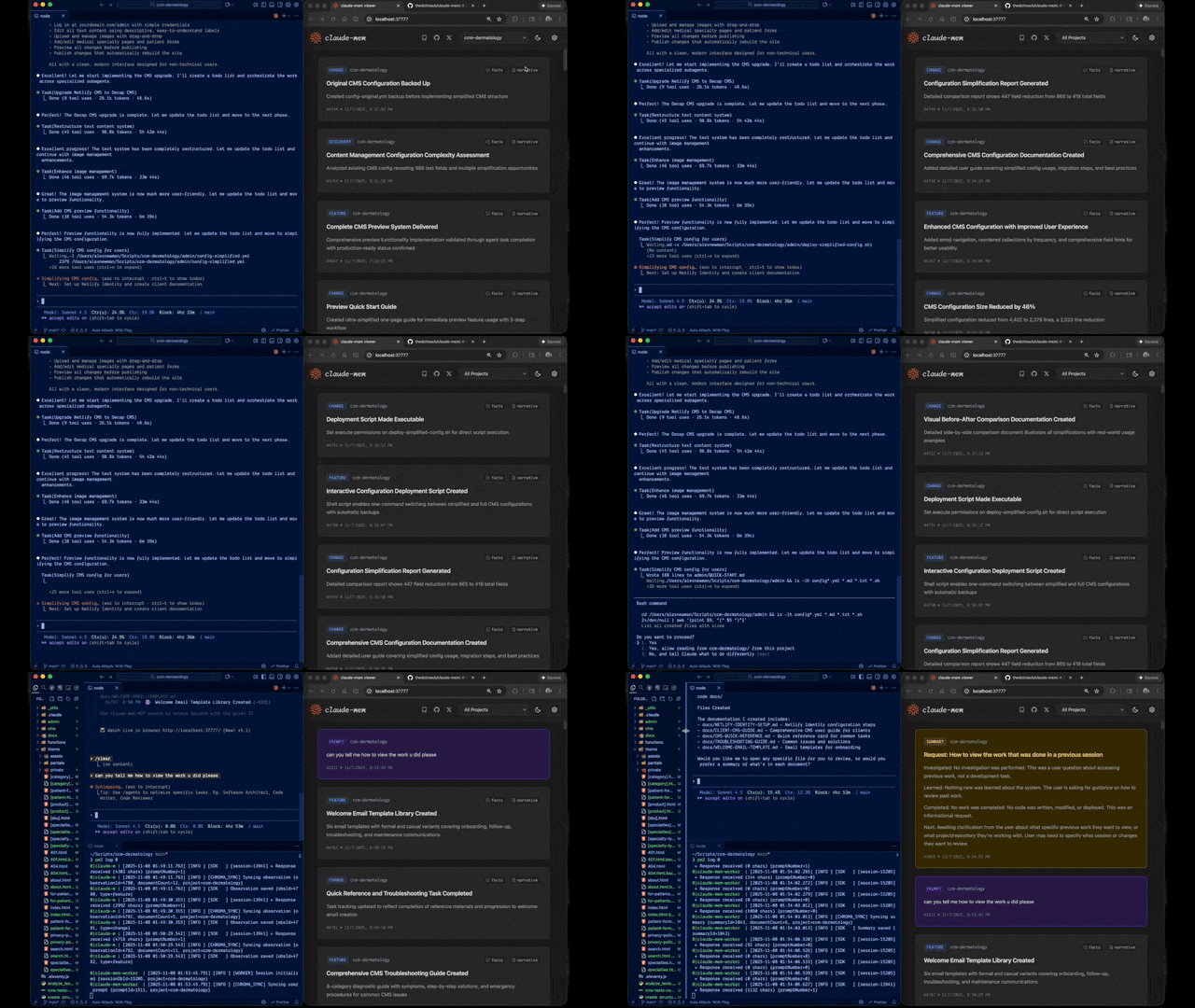
Claude-Mem Preview Star History Chart

Quick Start • How It Works • Search Tools • Documentation • Configuration • Troubleshooting • License

Every new session, your agent starts from zero. It re-reads the same files, re-asks the same questions, and walks back into mistakes you already fixed together.

Claude-Mem runs a second agent beside it that takes notes while it works. The next session starts with a short index of what matters, and pulls in the details only when it needs them. Works with Claude Code, Codex, Cursor, OpenCode and 11 more agents. Copilot CLI, Goose, Roo Code, Warp and Zed can search your memory, but their sessions aren't recorded.


Quick Start

Installing for someone as an AI agent? If the user is available, run npx claude-mem install --setup browser on their computer and keep it running. It prepares the local runtime, then opens setup in their browser; if the page doesn't open, give them the printed URL. Every choice (agents, integrations, skills, model, usage analytics, the optional email) is made by the user on that page, so there are no terminal questions to relay. If the user is away, run npx claude-mem install --setup defer: it prepares the runtime and leaves setup waiting for their first visit, and their next session shows them the link. Don't make their choices for them.

npx claude-mem install

The installer finds the agents on your machine and asks which ones to set up. Then just start working: observations stream in from your first prompt, and your second session in a project opens with memory from the first. (Copilot CLI, Goose, Roo Code, Warp and Zed get memory search only, so their sessions don't add to it.)

The installer sets everything up first, then asks you to sign in to claude-mem in your browser (email magic link, no card required to sign in). Choosing the claude-mem observer then starts its 30 Day Free Trial on a checkout page that asks for a payment method; once it completes, the installer saves your memory key. With the observer, memory runs off-plan, so you get up to 100% more usage from your plan. When the free trial ends, memory automatically falls back to your Anthropic plan unless you subscribe. After sign-in you pick your memory provider: the claude-mem observer, your own OpenRouter or Gemini key, or your Anthropic plan.

Prefer to skip the sign-in? Pass an explicit --provider flag, set CLAUDE_MEM_ONLINE_OPTIN=false, or run in CI/non-interactive shells — the installer completes without any account interaction.

Your memory lives in ~/.claude-mem on your machine. Cloud sync is opt-in. Anonymous usage analytics are on by default; npx claude-mem telemetry disable turns them off (what's collected).

Or install from the plugin marketplace inside Claude Code:

/plugin marketplace add thedotmack/claude-mem

/plugin install claude-mem

Restart Claude Code. Context from previous sessions will automatically appear in new sessions.

Note: Claude-Mem is also published on npm, but npm install -g claude-mem installs the SDK/library only — it does not register the plugin hooks or set up the worker service. Always install via npx claude-mem install or the /plugin commands above.

Other agents

npx claude-mem install covers every supported agent. To set up one agent directly, pass --ide.

OpenCode (1.3.4 or later, including OpenCode 2). Restart OpenCode after installing.

npx claude-mem install --ide opencode

T3 Code (Codex and Claude Code providers). The installer discovers T3 Code's enabled providers, registers native Claude-Mem plugins in their configured homes, and supports T3-managed Codex. Restart T3 Code, trust the provider's hooks when prompted, and start a new thread. See the T3 Code integration guide for custom server settings, status, and removal.

npx claude-mem install --ide t3code

Antigravity CLI (setup guide):

npx claude-mem install --ide antigravity

OMP (Oh My Pi):

npx claude-mem install --ide omp

Pi and DeepSeek Harness use the worker runtime. See native harness setup for capture, recall, and troubleshooting.

npx claude-mem install --ide pi
npx claude-mem install --ide dsh --dsh-profile tui

Grok Bot: see Grok Bot below.

npx claude-mem install --ide grok-bot

The full list of --ide values is in npx claude-mem --help.

Grok Bot

Grok Bot has no host hooks, so we watch the chat log files. Default is CMEM Pro, the hosted memory. Local observer is opt-in: --provider host. Installing this plugin does not install Cursor.

Opt-in awareness push: needle observations (decision, bugfix, security_alert, sensitive) are appended as dated - YYYY-MM-DD [awareness] … lines into that bot's memory/log/YYYY-MM.md. Grok Bot already re-reads the log from disk. This does not write profile.md, user-memory, or project memory. Enable with CLAUDE_MEM_GROK_BOT_AWARENESS_ENABLED=true and set CLAUDE_MEM_GROK_BOT_AWARENESS_AGENT_IDS to your agent UUIDs (empty by default).

🦞 OpenClaw Gateway

Install claude-mem as a persistent memory plugin on OpenClaw gateways with a single command:

curl -fsSL https://install.cmem.ai/openclaw.sh | bash

The installer handles dependencies, plugin setup, AI provider configuration, worker startup, and optional real-time observation feeds to Telegram, Discord, Slack, and more. See the OpenClaw Integration Guide for details.

What You Get

  • 🧠 The next session starts where the last one left off. Each session opens with a compact index of past observations, layered so the agent opens full details only when it needs them, and the header can show what each layer costs in tokens.
  • 🔍 Find anything you worked on. The mem-search skill searches your project history in three steps (index, timeline, details), so the agent spends tokens only on what it opens.
  • 🖥️ Watch it work, and keep track of yours. My Work shows live requests, progress, human handoffs and a saved review queue at the worker URL printed on startup. Guide. Memory, sessions and settings remain at /viewer.
  • 👥 Share with your team, if you want. TeamBrain is an optional shared workspace beside My Work, with real team work lists, member attribution and linked findings. Each person chooses what to share; personal requests and review notes stay separate. Set up a team.
  • 💻 Search from Claude Desktop. Search your memory from Claude Desktop conversations.
  • 🔒 Keep secrets out. Wrap anything in <private> tags and it never gets stored.
  • 🖼️ Screenshots, kept by default. Keep converted copies of tool screenshots under ~/.claude-mem/media-v1/ and show them in My Work, upload them to cmem.ai only when Cloud Sync is on, and send them to the observer model only when image inference is separately enabled. Turn it off with the "Keep images" switch in Settings (details).
  • ⚙️ Choose what gets injected. Fine-grained settings for what context a new session starts with.
  • 🤖 Nothing to remember to do. It runs on its own once installed.
  • 🔗 Point back to past work. Every observation has an ID you can cite through the worker API or open in the web viewer.

Documentation

📚 View Full Documentation - Browse on official website

Getting Started

  • Installation Guide - Quick start & advanced installation
  • Usage Guide - How Claude-Mem works automatically
  • Search Tools - Query your project history with natural language
  • Cloud Sync - Back up your memory to cmem.ai — no daemon, the worker syncs on write

Best Practices

Architecture

Configuration & Development


How It Works

  1. Your agent works. Hooks in your agent hand each tool call (what it reads, edits and runs) to a small local worker.
  2. The observer takes notes. A second agent turns that activity into short observations, and writes a summary when the session ends.
  3. The next session starts with them. When a session starts, your agent gets a compact index of the observations that matter for this project, and fetches full details only when it needs them.

Memory injection starts on your second session in a project. To front-load a whole repo instead, run /learn-codebase (~5 minutes on a typical repo, optional).

See Architecture Overview for details.

How it fits together

For contributors, the main parts and where they live:

  • The claude-mem command (src/npx-cli/index.ts): install, repair, doctor, start, search and the rest. The installer puts a small launcher on PATH so hooks can run claude-mem directly.
  • Hooks (src/cli/hook-command.ts, one adapter per agent in src/cli/adapters/): each agent event runs one shell-free command, such as claude-mem hook claude-code <event>. For Claude Code that's Setup (claude --init / --maintenance), SessionStart, UserPromptSubmit, PreToolUse, PostToolUse, PostToolUseFailure, Stop, SubagentStop and SessionEnd.
  • The worker (src/services/worker-service.ts, routes in src/services/worker/http/routes/): a local HTTP service managed by Bun. It takes tool activity from the hooks, runs the observer, and serves the viewer and search.
  • The observer (prompts in src/sdk/, one provider per model source in src/services/worker/, such as ClaudeProvider.ts and OpenRouterProvider.ts): turns tool activity into observations and summaries.
  • Storage (src/services/sqlite/): SQLite at ~/.claude-mem/claude-mem.db holds sessions, observations and summaries. Chroma adds semantic search on top of SQLite's keyword search (src/services/worker/search/).
  • Context (src/services/context/): builds the block a new session starts with.
  • Search (src/servers/mcp-server.ts, plugin/skills/mem-search/): the MCP tools and the mem-search skill that drives them.
  • The viewer (src/ui/viewer/ at /viewer, src/ui/my-work/ at /): memory, sessions and settings, plus My Work.
  • The built plugin (plugin/): written by npm run build; edit src/, not the generated scripts.

The words we use for each of these, and the story they tell, are in docs/story.md.


MCP Search Tools

Search runs through three MCP tools in a token-efficient three-step workflow. The mem-search skill drives it for you:

The three steps:

  1. search - Get compact index with IDs (~50-100 tokens/result)
  2. timeline - Get chronological context around interesting results
  3. get_observations - Fetch full details ONLY for filtered IDs (~500-1,000 tokens/result)

Step by step:

  • Your agent uses MCP tools to search your memory
  • Start with search to get an index of results
  • Use timeline to see what was happening around specific observations
  • Use get_observations to fetch full details for relevant IDs
  • Index rows are about a tenth the size of a full record: ~50-100 tokens versus ~500-1,000. Filtering decides how many records you pay to fetch, not how large each one is; the workflow's total cost also includes the timeline and the selected details. The ratio is not a measured recall or end-to-end saving (#4138).

Available MCP Tools:

  1. search - Search memory index with full-text queries, filters by type/date/project
  2. timeline - Get chronological context around a specific observation or query
  3. get_observations - Fetch full observation details by IDs (always batch multiple IDs)

Example Usage:

// Step 1: Search for index
search(query="authentication bug", type="bugfix", limit=10)

// Step 2: Review index, identify relevant IDs (e.g., #123, #456)

// Step 3: Fetch full details
get_observations(ids=[123, 456])

The worker also offers tools for code navigation (smart_search, smart_outline, smart_unfold), saving a note on purpose (save_memory) and tracking work in progress. See Search Tools Guide for detailed examples.


System Requirements

  • Node.js: 20.19 or later in the 20.x line, or 22.12 or later
  • A supported agent: Claude Code (latest, with plugin support) or any agent in Other agents
  • Bun: JavaScript runtime and process manager (auto-installed if missing)
  • uv: Python package manager for vector search (auto-installed if missing)
  • SQLite 3: For persistent storage (bundled)

Windows Setup Notes

If you see an error like:

npm : The term 'npm' is not recognized as the name of a cmdlet

Make sure Node.js and npm are installed and added to your PATH. Download the latest Node.js installer from https://nodejs.org and restart your terminal after installation.

Claude Code hooks do not need Git Bash. Each hook runs claude-mem directly, and npx claude-mem install places that launcher at %LOCALAPPDATA%\claude-mem\bin\claude-mem.exe and adds the folder to your user Path. Restart your terminal or IDE afterwards so Claude Code picks up the new Path. If hooks report Executable not found in $PATH: "claude-mem", run npx claude-mem doctor and see Troubleshooting.


Configuration

Settings are managed in ~/.claude-mem/settings.json (auto-created with defaults on first run). Configure AI model, worker port, data directory, log level, and context injection settings.

To include observations from every harness in Claude Code and Codex SessionStart context, set "CLAUDE_MEM_SESSION_START_INCLUDE_ALL_SOURCES": "true" in that file, or enable Include all sources at session start in the viewer settings. The default is "false", which limits startup context to the current harness. The observation count limit still applies across the selected sources.

See the Configuration Guide for all available settings and examples.

Mode & Language Configuration

Claude-Mem supports multiple workflow modes and languages via the CLAUDE_MEM_MODE setting.

This option controls both:

  • The workflow behavior (e.g. code, chill, investigation)
  • The language used in generated observations
How to Configure

Edit your settings file at ~/.claude-mem/settings.json:

{
  "CLAUDE_MEM_MODE": "code--zh"
}

Modes are defined in plugin/modes/. To see all available modes locally:

ls ~/.claude/plugins/marketplaces/thedotmack/plugin/modes/
Available Modes
Mode Description
code Default English mode
code--chill Records fewer observations, keeping only what would be painful to rediscover
code--[lang] Same as code, with observations and summaries written in another language

Built-in language codes: ar, bn, cs, da, de, el, es, fi, fr, he, hi, hu, id, it, ja, ko, nl, no, pl, pt-br, ro, ru, sv, th, tr, uk, ur, vi, zh. For example, code--ko writes observations and summaries in Korean.

See Modes for each language's name, the email investigation mode, and custom modes.

Note: All of these modes are built in. No additional installation or plugin update is required.

After Changing Mode

Restart Claude Code to apply the new mode configuration.


Development

See the Development Guide for build instructions, testing, and contribution workflow.


Troubleshooting

Start with npx claude-mem doctor. It checks Bun, uv, the hook launcher and the worker, and tells you what to fix.

See the Troubleshooting Guide for common issues and solutions.


Bug Reports

Create comprehensive bug reports with the automated generator:

cd ~/.claude/plugins/marketplaces/thedotmack
npm run bug-report

Contributing

Contributions are welcome! Please:

  1. Fork the repository
  2. Create a feature branch
  3. Make your changes with tests
  4. Update documentation (user-facing words follow docs/story.md)
  5. Submit a Pull Request against main

Releases ship from main and are published to npm.

See Development Guide for contribution workflow.


License

Claude-Mem is licensed under the Apache License 2.0.

We chose Apache-2.0 because durable agentic memory should be easy to embed in developer tools, local agents, MCP servers, enterprise systems, robotics stacks, and production agent harnesses.

See the LICENSE file for full details. See docs/license.md and docs/ip-boundary.md for licensing scope and the open/commercial boundary.


Support


Built with Claude Agent SDK | Works with Claude Code, Codex, Cursor, OpenCode and more | Made with TypeScript


What About CMEM?

CMEM is a token created by a 3rd party but officially embraced by the creator of Claude-Mem (Alex Newman, @thedotmack). The token acts as a community catalyst for growth and a vehicle for bringing CMEM to the developers and knowledge workers that need it most.

Official BASE CA: 0x76b1967eec0ccaeb001bbbb2b40dc4badba31ba3

View on GitHub

Recent activity

commits and pull requests

Releases and announcements

408 total
  1. v15.19.0v15.19.0Nov 16, 2026

    ## Continue a Claude Code or Codex conversation from My Work Open a request in My Work, then open "Where this came from". Under each Claude Code or Codex conversation there is now a message box. Type a message and press Send, and that same conversation takes the turn. The reply shows right there (#6191; the command shapes follow @wiesenthal's answer code in #6054, and the commit credits him). - Each conversation keeps the messages you sent from My Work and their replies, in order. Stop ends a running turn. - The box says which folder the turn runs in. When the recorded folder no longer exists (common after a worktree is cleaned up), the turn runs in the nearest existing folder above it. - "Copy resume command" copies `claude --resume <id>` or `codex resume <id>`. On a Mac, "Open in Claude" opens a Claude Code conversation in the Claude desktop app. - One Send starts one headless resume (`claude --resume <id> -p --output-format json`, or `codex exec resume <id> - --skip-git-repo-check`) with your message on stdin. A failed turn is recorded as failed and never retried. Nothing is queued or saved for replay, and nothing starts at startup, on a timer or on reconnect. - A worker resta

  2. v15.18.5v15.18.5Nov 15, 2026

    ## Critical fixes - **The tree-sitter CLI installs on networks where its download script keeps failing** (#6110, thanks @rigel905, closes #6109). On some networks tree-sitter-cli's own `install.js` had its request reset every time, or exited 0 on a truncated file. The pinned SHA-256 check correctly refused the file, but nothing recovered after that, so `smart_search`, `smart_outline`, `smart_unfold` and the File Read Gate stayed off on every worker start, and `npx claude-mem repair` aborted. Now, when the script fails or leaves anything but the pinned executable, claude-mem fetches the same release asset directly, once, inside the same install time budget, and runs it only after it unpacks to the same pinned SHA-256. The script still runs first, so `HTTPS_PROXY` keeps working. A script that used up the whole budget gets no second attempt. - **A corrupt Chroma collection is dropped once, not once per parallel backfill** (#6115, thanks @mohitdixit02 and @0xABCD01, closes #6113). When the HNSW segment of a large collection was corrupt, every parallel per-project backfill that hit it passed the "drop only once" check before the first delete finished, and queued its own delete against

  3. v15.18.4v15.18.4Nov 15, 2026

    ## Fixes - **Claude Code gets claude-mem's rules and tools once** (#6179). Before this, a Claude Code session got the same guidance from up to three places: the MCP server instructions, a memory block the local activation script wrote into `CLAUDE.md`, and a pointer line to `RULES-AND-TOOLS.md` (whose timeline legend was never actually loaded). Now there is one path. `MY-RULES.md`, which your `CLAUDE.md` already imports, ends with an import of `RULES-AND-TOOLS.md`, and Claude Code loads it from there. - When that import chain is complete in Claude Code, the MCP server sends no instructions, and the SessionStart hook drops the `Access Claude-Mem Rules + Tools:` pointer line. The server only skips its instructions when the imported file holds exactly the text it would send. - Other hosts, and Claude Code users who never set up My Rules, are unchanged. - The worker adds the import to an existing `MY-RULES.md` once at startup, so current users get it without doing anything. It never creates the file. Writing `MY-RULES.md` also makes sure `RULES-AND-TOOLS.md` exists, so the import never points at a missing file. - `scripts/activate-progressive-memory-local.mjs` no longer writes

  4. v15.18.3v15.18.3Nov 12, 2026

    ## Critical fixes - **Codex keeps recording after claude-mem updates** (#6058, thanks @wiesenthal). Codex approves a hook that ships inside a plugin against a fingerprint of the plugin's whole folder. Every claude-mem update rewrites that folder, so after every update Codex switched all seven claude-mem hooks off ("plugin contents changed; hook approval required") and Codex sessions stopped being saved, with no message. The installer now registers claude-mem's Codex hooks in your own `~/.codex/hooks.json`, and each hook runs the on-PATH `claude-mem` launcher, which finds the newest install by itself. Codex trusts a hook in `hooks.json` by its own definition and position, so one approval now lasts across updates. Other tools' hooks in that file are kept in place, a second install changes nothing, a `hooks.json` that can't be parsed is refused and left untouched, and uninstall removes only claude-mem's entries. Turning the claude-mem plugin off in Codex still stops capture. `npx claude-mem doctor` has a new `Codex hooks` row that warns when the plugin is on but its hooks are missing from `hooks.json`. **Codex users: do this once after updating.** 1. Run `npx claude-mem install`

  5. v15.18.2v15.18.2Nov 12, 2026

    ## Critical fixes - **Gemini CLI on Windows records again** (#6079, thanks @tanishqbaweja). On Windows, Gemini CLI runs hook commands through PowerShell. The hook commands claude-mem wrote started with a quoted path, which PowerShell rejects as a parser error. Every claude-mem Gemini hook (SessionStart, BeforeAgent, AfterTool, AfterAgent, SessionEnd) failed on every event since 15.18.0, so Gemini sessions on Windows saved nothing and got no saved context. Hook commands on Windows now start with PowerShell's `&` call operator, as the Cursor and Windsurf hooks already do. macOS and Linux are unchanged. **Windows Gemini CLI users: run `npx claude-mem gemini install` once after updating.** `npx claude-mem update` and auto-update do not rewrite Gemini's hooks, so the broken commands stay until you reinstall them. The reinstall replaces the old commands, and `npx claude-mem gemini uninstall` removes both forms. ## Improvements - **My Work shows the real state of open work** (#6038). Jev now reads each open work-state item once per version on the 10-minute My Work check and labels it: the state its notes describe, plus which of its fields holds the next step and the result. At confi

Code frequency

additions and deletions
+159K-159KWeek of 2025-11-23: +1,775 linesWeek of 2025-11-23: -22,617 linesWeek of 2025-11-30: +18,781 linesWeek of 2025-11-30: -11,387 linesWeek of 2025-12-07: +30,502 linesWeek of 2025-12-07: -23,590 linesWeek of 2025-12-14: +16,212 linesWeek of 2025-12-14: -15,511 linesWeek of 2025-12-21: +26,498 linesWeek of 2025-12-21: -16,064 linesWeek of 2025-12-28: +45,047 linesWeek of 2025-12-28: -23,393 linesWeek of 2026-01-04: +35,822 linesWeek of 2026-01-04: -14,680 linesWeek of 2026-01-11: +2,821 linesWeek of 2026-01-11: -967 linesWeek of 2026-01-18: +1,741 linesWeek of 2026-01-18: -1,123 linesWeek of 2026-01-25: +2,110 linesWeek of 2026-01-25: -914 linesWeek of 2026-02-01: +12,756 linesWeek of 2026-02-01: -6,833 linesWeek of 2026-02-08: +12,493 linesWeek of 2026-02-08: -10,487 linesWeek of 2026-02-15: +11,402 linesWeek of 2026-02-15: -3,684 linesWeek of 2026-02-22: +13,557 linesWeek of 2026-02-22: -8,978 linesWeek of 2026-03-01: +0 linesWeek of 2026-03-01: -0 linesWeek of 2026-03-08: +3,706 linesWeek of 2026-03-08: -2,725 linesWeek of 2026-03-15: +77,941 linesWeek of 2026-03-15: -142,549 linesWeek of 2026-03-22: +5,001 linesWeek of 2026-03-22: -1,454 linesWeek of 2026-03-29: +12,859 linesWeek of 2026-03-29: -5,388 linesWeek of 2026-04-05: +9,684 linesWeek of 2026-04-05: -5,411 linesWeek of 2026-04-12: +7,337 linesWeek of 2026-04-12: -4,725 linesWeek of 2026-04-19: +41,018 linesWeek of 2026-04-19: -20,701 linesWeek of 2026-04-26: +10,558 linesWeek of 2026-04-26: -24,497 linesWeek of 2026-05-03: +51,151 linesWeek of 2026-05-03: -37,076 linesWeek of 2026-05-10: +19,654 linesWeek of 2026-05-10: -1,485 linesWeek of 2026-05-17: +2,294 linesWeek of 2026-05-17: -1,035 linesWeek of 2026-05-24: +30,497 linesWeek of 2026-05-24: -31,545 linesWeek of 2026-05-31: +4,330 linesWeek of 2026-05-31: -766 linesWeek of 2026-06-07: +17,124 linesWeek of 2026-06-07: -6,629 linesWeek of 2026-06-14: +5,615 linesWeek of 2026-06-14: -1,933 linesWeek of 2026-06-21: +10,084 linesWeek of 2026-06-21: -16,066 linesWeek of 2026-06-28: +23,414 linesWeek of 2026-06-28: -38,932 linesWeek of 2026-07-05: +16,748 linesWeek of 2026-07-05: -8,260 linesWeek of 2026-07-12: +32,636 linesWeek of 2026-07-12: -6,899 linesWeek of 2026-07-19: +24,295 linesWeek of 2026-07-19: -20,971 linesWeek of 2026-07-26: +219 linesWeek of 2026-07-26: -8 linesWeek of 2026-08-02: +3,628 linesWeek of 2026-08-02: -2,083 linesWeek of 2026-08-09: +568 linesWeek of 2026-08-09: -129 linesWeek of 2026-08-16: +18,889 linesWeek of 2026-08-16: -7,088 linesWeek of 2026-08-23: +7,747 linesWeek of 2026-08-23: -3,174 linesWeek of 2026-08-30: +15,462 linesWeek of 2026-08-30: -6,017 linesWeek of 2026-09-06: +55,462 linesWeek of 2026-09-06: -11,015 linesWeek of 2026-09-13: +8,884 linesWeek of 2026-09-13: -4,340 linesWeek of 2026-09-20: +68,817 linesWeek of 2026-09-20: -2,347 linesWeek of 2026-09-27: +101,851 linesWeek of 2026-09-27: -11,664 linesWeek of 2026-10-04: +52,102 linesWeek of 2026-10-04: -13,105 linesWeek of 2026-10-11: +60,439 linesWeek of 2026-10-11: -16,916 linesWeek of 2026-10-18: +83,558 linesWeek of 2026-10-18: -34,654 linesWeek of 2026-10-25: +75,669 linesWeek of 2026-10-25: -21,368 linesWeek of 2026-11-01: +117,565 linesWeek of 2026-11-01: -91,126 linesWeek of 2026-11-08: +159,024 linesWeek of 2026-11-08: -103,382 linesWeek of 2026-11-15: +51,536 linesWeek of 2026-11-15: -13,573 linesNov 23, 2025Nov 15, 2026
+1.5M lines added, -881.3K removed over the last year.

Commits per week

last 52 weeks
5860Week of 2025-11-23: 16 commitsWeek of 2025-11-30: 50 commitsWeek of 2025-12-07: 155 commitsWeek of 2025-12-14: 105 commitsWeek of 2025-12-21: 94 commitsWeek of 2025-12-28: 79 commitsWeek of 2026-01-04: 43 commitsWeek of 2026-01-11: 11 commitsWeek of 2026-01-18: 13 commitsWeek of 2026-01-25: 27 commitsWeek of 2026-02-01: 188 commitsWeek of 2026-02-08: 70 commitsWeek of 2026-02-15: 67 commitsWeek of 2026-02-22: 37 commitsWeek of 2026-03-01: 0 commitsWeek of 2026-03-08: 24 commitsWeek of 2026-03-15: 30 commitsWeek of 2026-03-22: 20 commitsWeek of 2026-03-29: 59 commitsWeek of 2026-04-05: 53 commitsWeek of 2026-04-12: 54 commitsWeek of 2026-04-19: 64 commitsWeek of 2026-04-26: 10 commitsWeek of 2026-05-03: 58 commitsWeek of 2026-05-10: 9 commitsWeek of 2026-05-17: 8 commitsWeek of 2026-05-24: 36 commitsWeek of 2026-05-31: 27 commitsWeek of 2026-06-07: 55 commitsWeek of 2026-06-14: 19 commitsWeek of 2026-06-21: 25 commitsWeek of 2026-06-28: 47 commitsWeek of 2026-07-05: 37 commitsWeek of 2026-07-12: 80 commitsWeek of 2026-07-19: 48 commitsWeek of 2026-07-26: 1 commitsWeek of 2026-08-02: 10 commitsWeek of 2026-08-09: 3 commitsWeek of 2026-08-16: 40 commitsWeek of 2026-08-23: 29 commitsWeek of 2026-08-30: 57 commitsWeek of 2026-09-06: 153 commitsWeek of 2026-09-13: 8 commitsWeek of 2026-09-20: 30 commitsWeek of 2026-09-27: 248 commitsWeek of 2026-10-04: 217 commitsWeek of 2026-10-11: 194 commitsWeek of 2026-10-18: 222 commitsWeek of 2026-10-25: 123 commitsWeek of 2026-11-01: 241 commitsWeek of 2026-11-08: 586 commitsWeek of 2026-11-15: 93 commitsNov 23, 2025Nov 15, 2026
4K commits in the last 52 weeks.

When work happens

weekday and hour
SunMonTueWedThuFriSat036912151821Sun 0:00 — 32 commitsSun 1:00 — 16 commitsSun 2:00 — 14 commitsSun 3:00 — 4 commitsSun 4:00 — 2 commitsSun 5:00 — 0 commitsSun 6:00 — 2 commitsSun 7:00 — 2 commitsSun 8:00 — 0 commitsSun 9:00 — 4 commitsSun 10:00 — 15 commitsSun 11:00 — 10 commitsSun 12:00 — 26 commitsSun 13:00 — 22 commitsSun 14:00 — 21 commitsSun 15:00 — 33 commitsSun 16:00 — 31 commitsSun 17:00 — 17 commitsSun 18:00 — 18 commitsSun 19:00 — 16 commitsSun 20:00 — 19 commitsSun 21:00 — 28 commitsSun 22:00 — 48 commitsSun 23:00 — 47 commitsMon 0:00 — 66 commitsMon 1:00 — 61 commitsMon 2:00 — 87 commitsMon 3:00 — 47 commitsMon 4:00 — 22 commitsMon 5:00 — 13 commitsMon 6:00 — 7 commitsMon 7:00 — 5 commitsMon 8:00 — 7 commitsMon 9:00 — 9 commitsMon 10:00 — 20 commitsMon 11:00 — 30 commitsMon 12:00 — 36 commitsMon 13:00 — 48 commitsMon 14:00 — 54 commitsMon 15:00 — 45 commitsMon 16:00 — 49 commitsMon 17:00 — 27 commitsMon 18:00 — 60 commitsMon 19:00 — 83 commitsMon 20:00 — 29 commitsMon 21:00 — 31 commitsMon 22:00 — 47 commitsMon 23:00 — 20 commitsTue 0:00 — 14 commitsTue 1:00 — 40 commitsTue 2:00 — 15 commitsTue 3:00 — 14 commitsTue 4:00 — 18 commitsTue 5:00 — 42 commitsTue 6:00 — 18 commitsTue 7:00 — 2 commitsTue 8:00 — 2 commitsTue 9:00 — 11 commitsTue 10:00 — 11 commitsTue 11:00 — 20 commitsTue 12:00 — 16 commitsTue 13:00 — 21 commitsTue 14:00 — 39 commitsTue 15:00 — 27 commitsTue 16:00 — 42 commitsTue 17:00 — 25 commitsTue 18:00 — 19 commitsTue 19:00 — 18 commitsTue 20:00 — 24 commitsTue 21:00 — 21 commitsTue 22:00 — 41 commitsTue 23:00 — 33 commitsWed 0:00 — 17 commitsWed 1:00 — 32 commitsWed 2:00 — 35 commitsWed 3:00 — 117 commitsWed 4:00 — 67 commitsWed 5:00 — 13 commitsWed 6:00 — 14 commitsWed 7:00 — 4 commitsWed 8:00 — 1 commitsWed 9:00 — 21 commitsWed 10:00 — 16 commitsWed 11:00 — 19 commitsWed 12:00 — 25 commitsWed 13:00 — 25 commitsWed 14:00 — 80 commitsWed 15:00 — 47 commitsWed 16:00 — 45 commitsWed 17:00 — 54 commitsWed 18:00 — 43 commitsWed 19:00 — 45 commitsWed 20:00 — 37 commitsWed 21:00 — 41 commitsWed 22:00 — 31 commitsWed 23:00 — 16 commitsThu 0:00 — 16 commitsThu 1:00 — 23 commitsThu 2:00 — 72 commitsThu 3:00 — 17 commitsThu 4:00 — 13 commitsThu 5:00 — 11 commitsThu 6:00 — 8 commitsThu 7:00 — 7 commitsThu 8:00 — 1 commitsThu 9:00 — 19 commitsThu 10:00 — 17 commitsThu 11:00 — 19 commitsThu 12:00 — 23 commitsThu 13:00 — 23 commitsThu 14:00 — 35 commitsThu 15:00 — 34 commitsThu 16:00 — 23 commitsThu 17:00 — 28 commitsThu 18:00 — 69 commitsThu 19:00 — 28 commitsThu 20:00 — 42 commitsThu 21:00 — 37 commitsThu 22:00 — 31 commitsThu 23:00 — 43 commitsFri 0:00 — 34 commitsFri 1:00 — 43 commitsFri 2:00 — 58 commitsFri 3:00 — 41 commitsFri 4:00 — 13 commitsFri 5:00 — 18 commitsFri 6:00 — 5 commitsFri 7:00 — 4 commitsFri 8:00 — 9 commitsFri 9:00 — 12 commitsFri 10:00 — 19 commitsFri 11:00 — 46 commitsFri 12:00 — 20 commitsFri 13:00 — 24 commitsFri 14:00 — 24 commitsFri 15:00 — 27 commitsFri 16:00 — 13 commitsFri 17:00 — 16 commitsFri 18:00 — 36 commitsFri 19:00 — 22 commitsFri 20:00 — 22 commitsFri 21:00 — 34 commitsFri 22:00 — 36 commitsFri 23:00 — 35 commitsSat 0:00 — 14 commitsSat 1:00 — 12 commitsSat 2:00 — 7 commitsSat 3:00 — 13 commitsSat 4:00 — 11 commitsSat 5:00 — 10 commitsSat 6:00 — 19 commitsSat 7:00 — 7 commitsSat 8:00 — 12 commitsSat 9:00 — 9 commitsSat 10:00 — 5 commitsSat 11:00 — 12 commitsSat 12:00 — 2 commitsSat 13:00 — 14 commitsSat 14:00 — 33 commitsSat 15:00 — 11 commitsSat 16:00 — 24 commitsSat 17:00 — 36 commitsSat 18:00 — 25 commitsSat 19:00 — 40 commitsSat 20:00 — 27 commitsSat 21:00 — 41 commitsSat 22:00 — 15 commitsSat 23:00 — 30 commits
Commit volume by weekday and hour (UTC). Larger dots mean more commits.

Who is committing

last 52 weeks
Maintainer commits2,371 (55%)
Community commits1,912 (45%)

4,283 commits in total over the last year.

DateListRankStars gained
Apr 30, 2026daily#25+40
Apr 21, 2026daily#10+122
Apr 20, 2026daily#14+151
Apr 19, 2026daily#14+215
Apr 18, 2026daily#8+276
Apr 17, 2026daily#4+308
Apr 16, 2026daily#6+214
Apr 15, 2026daily#5+283
Apr 14, 2026daily#4+313
Apr 13, 2026daily#4+399
Apr 12, 2026daily#8+469
Mar 30, 2026daily#20+109
Mar 17, 2026daily#20+167
Mar 16, 2026daily#18+137
Feb 10, 2026daily#16+176
  • morluto/rea

    Reverse engineer anything with agents, from app behavior down to native binaries.

    471.6K stars · TypeScript

  • freeCodeCamp/freeCodeCamp

    freeCodeCamp.org's open-source codebase and curriculum. Learn math, programming, and computer science for free.

    459.4K stars · TypeScript

  • openclaw/openclaw

    The AI that really does things. Any OS. Any Platform. The lobster way. 🦞

    394.9K stars · TypeScript

  • obra/superpowers

    An agentic skills framework & software development methodology that works.

    322.9K stars · Shell

  • affaan-m/ECC

    The agent harness performance optimization system. Skills, instincts, memory, security, and research-first development for Claude Code, Codex, Opencode, Cursor and beyond.

    307.9K stars · JavaScript

  • NousResearch/hermes-agent

    The agent that grows with you

    265K stars · Python