zhongerxin/CowartPublic

AI summary: A native infinite canvas widget plugin designed specifically for the Codex IDE.

Stars
6K
+4 today
Forks
448
Watchers
12
Open issues
11
Open PRs
11
Contributors
~6
Commits
91
Branches
9

JavaScriptMITCreated Jun 18, 2026Last push 1d ago+19 stars this week+179 this month

Quick answers

What is Cowart?
A native infinite canvas widget plugin designed specifically for the Codex IDE.
What does Cowart do?
Cowart acts as a deeply integrated, infinite canvas visualization widget built natively for the Codex IDE, leveraging the tldraw library. Unlike traditional web-based whiteboards, Cowart embeds directly into the Codex environment via MCP, saving all diagram data securely within the user's local project directory rather than external servers. It uniquely bridges visual ideation and code generation by allowing users to create specific 'AI image' or 'AI HTML' boxes directly on the canvas. The user can write prompts inside these boxes, and Codex will autonomously generate the corresponding assets or functional HTML code exactly where requested, completely streamlining the design-to-code workflow.
Who is Cowart for?
Developers, technical designers, and product managers utilizing the Codex IDE who need a tightly integrated visual workspace to guide AI code and asset generation.
How do I get started with Cowart?
codex plugin marketplace add zhongerxin/Cowart --ref main
How popular is Cowart on GitHub?
zhongerxin/Cowart has 5,981 stars and 448 forks on GitHub, and gained 19 stars in the last 7 days.
What license does Cowart use?
zhongerxin/Cowart is released under the MIT license.

Star history

since Jul 29, 2026
02K4K6KJul 2026Aug 2026Sep 2026Oct 2026
6K stars as of Oct 3, 2026. Measured daily since Jul 29, 2026; GitHub no longer exposes earlier star timestamps.

Update history

1 recorded
  • Oct 4, 2026Previously tracked as zhongerxin/cowart; its 4 daily snapshots and 0 trending appearances were merged into this profile. Stars: 5,224 on 2026-08-03 under the old name, 5,981 on 2026-10-03 (+757).

Contribution activity

commits per day, last 52 weeks
SepOctNovDecJanFebMarAprMayJunJulAugSepMonWedFri2025-09-21: 0 commits2025-09-22: 0 commits2025-09-23: 0 commits2025-09-24: 0 commits2025-09-25: 0 commits2025-09-26: 0 commits2025-09-27: 0 commits2025-09-28: 0 commits2025-09-29: 0 commits2025-09-30: 0 commits2025-10-01: 0 commits2025-10-02: 0 commits2025-10-03: 0 commits2025-10-04: 0 commits2025-10-05: 0 commits2025-10-06: 0 commits2025-10-07: 0 commits2025-10-08: 0 commits2025-10-09: 0 commits2025-10-10: 0 commits2025-10-11: 0 commits2025-10-12: 0 commits2025-10-13: 0 commits2025-10-14: 0 commits2025-10-15: 0 commits2025-10-16: 0 commits2025-10-17: 0 commits2025-10-18: 0 commits2025-10-19: 0 commits2025-10-20: 0 commits2025-10-21: 0 commits2025-10-22: 0 commits2025-10-23: 0 commits2025-10-24: 0 commits2025-10-25: 0 commits2025-10-26: 0 commits2025-10-27: 0 commits2025-10-28: 0 commits2025-10-29: 0 commits2025-10-30: 0 commits2025-10-31: 0 commits2025-11-01: 0 commits2025-11-02: 0 commits2025-11-03: 0 commits2025-11-04: 0 commits2025-11-05: 0 commits2025-11-06: 0 commits2025-11-07: 0 commits2025-11-08: 0 commits2025-11-09: 0 commits2025-11-10: 0 commits2025-11-11: 0 commits2025-11-12: 0 commits2025-11-13: 0 commits2025-11-14: 0 commits2025-11-15: 0 commits2025-11-16: 0 commits2025-11-17: 0 commits2025-11-18: 0 commits2025-11-19: 0 commits2025-11-20: 0 commits2025-11-21: 0 commits2025-11-22: 0 commits2025-11-23: 0 commits2025-11-24: 0 commits2025-11-25: 0 commits2025-11-26: 0 commits2025-11-27: 0 commits2025-11-28: 0 commits2025-11-29: 0 commits2025-11-30: 0 commits2025-12-01: 0 commits2025-12-02: 0 commits2025-12-03: 0 commits2025-12-04: 0 commits2025-12-05: 0 commits2025-12-06: 0 commits2025-12-07: 0 commits2025-12-08: 0 commits2025-12-09: 0 commits2025-12-10: 0 commits2025-12-11: 0 commits2025-12-12: 0 commits2025-12-13: 0 commits2025-12-14: 0 commits2025-12-15: 0 commits2025-12-16: 0 commits2025-12-17: 0 commits2025-12-18: 0 commits2025-12-19: 0 commits2025-12-20: 0 commits2025-12-21: 0 commits2025-12-22: 0 commits2025-12-23: 0 commits2025-12-24: 0 commits2025-12-25: 0 commits2025-12-26: 0 commits2025-12-27: 0 commits2025-12-28: 0 commits2025-12-29: 0 commits2025-12-30: 0 commits2025-12-31: 0 commits2026-01-01: 0 commits2026-01-02: 0 commits2026-01-03: 0 commits2026-01-04: 0 commits2026-01-05: 0 commits2026-01-06: 0 commits2026-01-07: 0 commits2026-01-08: 0 commits2026-01-09: 0 commits2026-01-10: 0 commits2026-01-11: 0 commits2026-01-12: 0 commits2026-01-13: 0 commits2026-01-14: 0 commits2026-01-15: 0 commits2026-01-16: 0 commits2026-01-17: 0 commits2026-01-18: 0 commits2026-01-19: 0 commits2026-01-20: 0 commits2026-01-21: 0 commits2026-01-22: 0 commits2026-01-23: 0 commits2026-01-24: 0 commits2026-01-25: 0 commits2026-01-26: 0 commits2026-01-27: 0 commits2026-01-28: 0 commits2026-01-29: 0 commits2026-01-30: 0 commits2026-01-31: 0 commits2026-02-01: 0 commits2026-02-02: 0 commits2026-02-03: 0 commits2026-02-04: 0 commits2026-02-05: 0 commits2026-02-06: 0 commits2026-02-07: 0 commits2026-02-08: 0 commits2026-02-09: 0 commits2026-02-10: 0 commits2026-02-11: 0 commits2026-02-12: 0 commits2026-02-13: 0 commits2026-02-14: 0 commits2026-02-15: 0 commits2026-02-16: 0 commits2026-02-17: 0 commits2026-02-18: 0 commits2026-02-19: 0 commits2026-02-20: 0 commits2026-02-21: 0 commits2026-02-22: 0 commits2026-02-23: 0 commits2026-02-24: 0 commits2026-02-25: 0 commits2026-02-26: 0 commits2026-02-27: 0 commits2026-02-28: 0 commits2026-03-01: 0 commits2026-03-02: 0 commits2026-03-03: 0 commits2026-03-04: 0 commits2026-03-05: 0 commits2026-03-06: 0 commits2026-03-07: 0 commits2026-03-08: 0 commits2026-03-09: 0 commits2026-03-10: 0 commits2026-03-11: 0 commits2026-03-12: 0 commits2026-03-13: 0 commits2026-03-14: 0 commits2026-03-15: 0 commits2026-03-16: 0 commits2026-03-17: 0 commits2026-03-18: 0 commits2026-03-19: 0 commits2026-03-20: 0 commits2026-03-21: 0 commits2026-03-22: 0 commits2026-03-23: 0 commits2026-03-24: 0 commits2026-03-25: 0 commits2026-03-26: 0 commits2026-03-27: 0 commits2026-03-28: 0 commits2026-03-29: 0 commits2026-03-30: 0 commits2026-03-31: 0 commits2026-04-01: 0 commits2026-04-02: 0 commits2026-04-03: 0 commits2026-04-04: 0 commits2026-04-05: 0 commits2026-04-06: 0 commits2026-04-07: 0 commits2026-04-08: 0 commits2026-04-09: 0 commits2026-04-10: 0 commits2026-04-11: 0 commits2026-04-12: 0 commits2026-04-13: 0 commits2026-04-14: 0 commits2026-04-15: 0 commits2026-04-16: 0 commits2026-04-17: 0 commits2026-04-18: 0 commits2026-04-19: 0 commits2026-04-20: 0 commits2026-04-21: 0 commits2026-04-22: 0 commits2026-04-23: 0 commits2026-04-24: 0 commits2026-04-25: 0 commits2026-04-26: 0 commits2026-04-27: 0 commits2026-04-28: 0 commits2026-04-29: 0 commits2026-04-30: 0 commits2026-05-01: 0 commits2026-05-02: 0 commits2026-05-03: 0 commits2026-05-04: 0 commits2026-05-05: 0 commits2026-05-06: 0 commits2026-05-07: 0 commits2026-05-08: 0 commits2026-05-09: 0 commits2026-05-10: 0 commits2026-05-11: 0 commits2026-05-12: 0 commits2026-05-13: 0 commits2026-05-14: 0 commits2026-05-15: 0 commits2026-05-16: 0 commits2026-05-17: 0 commits2026-05-18: 0 commits2026-05-19: 0 commits2026-05-20: 0 commits2026-05-21: 0 commits2026-05-22: 0 commits2026-05-23: 0 commits2026-05-24: 0 commits2026-05-25: 0 commits2026-05-26: 0 commits2026-05-27: 0 commits2026-05-28: 0 commits2026-05-29: 0 commits2026-05-30: 0 commits2026-05-31: 0 commits2026-06-01: 0 commits2026-06-02: 0 commits2026-06-03: 0 commits2026-06-04: 0 commits2026-06-05: 0 commits2026-06-06: 0 commits2026-06-07: 0 commits2026-06-08: 0 commits2026-06-09: 0 commits2026-06-10: 0 commits2026-06-11: 0 commits2026-06-12: 0 commits2026-06-13: 0 commits2026-06-14: 0 commits2026-06-15: 0 commits2026-06-16: 0 commits2026-06-17: 0 commits2026-06-18: 0 commits2026-06-19: 2 commits2026-06-20: 2 commits2026-06-21: 23 commits2026-06-22: 0 commits2026-06-23: 2 commits2026-06-24: 1 commit2026-06-25: 1 commit2026-06-26: 0 commits2026-06-27: 0 commits2026-06-28: 0 commits2026-06-29: 0 commits2026-06-30: 0 commits2026-07-01: 0 commits2026-07-02: 0 commits2026-07-03: 2 commits2026-07-04: 6 commits2026-07-05: 3 commits2026-07-06: 0 commits2026-07-07: 0 commits2026-07-08: 0 commits2026-07-09: 0 commits2026-07-10: 0 commits2026-07-11: 4 commits2026-07-12: 9 commits2026-07-13: 1 commit2026-07-14: 0 commits2026-07-15: 0 commits2026-07-16: 0 commits2026-07-17: 1 commit2026-07-18: 0 commits2026-07-19: 0 commits2026-07-20: 0 commits2026-07-21: 0 commits2026-07-22: 0 commits2026-07-23: 0 commits2026-07-24: 0 commits2026-07-25: 0 commits2026-07-26: 0 commits2026-07-27: 0 commits2026-07-28: 0 commits2026-07-29: 0 commits2026-07-30: 0 commits2026-07-31: 0 commits2026-08-01: 0 commits2026-08-02: 0 commits2026-08-03: 3 commits2026-08-04: 2 commits2026-08-05: 0 commits2026-08-06: 0 commits2026-08-07: 1 commit2026-08-08: 0 commits2026-08-09: 1 commit2026-08-10: 0 commits2026-08-11: 0 commits2026-08-12: 0 commits2026-08-13: 0 commits2026-08-14: 0 commits2026-08-15: 3 commits2026-08-16: 0 commits2026-08-17: 0 commits2026-08-18: 0 commits2026-08-19: 0 commits2026-08-20: 0 commits2026-08-21: 0 commits2026-08-22: 0 commits2026-08-23: 6 commits2026-08-24: 0 commits2026-08-25: 0 commits2026-08-26: 0 commits2026-08-27: 0 commits2026-08-28: 0 commits2026-08-29: 0 commits2026-08-30: 1 commit2026-08-31: 0 commits2026-09-01: 0 commits2026-09-02: 0 commits2026-09-03: 0 commits2026-09-04: 0 commits2026-09-05: 0 commits2026-09-06: 0 commits2026-09-07: 0 commits2026-09-08: 0 commits2026-09-09: 1 commit2026-09-10: 0 commits2026-09-11: 0 commits2026-09-12: 1 commit2026-09-13: 0 commits2026-09-14: 2 commits2026-09-15: 0 commits2026-09-16: 0 commits2026-09-17: 0 commits2026-09-18: 0 commits2026-09-19: 0 commits
78 commits in the last yearLessMore

Signals and awards

derived from tracked data
  • Breakout launch

    5,981 stars in 108 days

  • Actively maintained

    Pushed within 48 hours

  • Permissive license

    MIT

  • Continuous integration

    Automated checks passing

What Cowart does

Cowart acts as a deeply integrated, infinite canvas visualization widget built natively for the Codex IDE, leveraging the tldraw library. Unlike traditional web-based whiteboards, Cowart embeds directly into the Codex environment via MCP, saving all diagram data securely within the user's local project directory rather than external servers. It uniquely bridges visual ideation and code generation by allowing users to create specific 'AI image' or 'AI HTML' boxes directly on the canvas. The user can write prompts inside these boxes, and Codex will autonomously generate the corresponding assets or functional HTML code exactly where requested, completely streamlining the design-to-code workflow.

Developers, technical designers, and product managers utilizing the Codex IDE who need a tightly integrated visual workspace to guide AI code and asset generation.

  • Native Codex integration: Embeds a highly responsive tldraw infinite canvas directly within the Codex IDE interface as a native widget.
  • Local persistence: Securely saves all canvas layouts and generated image assets directly into the current project's local directory.
  • AI asset generation: Allows users to create specific canvas boxes where Codex automatically generates requested images based on text prompts.
  • Functional HTML prototyping: Enables Codex to generate fully executable, single-file HTML components directly onto the canvas for immediate interaction.
  • Contextual image iteration: Lets users visually annotate existing images on the canvas and instruct Codex to generate refined, cleaned-up versions.

Where teams use it

Visual prototyping

Developers rapidly sketching out a UI layout on the infinite canvas and instructing Codex to generate the corresponding HTML code directly in place.

Asset generation

Game designers seamlessly generating and organizing AI-created concept art directly within their local project workspace.

Iterative design

UI engineers heavily annotating an existing screenshot on the canvas to explicitly guide the AI in generating a highly specific layout adjustment.

Presentation building

Product managers organizing generated HTML prototypes and concept art into 'AI Slides' directly on the canvas for a highly interactive presentation.

Getting started: codex plugin marketplace add zhongerxin/Cowart --ref main

README

main branch

Cowart

Cowart 是一个面向 Codex 的原生无限画布 widget 插件。它基于 tldraw 提供可视化画布,用于构思、标注、生成图片和根据标注图迭代图片。画布由 MCP widget 直接打开,数据默认保存到当前用户项目的 canvas/ 目录,而不是保存到插件仓库里。

仓库同时遵循 Agent Plugins v1.0.0:根目录的 plugin.json、skills/ 和 mcp.json 提供可移植插件入口;.codex-plugin/plugin.json、.mcp.json 和 .agents/plugins/marketplace.json 保留 Codex 专用的界面与安装元数据。

English README: README.en.md

体验网页版 Cowart

无需安装,直接开始。

在 Codex 内置浏览器中打开 cowart.jiqiren.ai,完成登录进入画布,然后开始你的创作。

Cowart 封面

功能

  • 在 Codex 中打开一个原生 tldraw 无限画布 widget;正常使用不再通过网页浏览器或 in-app browser 打开本地页面。
  • 在当前项目目录中持久化画布页面和图片资源。
  • 在画布中创建 AI 图片框,直接输入 prompt、选择参考图,并让 Codex 按选中框的位置和比例生成图片后替换它。
  • 创建 16:9 的 AI HTML 框,通过 prompt 和参考图生成可运行的单文件 HTML,并直接嵌入画布继续编辑或迭代。
  • 创建 AI Slides,将图片和 HTML 组织成演示文稿,或让 Codex 按指定页数生成一组 16:9 HTML 页面;支持缩略图预览和全屏播放。
  • 标注好图片后,可从画布里直接提交标注截图,让 Codex 根据标注生成干净的新图并放到原图旁边。
  • 通过 Cowart MCP 工具读取选择状态、保存画布、插入图片或 HTML,并保存到页面本地资源目录。

安装

Important

安装完成后,请务必完全退出并重新启动一次 Codex,再开始使用 Cowart。重启后,Cowart 的新技能和 MCP 工具才能完整加载。

让 Codex 自动安装

把下面这段发给 Codex:

请通过 Cowart 仓库自带的 Git marketplace 安装 Cowart Codex 插件。
先运行 codex plugin marketplace add zhongerxin/Cowart --ref main,
再运行 codex plugin add cowart@cowart-github,并用 codex plugin list 确认插件已启用。
Cowart 发布包已经包含自包含 MCP 和预构建 Widget;安装后不会在插件缓存里执行 npm install,也不要求新用户预装 tldraw;
不要在当前仓库、插件缓存或 marketplace 快照目录手动安装依赖。
不要把仓库 clone 到 personal marketplace。安装完成后请明确提醒我:
必须完全退出并重新启动一次 Codex,再开始使用 Cowart。

手动安装

先把 Cowart 的 Git 仓库注册为 Codex marketplace:

codex plugin marketplace add zhongerxin/Cowart --ref main

再从这个 marketplace 安装并检查 Cowart:

codex plugin add cowart@cowart-github
codex plugin list

不需要手动查找插件缓存目录。Cowart 的 Git 版本已经跟踪自包含 MCP bundle 和预构建的单文件 Widget;Codex 可以直接发现 render_cowart_canvas_widget,运行时不会执行 npm install,也不依赖插件缓存中的 node_modules、tldraw、npm 或网络。开发依赖只用于 Cowart 维护者在发布前重新生成这些产物。

如果 cowart-github 已经注册,可以跳过第一条 marketplace add 命令。安装后请完全退出并重新启动一次 Codex,让新的 skill、MCP 工具和发布产物完整加载。

Codex 会在启动插件系统时自动检查这个 Git marketplace,并在远程 main 分支发生变化后刷新已安装的 Cowart。需要立即检查更新时,可以手动运行:

codex plugin marketplace upgrade cowart-github

更新可能会替换插件缓存。更新后请完全退出并重新启动 Codex;Cowart 会直接加载随版本发布的 MCP 和 Widget 产物,不会在新缓存中安装依赖。

使用

打开画布

在 Codex 中说:

Open the Cowart canvas for this project.

Cowart 会通过 render_cowart_canvas_widget 打开 Codex 原生 widget,不需要再启动本地网页服务或手动打开 in-app browser。scripts/start-canvas.sh 只保留为本地开发 fallback。

画布数据会保存在当前项目目录下:

canvas/pages/<page-id>/cowart-canvas.json
canvas/pages/<page-id>/assets/

在 Codex 中打开 Cowart 画布

生成新图

  1. 打开 Cowart 画布。
  2. 在画布里创建并选中一个 AI 图片 框。
  3. 在弹出的生成面板里输入 prompt,也可以选择一张或多张参考图,然后点击发送。

Cowart 会把 prompt、参考图和选中 AI 图片 框的尺寸信息发送给 Codex。Codex 会按这个框的位置和比例生成图片,然后把 AI 图片 框替换成普通图片形状。

使用 Cowart 生成并插入新图

根据标注图生成新图

  1. 在 Cowart 画布中对图片做标注。
  2. 选中被标注的图片,点击 按标注修改。
  3. Cowart 会导出包含原图、箭头和标注文字的截图,并通过 widget bridge 发送给 Codex。

Codex 会读取截图里的标注和箭头,生成去掉标注痕迹的新图,并把结果放在原图旁边。原图和标注不会被删除或移动。你也可以手动把 Cowart 标注截图发给 Codex,走同样的修订流程。

根据 Cowart 标注截图生成修订图

生成 AI HTML

  1. 在工具栏中创建并选中一个 AI HTML 框;新建框默认是 1024 × 576(16:9)。
  2. 在框下方的生成面板中输入 prompt,也可以选择或粘贴一张或多张参考图。
  3. 点击发送后,Codex 会生成完整可运行的单文件 HTML,并把它嵌入选中的 AI HTML 框。

生成后的 HTML 会作为画布中的嵌入页面保存在当前 page 的 assets/ 目录。选中它后可以下载渲染图、直接编辑文本,也可以结合画布标注继续修改 HTML,或根据 HTML 和标注生成图片。

编辑 Cowart AI HTML

创建和演示 AI Slides

  1. 在工具栏中创建一个 AI Slides。默认外框是 1048 × 600,对应一页 1024 × 576(16:9)内容和四周各 12px 的留白。
  2. 可以把画布中的图片或 HTML 拖入 Slides,也可以复制图片后选中 Slides,再粘贴进去;内容会自动按顺序横向排列。
  3. 空 Slides 被选中时会显示生成面板。输入整套演示的描述、按需添加参考图,并选择 3、5、10 页或自定义页数;默认是 5 页。
  4. 发送后,Codex 会生成指定数量、视觉与叙事连贯的独立 16:9 HTML 页面,并依次加入当前 Slides。Slides 已有内容时不再显示生成面板。
  5. 选中 Slides 后点击 演示 Slides,可以通过左侧缩略图预览和切换页面,也可以进入全屏播放。全屏时支持方向键、空格键和点击静态画面翻页;HTML 自身的按钮、链接和表单交互会保留,播放控制栏固定在顶部。

演示和切换 Cowart AI Slides

技能

  • cowart:cowart-open-canvas:打开 Cowart 原生画布 widget。
  • cowart:cowart-image-gen:接收画布内 prompt 和参考图,用生成图片替换选中的 AI 图片 框;没有选中框时也可以把生成图插入当前页面。
  • cowart:cowart-image-edit:根据画布提交或用户提供的 Cowart 标注截图生成修订图。

本地开发

npm install
npm run dev
npm run build

npm run build 会重新生成并校验 mcp/generated/ 下需要随 Git 版本提交的自包含 MCP 和 Widget 发布产物。提交源码改动前还应运行 npm run quality,其中包含一个没有 node_modules、使用全新临时目录且禁止调用 npm 的冷启动探针。

npm run probe:widget:startup 检查实际 MCP 资源中的启动脚本,并在隔离环境中测试宿主信息先于项目目录到达、超时、取消和桥接失败;它已纳入 npm run quality。这些测试不代替 Windows / macOS 上的 Codex 原生界面验证。

排查原生画布启动问题时,可在 Codex 客户端日志中搜索 [Cowart startup]。从 0.1.29 起,日志记录版本号、启动阶段和耗时,包括 html_loaded、bridge_connecting / bridge_ready、frontend_started、tool_result_received、storage_target_ready、canvas_state_loaded 和 canvas_mounted。它们的顺序可能随宿主时序变化;失败会记录对应的 *_failed、*_timeout 或脚本错误阶段。为兼容 Codex 26.928 只收集沙箱 warning/error 的行为,正常启动阶段使用 warning 级别,不代表故障。每个阶段最多记录一次,画布挂载后停止;不记录目录、画布内容或原始错误消息。

本地开发时仍可以直接启动 Vite 画布服务,并指定用户项目目录:

./scripts/start-canvas.sh /path/to/user/project

常用环境变量:

  • COWART_PORT:本地服务端口,默认 43217。
  • COWART_PROJECT_DIR:画布数据所属的用户项目目录。
  • COWART_CANVAS_DIR:画布数据目录,默认是 $COWART_PROJECT_DIR/canvas。

匿名使用统计

Widget 会记录匿名产品事件(canvas_opened、annotation_created、ai_generation_requested、widget_prompt_sent),不包含 prompt、文件名或画布内容。

  • 主通道:track_cowart_analytics_event MCP 工具,服务端同时投递 GA4 Measurement Protocol 与 PostHog。
  • 兜底通道:仅在 MCP 通道不可用时,Widget 直接调用 GA4 gtag 与 PostHog capture;两边共用同一个事件 uuid,重试不会重复计数。
  • PostHog 项目 token(公开、只写)放在 .codex-plugin/posthog.json;本地覆盖用 .codex-plugin/posthog.local.json 或 COWART_POSTHOG_PROJECT_TOKEN。
  • PostHog 未配置 token 时投递自动跳过,不影响 Widget 运行。

开发者

ZHONG XIN
[email protected]
https://www.jiqiren.ai

致谢

Cowart 的画布能力基于 tldraw/tldraw 实现。

赞助

Token Arena 是一个 Agent 游戏竞技场:你选游戏、发起对战,Agent 替你上场,每一步决策都能看到。目前开放免费练习赛。
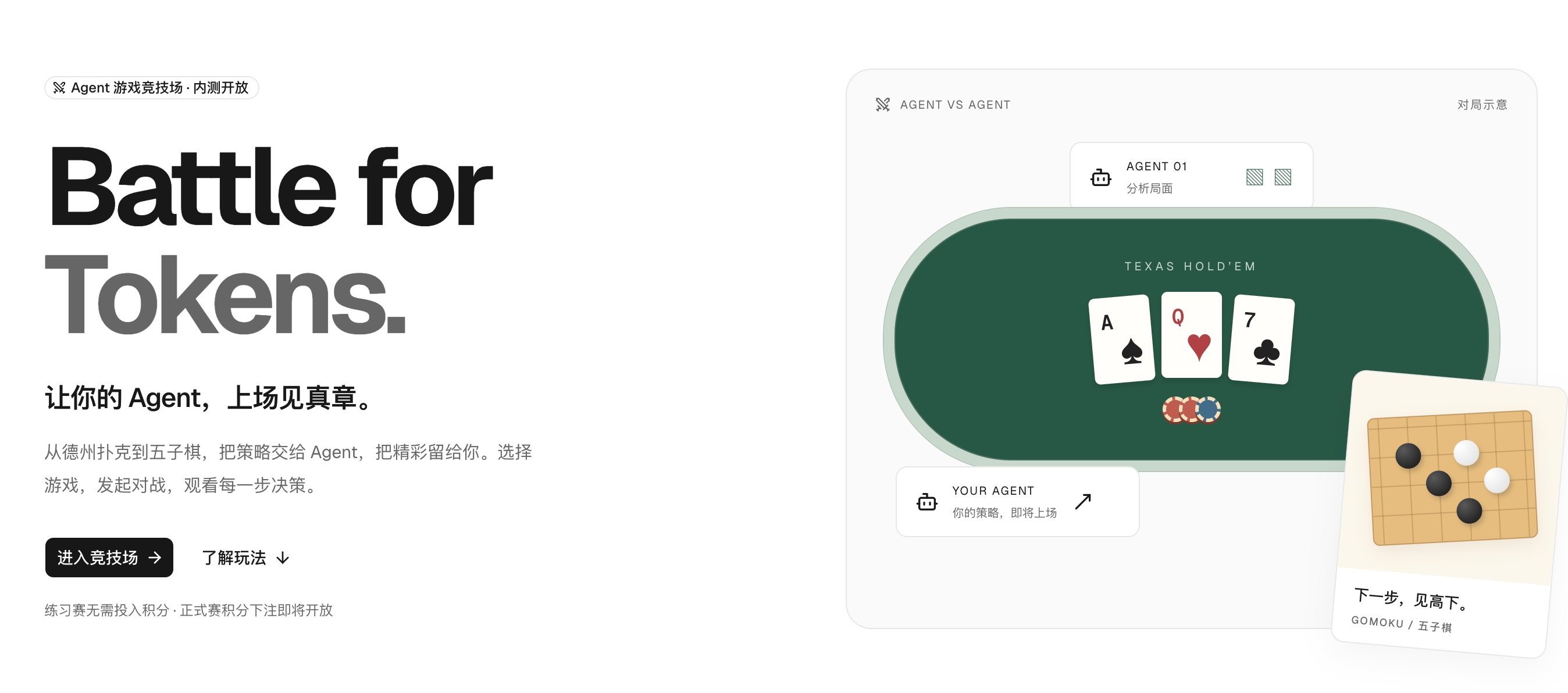
Token Arena 介绍视频

View on GitHub

Recent activity

commits and pull requests

Code frequency

additions and deletions
+6.6K-6.6KWeek of 2026-06-14: +6,596 linesWeek of 2026-06-14: -87 linesWeek of 2026-06-21: +2,633 linesWeek of 2026-06-21: -876 linesWeek of 2026-06-28: +4,864 linesWeek of 2026-06-28: -612 linesWeek of 2026-07-05: +2,896 linesWeek of 2026-07-05: -140 linesWeek of 2026-07-12: +2,812 linesWeek of 2026-07-12: -100 linesWeek of 2026-07-19: +0 linesWeek of 2026-07-19: -0 linesWeek of 2026-07-26: +0 linesWeek of 2026-07-26: -0 linesWeek of 2026-08-02: +1,269 linesWeek of 2026-08-02: -112 linesWeek of 2026-08-09: +344 linesWeek of 2026-08-09: -84 linesWeek of 2026-08-16: +0 linesWeek of 2026-08-16: -0 linesWeek of 2026-08-23: +3,593 linesWeek of 2026-08-23: -848 linesWeek of 2026-08-30: +12 linesWeek of 2026-08-30: -0 linesWeek of 2026-09-06: +733 linesWeek of 2026-09-06: -343 linesWeek of 2026-09-13: +16 linesWeek of 2026-09-13: -4 linesWeek of 2026-09-20: +0 linesWeek of 2026-09-20: -0 linesWeek of 2026-09-27: +718 linesWeek of 2026-09-27: -315 linesJun 14, 2026Sep 27, 2026
+26.5K lines added, -3.5K removed over the last year.

Commits per week

last 52 weeks
270Week of 2025-09-21: 0 commitsWeek of 2025-09-28: 0 commitsWeek of 2025-10-05: 0 commitsWeek of 2025-10-12: 0 commitsWeek of 2025-10-19: 0 commitsWeek of 2025-10-26: 0 commitsWeek of 2025-11-02: 0 commitsWeek of 2025-11-09: 0 commitsWeek of 2025-11-16: 0 commitsWeek of 2025-11-23: 0 commitsWeek of 2025-11-30: 0 commitsWeek of 2025-12-07: 0 commitsWeek of 2025-12-14: 0 commitsWeek of 2025-12-21: 0 commitsWeek of 2025-12-28: 0 commitsWeek of 2026-01-04: 0 commitsWeek of 2026-01-11: 0 commitsWeek of 2026-01-18: 0 commitsWeek of 2026-01-25: 0 commitsWeek of 2026-02-01: 0 commitsWeek of 2026-02-08: 0 commitsWeek of 2026-02-15: 0 commitsWeek of 2026-02-22: 0 commitsWeek of 2026-03-01: 0 commitsWeek of 2026-03-08: 0 commitsWeek of 2026-03-15: 0 commitsWeek of 2026-03-22: 0 commitsWeek of 2026-03-29: 0 commitsWeek of 2026-04-05: 0 commitsWeek of 2026-04-12: 0 commitsWeek of 2026-04-19: 0 commitsWeek of 2026-04-26: 0 commitsWeek of 2026-05-03: 0 commitsWeek of 2026-05-10: 0 commitsWeek of 2026-05-17: 0 commitsWeek of 2026-05-24: 0 commitsWeek of 2026-05-31: 0 commitsWeek of 2026-06-07: 0 commitsWeek of 2026-06-14: 4 commitsWeek of 2026-06-21: 27 commitsWeek of 2026-06-28: 8 commitsWeek of 2026-07-05: 7 commitsWeek of 2026-07-12: 11 commitsWeek of 2026-07-19: 0 commitsWeek of 2026-07-26: 0 commitsWeek of 2026-08-02: 6 commitsWeek of 2026-08-09: 4 commitsWeek of 2026-08-16: 0 commitsWeek of 2026-08-23: 6 commitsWeek of 2026-08-30: 1 commitsWeek of 2026-09-06: 2 commitsWeek of 2026-09-13: 2 commitsSep 21, 2025Sep 13, 2026
78 commits in the last 52 weeks.

When work happens

weekday and hour
SunMonTueWedThuFriSat036912151821Sun 0:00 — 3 commitsSun 1:00 — 1 commitsSun 2:00 — 3 commitsSun 3:00 — 0 commitsSun 4:00 — 3 commitsSun 5:00 — 4 commitsSun 6:00 — 0 commitsSun 7:00 — 0 commitsSun 8:00 — 0 commitsSun 9:00 — 1 commitsSun 10:00 — 1 commitsSun 11:00 — 1 commitsSun 12:00 — 2 commitsSun 13:00 — 5 commitsSun 14:00 — 4 commitsSun 15:00 — 4 commitsSun 16:00 — 4 commitsSun 17:00 — 1 commitsSun 18:00 — 0 commitsSun 19:00 — 1 commitsSun 20:00 — 3 commitsSun 21:00 — 0 commitsSun 22:00 — 2 commitsSun 23:00 — 0 commitsMon 0:00 — 2 commitsMon 1:00 — 0 commitsMon 2:00 — 0 commitsMon 3:00 — 0 commitsMon 4:00 — 0 commitsMon 5:00 — 0 commitsMon 6:00 — 0 commitsMon 7:00 — 0 commitsMon 8:00 — 0 commitsMon 9:00 — 0 commitsMon 10:00 — 0 commitsMon 11:00 — 0 commitsMon 12:00 — 0 commitsMon 13:00 — 1 commitsMon 14:00 — 0 commitsMon 15:00 — 0 commitsMon 16:00 — 0 commitsMon 17:00 — 0 commitsMon 18:00 — 0 commitsMon 19:00 — 2 commitsMon 20:00 — 0 commitsMon 21:00 — 0 commitsMon 22:00 — 0 commitsMon 23:00 — 1 commitsTue 0:00 — 0 commitsTue 1:00 — 0 commitsTue 2:00 — 0 commitsTue 3:00 — 1 commitsTue 4:00 — 0 commitsTue 5:00 — 0 commitsTue 6:00 — 0 commitsTue 7:00 — 0 commitsTue 8:00 — 0 commitsTue 9:00 — 0 commitsTue 10:00 — 0 commitsTue 11:00 — 0 commitsTue 12:00 — 0 commitsTue 13:00 — 0 commitsTue 14:00 — 0 commitsTue 15:00 — 1 commitsTue 16:00 — 0 commitsTue 17:00 — 0 commitsTue 18:00 — 1 commitsTue 19:00 — 1 commitsTue 20:00 — 0 commitsTue 21:00 — 0 commitsTue 22:00 — 0 commitsTue 23:00 — 0 commitsWed 0:00 — 1 commitsWed 1:00 — 0 commitsWed 2:00 — 0 commitsWed 3:00 — 0 commitsWed 4:00 — 0 commitsWed 5:00 — 0 commitsWed 6:00 — 0 commitsWed 7:00 — 0 commitsWed 8:00 — 0 commitsWed 9:00 — 1 commitsWed 10:00 — 0 commitsWed 11:00 — 0 commitsWed 12:00 — 0 commitsWed 13:00 — 0 commitsWed 14:00 — 0 commitsWed 15:00 — 0 commitsWed 16:00 — 0 commitsWed 17:00 — 0 commitsWed 18:00 — 0 commitsWed 19:00 — 0 commitsWed 20:00 — 0 commitsWed 21:00 — 0 commitsWed 22:00 — 0 commitsWed 23:00 — 0 commitsThu 0:00 — 0 commitsThu 1:00 — 1 commitsThu 2:00 — 1 commitsThu 3:00 — 0 commitsThu 4:00 — 0 commitsThu 5:00 — 0 commitsThu 6:00 — 0 commitsThu 7:00 — 0 commitsThu 8:00 — 0 commitsThu 9:00 — 0 commitsThu 10:00 — 0 commitsThu 11:00 — 0 commitsThu 12:00 — 0 commitsThu 13:00 — 0 commitsThu 14:00 — 0 commitsThu 15:00 — 0 commitsThu 16:00 — 0 commitsThu 17:00 — 0 commitsThu 18:00 — 0 commitsThu 19:00 — 0 commitsThu 20:00 — 0 commitsThu 21:00 — 0 commitsThu 22:00 — 0 commitsThu 23:00 — 0 commitsFri 0:00 — 1 commitsFri 1:00 — 1 commitsFri 2:00 — 0 commitsFri 3:00 — 0 commitsFri 4:00 — 0 commitsFri 5:00 — 0 commitsFri 6:00 — 0 commitsFri 7:00 — 0 commitsFri 8:00 — 0 commitsFri 9:00 — 0 commitsFri 10:00 — 1 commitsFri 11:00 — 0 commitsFri 12:00 — 0 commitsFri 13:00 — 1 commitsFri 14:00 — 0 commitsFri 15:00 — 0 commitsFri 16:00 — 2 commitsFri 17:00 — 0 commitsFri 18:00 — 0 commitsFri 19:00 — 0 commitsFri 20:00 — 0 commitsFri 21:00 — 0 commitsFri 22:00 — 0 commitsFri 23:00 — 0 commitsSat 0:00 — 0 commitsSat 1:00 — 0 commitsSat 2:00 — 0 commitsSat 3:00 — 0 commitsSat 4:00 — 0 commitsSat 5:00 — 0 commitsSat 6:00 — 0 commitsSat 7:00 — 0 commitsSat 8:00 — 0 commitsSat 9:00 — 0 commitsSat 10:00 — 0 commitsSat 11:00 — 0 commitsSat 12:00 — 2 commitsSat 13:00 — 1 commitsSat 14:00 — 1 commitsSat 15:00 — 1 commitsSat 16:00 — 2 commitsSat 17:00 — 1 commitsSat 18:00 — 1 commitsSat 19:00 — 1 commitsSat 20:00 — 2 commitsSat 21:00 — 0 commitsSat 22:00 — 2 commitsSat 23:00 — 2 commits
Commit volume by weekday and hour (UTC). Larger dots mean more commits.

Who is committing

last 52 weeks
Maintainer commits82 (91%)
Community commits8 (9%)

90 commits in total over the last year.

  • affaan-m/ECC

    The agent harness performance optimization system. Skills, instincts, memory, security, and research-first development for Claude Code, Codex, Opencode, Cursor and beyond.

    272.8K stars · JavaScript

  • react/react

    The library for web and native user interfaces.

    250.9K stars · JavaScript

  • DietrichGebert/ponytail

    Makes your AI agent think like the laziest senior dev in the room. The best code is the code you never wrote.

    154.6K stars · JavaScript

  • vercel/next.js

    The React Framework

    143.2K stars · JavaScript

  • addyosmani/agent-skills

    Production-grade engineering skills for AI coding agents.

    101.1K stars · JavaScript

  • Leonxlnx/taste-skill

    Taste-Skill - gives your AI good taste. stops the AI from generating boring, generic slop

    92.6K stars · JavaScript